
What’s the difference between a click, a lead and a booked HVAC job?

- Click vs lead vs booked job: what each one means in an HVAC marketing report
- What counts as a click?
- What counts as a lead for an HVAC company?
- Why does every platform count leads differently?
- What counts as a booked job?
- Is a booked estimate the same as a sold job?
- Why does the difference matter when I read a marketing report?
- Which number should I use to judge my HVAC marketing?
- What are the rates between a click, a lead and a booked job called?
- Where do I find each number?
- How do I get my office and my agency to use the same definitions?
- What's different for HVAC companies
- A worked example: one month, three different costs
- Frequently asked questions
- Key takeaways
- More in this section
- Sources
The short version
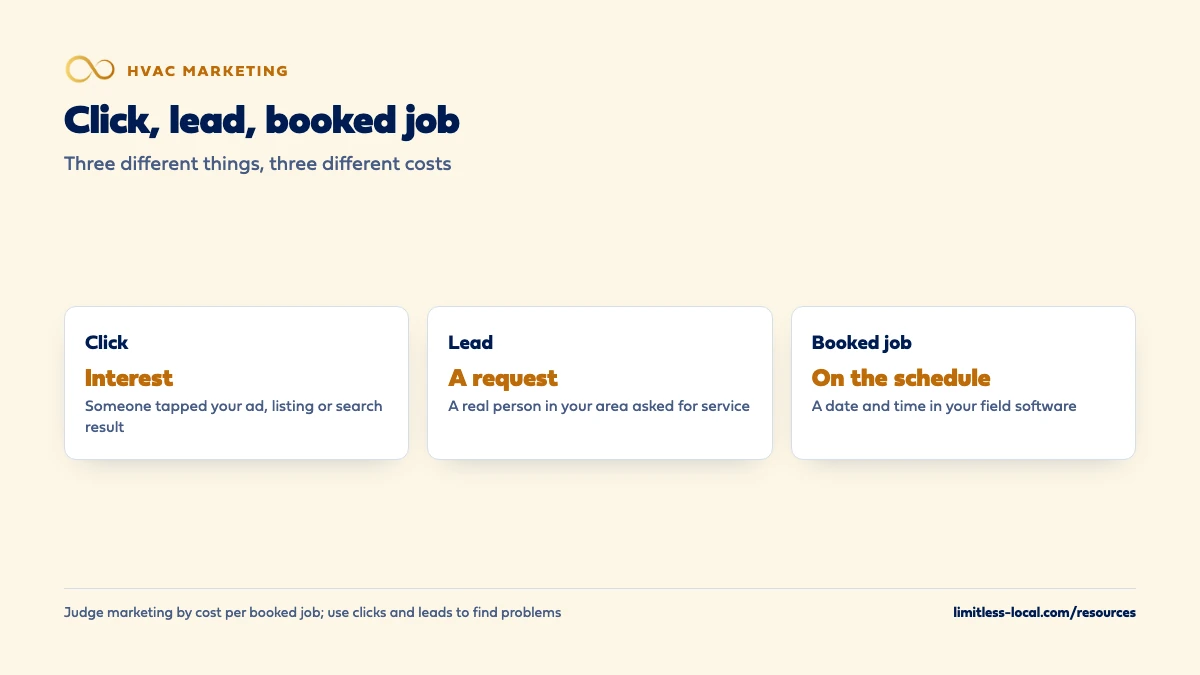
- Click: someone tapped your ad, listing or search result.
- Lead: a real person in your area asked for service by call, form, message or booking.
- Booked job: that lead is on your calendar with a date and time.
- Judge marketing by cost per booked job; use clicks and leads to find problems.
For HVAC owners reading marketing reports that say “leads” and “conversions” and trying to work out how many jobs they actually got.
Get a free visibility audit · Book a growth call
Click vs lead vs booked job: what each one means in an HVAC marketing report
A click is someone tapping your ad, listing or search result; it shows interest and may cost you money, but nobody has asked you for anything yet. A lead is a real person asking for service, such as a call, form, message or booking request from someone in your area who needs work you do. A booked job is a lead that’s on your schedule with a date and time, and it’s the only one of the three that turns into revenue, which is why cost per booked job is the number to judge your marketing by.
Every one of our marketing packages comes with call tracking, source tagging and a monthly report with a cost-per-lead breakdown, so each lead carries the channel it came from. Our HVAC marketing page shows how that fits together, the HVAC lead generation guide covers where good leads come from, and the HVAC marketing questions library goes question by question.
What counts as a click?
A click is someone tapping something with your name on it: an ad, your website in the search results, or a button on your Google Business Profile. It shows interest, and on paid channels it costs money. Google Ads’ cost-per-click bidding means you pay for each click on your ad, and Google Search Console counts clicks as the number of times someone clicked through to your site from Google Search results.
What a click doesn’t tell you is whether that person needed anything. A homeowner comparing prices, a competitor checking your ads, someone two counties outside your service area and someone with a dead AC on a hot day all count as one click each. That’s why a report built on clicks alone can look busy while your schedule stays thin.
What counts as a lead for an HVAC company?
A lead is a real person asking you for service: a phone call, a web form, a text or chat message, or an online booking request, from someone in your area who needs work you do. In our judgement, the useful definition for an HVAC company leaves out the contacts that look like leads in a report but can never become new jobs:
- spam, robocalls and sales calls from vendors;
- existing customers calling about a scheduled appointment or an invoice;
- wrong-service and out-of-area requests;
- the same person calling three times about the same problem.
Where you draw those lines matters less than drawing them the same way every month. The HVAC lead generation guide covers where good leads come from and why so many turn out to be junk; this page is about counting them consistently.
Why does every platform count leads differently?
Because each one counts what it can see, under its own rules. A few examples from the platforms HVAC owners use most:
- Google Ads calls them conversions. For calls from your ads, you set a minimum call length and every call that lasts at least that long is counted as a conversion, whether or not the caller booked.
- Local Services Ads charge for valid leads, which include an answered call, a voicemail, a message, a booking request, and a call you missed during business hours if the customer stayed on the line for more than 20 seconds.
- Call tracking logs every call to a tracking number, including repeat callers, unless you filter them out.
- Your field software only knows about the leads someone entered as a customer, request or estimate.
None of these is wrong. They’re just different counts, so the same month can show four different lead numbers. Pick one place as the official count, and in our view it should be the one closest to your schedule.
What counts as a booked job?
A booked job is a lead that’s on your schedule: a service call, maintenance visit, install or estimate with a date and time, entered in ServiceTitan, Housecall Pro, Jobber or whatever runs your calendar. It’s the first point where marketing has produced something your techs can act on.
Field software is built to track this step. Jobber’s Lead Source Report, for example, counts how many leads from each source went on to have a request, a quote, a job and an invoice. Housecall Pro lets you track lead sources on customers, jobs and estimates, so each booking carries the channel it came from. Whatever you use, the rule is the same: a lead becomes a booked job when it’s on the calendar, not when someone says “call me back next week”.
Curious what your marketing is actually booking?
Get a free visibility audit — no obligation, no sales pitch.
Is a booked estimate the same as a sold job?
No, and for HVAC it’s worth keeping them apart. A repair or maintenance call usually turns into revenue the same day. A replacement starts as a booked estimate, and whether it becomes a sold job depends on your price, your comfort advisor and how many other quotes the homeowner gets.
So track three things on the replacement side: estimates booked, estimates sold, and what they sold for. Jobber’s report, for instance, shows the value of the first invoice tied to each lead, which is the closest most owners get to revenue by channel without building anything. In our judgement, a channel that books lots of replacement estimates that never close is not doing its job, however good the lead count looks.
Why does the difference matter when I read a marketing report?
Because each step has its own cost, and they can point in opposite directions. Cost per click is spend divided by clicks. Cost per lead is spend divided by leads. Cost per booked job is spend divided by booked jobs. A channel can have the cheapest clicks and the most expensive booked jobs, if most of those clicks never call or most of the calls never book.
A report that stops at clicks or leads tells you the marketing is busy. It doesn’t tell you whether it’s paying. If you work with an agency, ask for the booked-job line by channel, with their fee included in the spend. Judging whether your agency gets results covers what else that report should show.
Which number should I use to judge my HVAC marketing?
Cost per booked job, checked against what those jobs sold for. That’s the number that connects marketing spend to the schedule and the bank account. The other two still have a job:
- Clicks and cost per click tell you whether the ads and listings are being seen and chosen. They’re for diagnosing problems, like a broken landing page or a keyword pulling in the wrong searches.
- Leads and cost per lead are an early warning. They move faster than booked jobs, so a sudden drop shows up here first.
- Booked jobs and cost per booked job are what you make budget decisions on.
If you only have time for one number a month, make it booked jobs by channel.

What are the rates between a click, a lead and a booked job called?
Each step has a rate, and naming them helps you find where things break:
- Click-to-lead rate (often called conversion rate): leads divided by clicks. A low number usually points at the website, the landing page or the offer.
- Booking rate: booked jobs divided by leads. A low number usually points at the phones and follow-up, such as missed calls, slow callbacks or how calls are handled.
- Close rate: sold jobs divided by booked estimates. A low number points at pricing, the sales visit or the quality of the leads themselves.
Those diagnoses are our general judgement, not fixed rules, but they tell you where to look first. Booking rate is the one most owners have never measured; how many calls your office should be booking goes into it.
Where do I find each number?
They live in different places, which is half the reason owners mix them up:
- Clicks: Google Ads, Google Search Console, and the performance section of your Google Business Profile.
- Leads: your call tracking, form and chat tools, and the Local Services Ads lead list.
- Booked and sold jobs: ServiceTitan, Housecall Pro, Jobber or FieldPulse, with the lead source filled in on every job.
The link between the last two is the lead source field. If it’s blank, a booked job can’t be traced back to the click or call that produced it. Tracking whether your marketing is paying off covers the setup: call tracking numbers per channel, tagged links, and marking jobs booked and sold.
How do I get my office and my agency to use the same definitions?
Write them down on one page and hand it to everyone who touches the numbers. It can be short:
- Lead: a first-time contact asking for service in our area, by call, form, message or booking. Not spam, vendors, existing customers about existing work, or repeat calls from the same person that week.
- Booked job: on the calendar with a date and time, with a lead source chosen from our fixed list.
- Sold job: invoiced. For replacements, the signed estimate.
- Spend: ad spend plus management fees and tools for that channel.
Then make the ad platforms count the same way where you can. Google Ads lets you import call conversions so calls only count when they led to a sale, and its offline conversion imports let you send back sales that happened after an ad click or call. Ask your call tracking or field software provider whether it can send those sales back for you.
Want to see where your company stands?
A free visibility audit shows where you show up on Google, Maps and AI answers, and what it's costing you in calls.
What's different for HVAC companies
Maintenance members and repeat customers aren’t new leads. A plan customer calling to book a tune-up is good business, but it isn’t something your marketing produced this month. Give those calls their own source, or your lead count and your cost per lead will both look better than they are.
Repair and replacement need separate lines. A booked repair and a booked replacement estimate both count as one booked job, but they’re worth very different amounts and close on different timelines. Report them separately, or a month of small service calls will look as good as a month of installs.
After-hours calls still count. A no-heat call at 11 p.m. that books for 8 a.m. is a booked job from the night before. If nobody answered and the homeowner called someone else, it’s a lead you lost, and how fast you respond to new leads is where to start.
A worked example: one month, three different costs
These numbers are made up to show the math, not a benchmark for your market. Say you spend $1,500 on Google Ads in a month, and your reports show:
- 300 clicks, so each click cost $5.
- 30 leads after you remove spam and existing customers, so each lead cost $50. That’s a click-to-lead rate of 10%.
- 12 booked jobs, so each booked job cost $125. That’s a booking rate of 40%.
Same money, three very different numbers. If your agency reports “$5 clicks”, that sounds cheap. If it reports “$50 leads”, that sounds fine. Only the $125 figure tells you whether the channel pays, because you can hold it up against what an average booked job brings in.
Now say next month the clicks get cheaper and the leads go up, but the office only books 8 jobs. Cost per lead improved; cost per booked job got worse. That’s the month the lead report would have fooled you. If you pay for management, add that fee to spend before you divide. Our Essentials package, for example, is $3,500 a month with ad spend paid to Google separately, and both belong in the math.
Frequently asked questions
Is a Google Ads conversion the same as a lead?
Not necessarily. A conversion is whatever action you told Google Ads to count, such as a call that lasted at least the minimum length you set, so it can include wrong numbers and existing customers unless you import only the calls that led to sales.
Does a missed call count as a lead?
If it was a real customer, yes, and it’s one you probably lost. Local Services Ads even charge for a missed call during business hours when the caller stayed on the line more than 20 seconds.
Do form fills count the same as phone calls?
Both are leads if a real person asked for service. Count them together, but check forms for spam before they go into the total.
What's a good click-to-lead rate for HVAC?
There’s no honest single benchmark; it depends on the service, the season, your site and the channel. Track your own rate month to month and look into any sudden drop.
Why don't my Google Ads, call tracking and field software numbers match?
Each counts by its own rules: Google Ads counts conversions you defined, call tracking counts every call to a tracking number, and your field software only counts what your office entered. Pick one official count and reconcile the others to it.
Should impressions be in my monthly report?
They can help diagnose problems, since they show how often you appeared, but they’re one step before a click. Don’t judge a channel on them.
Key takeaways
- A click is interest, a lead is a request for service, and a booked job is on your calendar.
- Each platform counts leads by its own rules, so pick one official count, ideally the one closest to your schedule.
- For replacements, keep booked estimates and sold jobs on separate lines.
- Cost per booked job is the number for budget decisions; clicks and leads are for finding problems.
- Write your definitions down and give the same page to your office and your agency.
Not sure what's working right now?
Start with a free visibility audit: rankings, Google profile, reviews and tracking, checked against your service area.
More in this section
- How long does it take an HVAC lead to turn into a booked job?
- What percentage of calls should my HVAC office be booking?
- How long does HVAC SEO take to bring in calls?
- How many booked calls does my HVAC company need to hit its goal?
- How fast should an HVAC company respond to new leads?
Sources
- Cost-per-click (CPC): Definition — Google Ads Help
- Performance report (Search results): Overview and basic setup — Search Console Help
- About phone call conversion tracking — Google Ads Help
- How leads work — Google Local Services Help
- Lead Source Report — Jobber Help Center
- How to Use Lead Sources — Housecall Pro Help Center
- About offline conversion imports — Google Ads Help