
How do I get restoration website visitors to call right away?
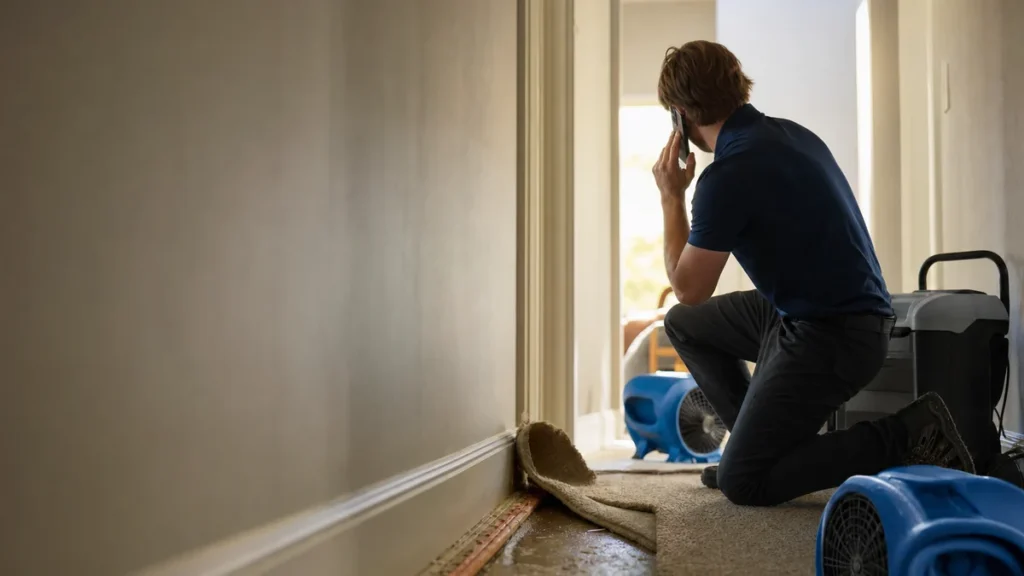
- How do I get water damage website visitors to call me now instead of shopping around?
- Why do restoration visitors leave without calling?
- Step 1: Put one clear call action on the first screen
- Step 2: Tell them what the call gets them
- Step 3: Answer the questions that send people back to Google
- Step 4: Land each visitor on the page for their job
- Step 5: Get out of the way on a phone
- Step 6: Let them call before they ever reach the site
- Step 7: Make sure the call is answered
- What about visitors who can't call right now?
- How do I know if more visitors are calling?
- Which change should I make first?
- What's different about getting restoration visitors to call
- A worked example: what a better call rate is worth
- Frequently asked questions
- Key takeaways
- More in this section
- Sources
The short version
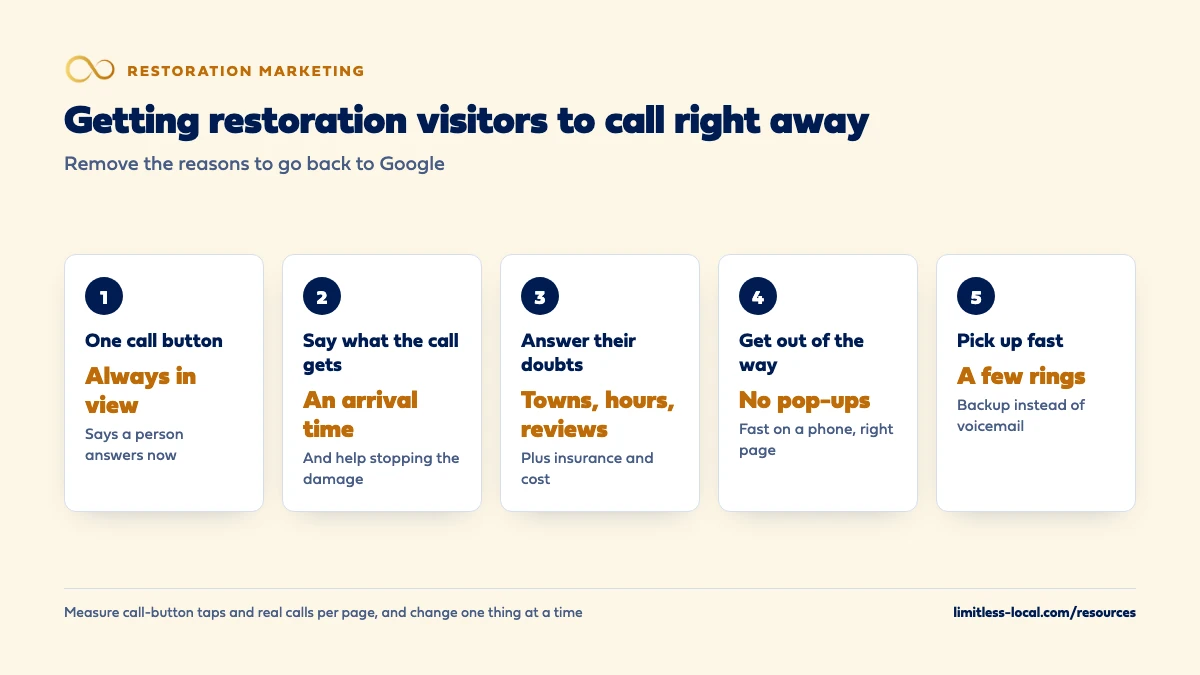
- Visitors leave to compare, so answer their comparison questions on the first screen.
- One clear call button, worded to say a person answers now.
- Tell them what the call gets them: an arrival time and advice to stop the damage.
- Land each visitor on the page for their job, and keep pop-ups off the screen.
- None of it works if the phone isn't answered within a few rings.
For restoration owners whose site gets visits but too many people leave to check the next company before they ever call.
Get a free visibility audit · Book a growth call
How do I get water damage website visitors to call me now instead of shopping around?
Make calling the easiest and safest next step from the first screen: one tap-to-call button that stays in view, a line saying a person answers now, and a plain promise of what the call gets them, such as an arrival time and help stopping the damage. Then remove the reasons people go back to Google to compare: a slow page, pop-ups, landing on the homepage instead of the job they searched for, and questions about towns, reviews, insurance or cost left unanswered. Last, make sure every call is picked up within a few rings, because a visitor who reaches voicemail calls the next company.
Every step on this page is part of how we build and run websites for local service businesses. Our website work runs from a themed site at $3,750, or $3,000 alongside any Limitless Engine package, with up to 25 pages, to custom builds from $5,000, and every Limitless Engine package adds call, web and form tracking so you can see which pages ring the phone. See how it fits restoration companies, read the restoration marketing guide for the full channel picture, or browse more restoration marketing questions.
Why do restoration visitors leave without calling?
Someone with water on the floor rarely calls the first site they open. They tap a result, glance at the page for a few seconds, and decide whether to call or hit the back button and try the next company. Most of the time they’re checking three things:
- Will someone answer right now? At 11 p.m. on a Sunday, that’s the whole question.
- Do you come to me? Their town, their kind of property.
- Can I trust you in my house? Reviews, real photos, a real local company.
If the page answers all three in the first screen, calling you is easier than going back to search. If it doesn’t, the back button wins and the next company gets the job. Getting visitors to call right away is mostly about removing the reasons to leave, not adding more to the page.
If visitors aren’t calling at all, start with why a restoration website gets clicks but no calls, which covers tracking and junk traffic first.
Step 1: Put one clear call action on the first screen
Pick one action you want, a phone call, and make it impossible to miss on a phone:
- A big tap-to-call button at the top, with the number written in text so one tap starts the call.
- A call bar that stays at the bottom of the screen as people scroll, so they never have to scroll back up to find it.
- One number. Two or three numbers make people stop and wonder which one is right.
Then look at the words on the button. “Contact us” sounds like filling out a form and waiting. “Call now, a person answers” or “Call for help now” tells them exactly what happens when they tap, and that’s what a stressed homeowner wants to know. Only use “a person answers” if it’s true day and night.
Everything else on the first screen should support that button. The full list of what belongs on the page is in the elements that turn restoration website visitors into calls.
Step 2: Tell them what the call gets them
A lot of people hesitate to call because they don’t know what they’re starting. Will they get a sales pitch? Will they be on the hook for a bill? A short line next to the button takes that fear away:
- “Call now and we’ll give you an arrival time on the phone.”
- “We’ll walk you through shutting off the water while the crew is on the way.”
- “We’ll tell you on the call if it’s something you can handle yourself.”
- “Free inspection” or “no-obligation estimate,” if that’s how you work.
People call the company that sounds like it will be straight with them.
There’s real urgency in water damage, and it’s fine to say so plainly: water keeps spreading into walls, floors and cabinets the longer it sits, so calling now matters. Keep it honest and calm. Countdown timers, “only two crews left today” banners and flashing graphics make a restoration company look like a scam, and that sends people back to search.
Step 3: Answer the questions that send people back to Google
When visitors leave to compare, they’re looking for answers your page didn’t give. Put short answers right under the call button, one line each, before any long text:
- Towns. “Serving [your town] and nearby towns,” with the list a scroll away.
- Hours. “Phones answered day and night” if they are. If not, say when, and what happens after hours.
- Reviews. Your star rating and review count from your Google profile, with a link so they can check it themselves.
- Insurance. “We document the damage and work with your insurance company.” Say how you work with insurers; never promise what a policy will cover.
- Cost. “We’ll explain the cost before any work starts.” You don’t need a price list, but silence on cost makes people nervous.
- Arrival. A time promise only if your crews keep it nearly every time, in every town you list.
Use your own job photos, not stock photos. A site that looks like every other site is exactly why people keep shopping.
Step 4: Land each visitor on the page for their job
Someone who searched “sewage backup cleanup” and lands on your homepage has to start looking all over again. Many won’t. Google’s tips on optimizing your mobile landing page make the same point: an ad should click through directly to the matching page, not a general page or the homepage, which forces people to start their search all over again.
For a restoration company, that means:
- Water damage ads go to the water damage page, sewage ads to the sewage page, mold ads to the mold page.
- The service links on your Google profile point to the matching page, not the homepage.
- Referral partners like plumbers and property managers get a link to the page for the work they send.
Each of those pages repeats the call button, the reassurance lines and the town list, so a visitor who lands on any of them can call without hunting. What a restoration Google Ads landing page should include covers the ad side in more detail.
Curious what your marketing is actually booking?
Get a free visibility audit — no obligation, no sales pitch.
Step 5: Get out of the way on a phone
Most emergency visitors are on a phone, often on a weak signal in a basement or a hallway. Every second the page takes to load, and every thing they have to close before they can see your number, is a chance to go back to search. Prospects will wait only seconds for mobile pages to load before going elsewhere, and full-size pop-ups and live chat boxes covering the screen disrupt the visit.
Google’s Search guidance on intrusive interstitials and dialogs goes further: pop-ups that cover the content may frustrate visitors and erode their trust, and it suggests small banners instead of full-page overlays.
On restoration sites the usual offenders are a coupon pop-up that fires on load, a chat window that opens on its own over the call bar, and a big rotating slider at the top. Keep the chat as a small button, put any offer in the page itself, and test the page on your own phone on mobile data. Mobile speed fixes for a restoration website lists the technical changes in order.
Step 6: Let them call before they ever reach the site
The fastest website visit is the one that never has to happen. Plenty of homeowners will call straight from the search results if you give them a button:
- Call assets on your Google Ads. Google’s help page about call assets says that when they show, people can tap a button to call your business directly or go to your website. You can also set numbers to appear only when your business can accept calls, which keeps after-hours taps from ringing an empty office.
- The call button on your Google profile. Keep the number, hours and service area current, so the button rings a phone someone answers.
The site’s job is to catch the people who still want to check you out first. Both groups need a person on the line at the end.
Step 7: Make sure the call is answered
This is where a lot of good websites lose the job. The visitor did everything right: they read the page, they trusted you, they tapped the button. Then the phone rang six times and went to voicemail. Most people with water on the floor don’t leave a message; they call the next result.
- Know who answers every hour of the day, including nights, weekends and holidays, and what happens when that person is already on a call.
- Set a backup. If the first phone doesn’t pick up in a few rings, the call rolls to a second person or an answering service, not voicemail.
- Make test calls from a number your team won’t recognize, at different times, including late at night.
If you can’t cover the phone around the clock, say so honestly on the site and tell people when you’ll call back. How fast a restoration company needs to answer emergency calls covers answer times and coverage in detail.

What about visitors who can't call right now?
Some people want help but can’t talk: a tenant at work, a property manager in a meeting, someone checking at 2 a.m. who doesn’t want to wake the house. If calling is the only option, you lose them, or they fill in a form on a competitor’s site.
- Offer one quick backup under the call button: a short form or a text option, with name, phone, address and what happened. Nothing more.
- Say when you’ll respond, and keep that promise, ideally within minutes during the hours you answer.
- Call them back, don’t email. A form about water in the basement is a phone call waiting to happen.
Keep the backup smaller than the call button. The goal is still a call.
How do I know if more visitors are calling?
You need two numbers for each page: how many people tapped the call button, and how many real calls came in.
- Taps on the call button. In Google Analytics, you can mark a meaningful action as a key event. Google’s guide on how to measure key events walks through it with a form, and the same idea works for a tap on your phone link once you have an event for it. That shows which pages get people to tap.
- Real calls from the site. Google Ads’ website call tracking swaps your number for a Google forwarding number on visits from ads and counts a call as a conversion only when it lasts longer than a minimum length you set, which filters out the very short calls. Third-party call tracking does the same job across every channel.
Then compare calls per hundred visits on each page before and after a change. Make one change at a time and give it a few weeks, so you know which change did the work. A tap that never turns into a real call usually points to a problem with the phone, not the page.
Which change should I make first?
If you’re starting from a site that doesn’t get many calls, work in this order:
- Answer the phone. Fix coverage and the backup first. Nothing else matters if calls go to voicemail.
- The call button and its wording, plus the bar that stays on screen.
- Pop-ups and slow loading on the main service pages.
- The right landing page for each ad, profile link and referral partner.
- The reassurance lines: towns, hours, reviews, insurance, cost.
- The backup form or text option.
- Measure, then test one change at a time.
Most of these are small edits, not a new website. If every change takes a developer a week, that’s the point to think about a rebuild.
Not sure which of these is costing you jobs?
A free visibility audit checks the Google profile, reviews, site and tracking, and shows what to fix first.
What's different about getting restoration visitors to call
The visitor is in a crisis, not shopping for fun. They’re stressed, on a phone and often standing in water. Short lines and one big button beat long, clever copy.
Night and weekend visits matter more. What the page says at 2 a.m. about who answers can decide the job.
Insurance is in the back of their mind. A calm line about documenting the damage and working with the insurer answers a question they may not ask out loud.
Property managers compare differently. They want to know you’ll respond fast every time and handle the paperwork, so a clear response promise matters as much as reviews.
A worked example: what a better call rate is worth
These numbers are made up to show the math, not a benchmark for your market. Say your water damage page gets 500 visits a month, and 2% of visitors call. That’s 10 calls. If about 60% of those callers book, you get 6 jobs.
Now say you make the changes on this page: the call bar, clearer button wording, the reassurance lines and no pop-ups. If the call rate rises to 4%, the same 500 visits bring 20 calls, and at the same booking rate that’s 12 jobs. Same traffic, same ad budget, twice the jobs.
Your numbers will be different. The point is that a small lift in the share of visitors who call can be worth more than buying more traffic, because you’ve already paid for those visits.
Frequently asked questions
Should I remove the contact form so more people call?
No. Keep a short form as a backup for people who can’t talk, but make it smaller than the call button and call every form lead back fast.
Does a free inspection offer get more calls?
It can help, because it lowers the fear of calling. Only offer it if it’s how you really work, and say it next to the call button.
Should I put prices on my restoration website?
You don’t need a price list, since every job is different. A line saying you’ll explain the cost before any work starts answers the worry without boxing you in.
Is a website chat widget worth it for restoration?
Only if someone answers it fast. Keep it as a small button that doesn’t cover the call bar, and don’t let it pop open on its own.
Do countdown timers or "limited crews" banners push people to call?
They tend to backfire for restoration. People in a crisis are looking for a company they can trust, and pressure tactics make you look like the one to avoid.
Key takeaways
- Visitors leave to compare, so answer towns, hours, reviews, insurance and cost on the first screen.
- Use one call button that stays in view and says a person answers now.
- Tell people what the call gets them, and keep the urgency honest.
- Send every ad, profile link and referral to the page for that job, with no pop-ups in the way.
- Answer within a few rings with a backup, because voicemail sends callers to the next company.
- Track call-button taps and real calls per page, and change one thing at a time.
Want a second set of eyes on your setup?
We'll look at how you show up locally and where calls are leaking, then send you a plain-English breakdown.
More in this section
- What elements turn restoration website visitors into calls?
- Why is my restoration website getting clicks but no calls?
- Restoration website traffic vs phone calls: what is the difference?
- How can a water damage restoration firm get more live inbound calls?
- How can I tell if restoration SEO is working before leads arrive?
Sources
- 5 things to consider when optimizing your mobile landing page — Google Ads
- Avoid intrusive interstitials and dialogs — Google Search Central
- About call assets — Google Ads Help
- Set up Tracking calls to a phone number on a website — Google Ads Help
- How to measure key events with Google Analytics — Analytics Help