
How should a pool builder set up a project gallery page?
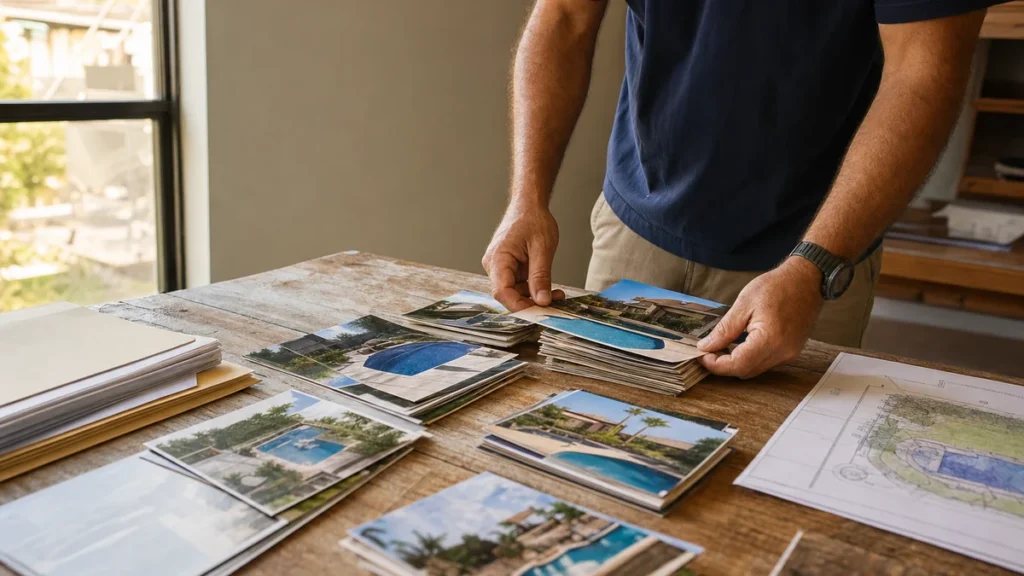
- What's the best way to set up a pool builder's project gallery so it brings in consultations?
- What is a pool builder's project gallery supposed to do?
- Should the gallery be one page of photos or a page for each project?
- What goes on each project page?
- How should homeowners be able to sort the gallery?
- How many projects do I need before the gallery goes live?
- How do I keep a photo-heavy gallery fast on a phone?
- Will Google find the photos that load as homeowners scroll?
- How should I label the photos on a project page?
- Should project pages link to my town pages?
- Can I put homeowner testimonials on project pages?
- Where does the consultation button go on a project page?
- Should renovations have their own gallery section?
- What's different about a gallery for pool builders
- A worked example: turning one season of builds into a gallery
- Frequently asked questions
- Key takeaways
- More in this section
- Sources
The short version
- A gallery index that links to one page per featured project, not one endless photo wall.
- Each project page: town, pool type, before-to-finished photos, a short story, a consultation button.
- Let homeowners browse by pool type and by new build or renovation, using real links Google can follow.
- Load the first photos right away, lazy-load the rest, and set image sizes so the page doesn't jump.
For pool builders with years of finished pools to show and a website gallery that’s either a wall of thumbnails or doesn’t exist yet.
Get a free visibility audit · Book a growth call
What's the best way to set up a pool builder's project gallery so it brings in consultations?
Set it up as a gallery index that links to a separate page for each featured project, not as one long wall of photos. Each project page should name the town and pool type, show the build from bare yard to finished pool, tell the short story of the yard and what was built, and end with a way to request a consultation. Let homeowners sort projects by what they’re shopping for, such as gunite, fiberglass or renovation, and build the page so it loads fast on a phone and Google can find every photo.
A project gallery is the part of a pool builder’s site that does the most selling, which is why our pool builder marketing page describes the sites we build as portfolio-style sites that make it easy to request a consultation. Our website design page covers the build options, and the pool builder marketing questions library covers the rest of the marketing one question at a time.
What is a pool builder's project gallery supposed to do?
Three jobs, in our judgement. It should let a homeowner find a pool like the one they’re picturing in a few taps, prove that you built it, and make the next step obvious. A gallery that looks good but does none of those things is decoration.
A homeowner who wants a fiberglass pool in a small yard doesn’t want to scroll past forty gunite builds to find one. What to shoot on each job is covered in using project photos and videos; this page is about how to lay those photos out on your website.
Should the gallery be one page of photos or a page for each project?
Both, in two layers. The top layer is a gallery index: a grid of your featured projects, one photo and one line each (“Freeform gunite pool and spa, [town]”), where every tile links to its own project page. The second layer is the project pages themselves, where the full set of photos and the story live.
The reason is search as well as browsing. Google’s image SEO guidance says it pulls information about an image’s subject from the page around it, including captions, and asks that images sit near relevant text on pages relevant to the image. A grid of eighty unlabeled photos on one page gives Google, and the homeowner, almost nothing to go on. A project page with a headline, a description and labeled photos tells both exactly what they’re looking at. Source: Image SEO best practices.
What goes on each project page?
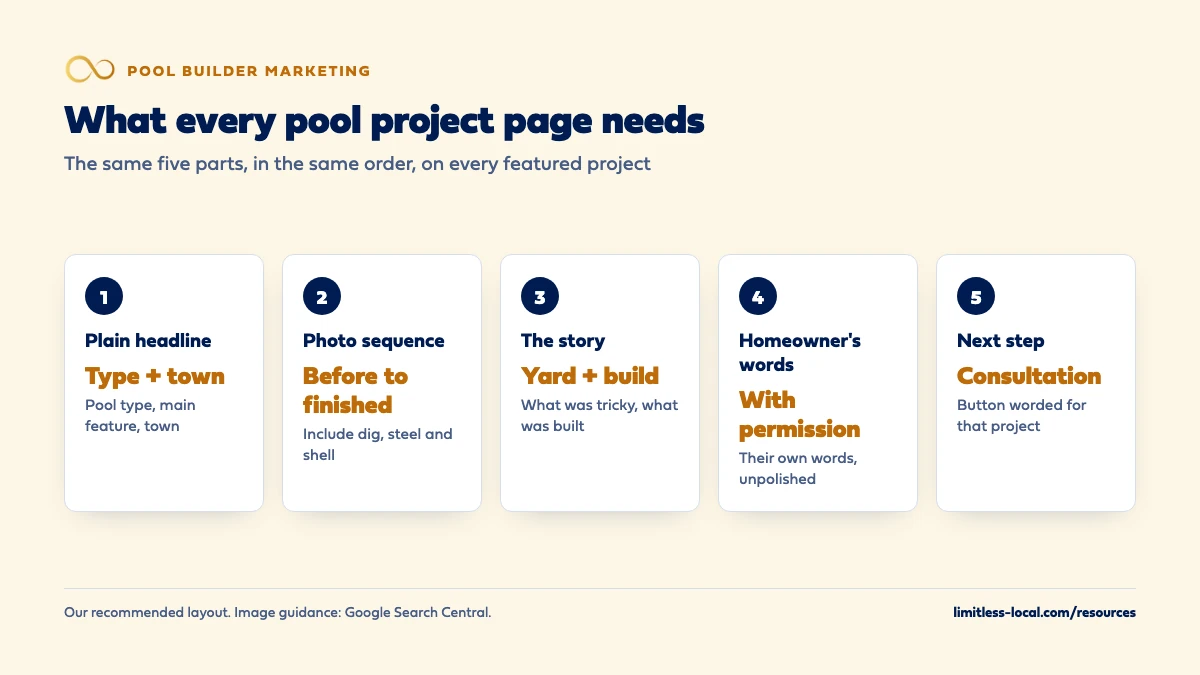
The same five parts every time, so homeowners learn where to look:
- A plain headline. The pool type, the main feature and the town: “Fiberglass pool with tanning ledge in [town]”.
- The photo sequence. Before, dig and steel, shell, tile and coping, finished. The in-progress shots are what separate your page from a stock photo site.
- The story, in a few short paragraphs. What the yard was like, what the homeowners wanted, what made it tricky (a slope, tight access, an HOA), and what was built: shape, finish, spa, water features, decking, lighting.
- The homeowner’s words, if they agreed to share them.
- A next step. A consultation button or short form at the bottom, worded for that page.
Leave out exact prices unless you publish prices elsewhere, and leave out anything that identifies the home: house numbers, street views, the family. A town name is enough location for the homeowner and for search.
How should homeowners be able to sort the gallery?
By the decisions they’ve already made. For most pool builders that means pool type (gunite, fiberglass, vinyl if you build it), new build or renovation, and a few features homeowners search for, such as a spa, a small yard or a water feature. Town is useful too once you have enough projects in each one.
How you build the sorting matters. Google’s URL structure guidance warns that filters which combine with each other (type plus feature plus town) can create a huge number of URLs pointing to the same or similar content, which wastes Google’s crawling on your site. Our recommendation: give your main categories real pages with clean addresses, like /projects/gunite-pools/ and /projects/pool-renovations/, linked from your menu, and treat any extra on-page filters as a convenience for visitors rather than pages you want in Google. If those category pages start to carry real weight, they can become your pool type pages; separate pages for each pool type covers when that’s worth it. Source: URL structure best practices.
How many projects do I need before the gallery goes live?
Fewer than most builders think, as long as each one is complete. In our judgement, a handful of projects with the full before-to-finished sequence and a real story beats dozens of single finished shots. Start with your best recent builds, one or two of each type you want more of, and add as you go.
Older jobs with only a finished photo or two can go in the category grids as photo-only entries. Then make it a habit: every finished build that’s worth showing gets a project page within a few weeks of the first swim, while the crew still remembers what made it tricky.
Curious what your marketing is actually booking?
Get a free visibility audit — no obligation, no sales pitch.
How do I keep a photo-heavy gallery fast on a phone?
A gallery is exactly the kind of page that gets slow, and most homeowners will open it on a phone. Google’s Web Vitals guidance sets the target for loading as the main content appearing within 2.5 seconds, measured at the 75th percentile of page loads on mobile and desktop.
Four habits get a gallery there without cutting photos:
- Load the first photos right away, and lazy-load the rest. web.dev’s lazy-loading guidance says to use loading=”lazy” only for images outside the first screen, and to let images visible on arrival, especially the largest one, load normally so they appear right away.
- Set each image’s width and height. The same guidance says giving images dimension attributes lets the browser reserve space for them and avoid the page jumping as photos load.
- Serve the right size. Google’s image guidance points to responsive images (srcset or the picture element, with a plain src fallback) so a phone isn’t downloading a desktop-sized photo.
- Use a modern format. Google Search supports WebP and AVIF alongside JPEG and PNG.
Sources: Web Vitals, Browser-level image lazy loading, Image SEO best practices.
Will Google find the photos that load as homeowners scroll?
Only if the gallery is built for it. Google’s guidance on lazy-loaded content says Google Search doesn’t interact with your page, so a setup that waits for someone to scroll or click before loading photos can hide them from Google. Its pagination guidance adds that Google’s crawlers don’t click buttons, so a “load more” button with no link behind it can leave half your gallery unseen.
The fixes Google lists are practical:
- Load images when they become visible on screen, not only after a click or scroll event.
- If the gallery loads in batches, give each batch its own lasting address (for example ?page=2) and link the pages in order with normal links.
- Don’t use the part of an address after a # for page numbers; Google ignores it.
- Put photos in normal img tags. Google’s image guidance says it doesn’t index images set as CSS backgrounds.
- Consider an image sitemap, which Google describes as a way to tell it about images it might not otherwise find, such as ones your site loads with JavaScript.
Then check one gallery page with the URL Inspection tool in Search Console, which Google suggests for confirming lazy-loaded images appear in the rendered page. Sources: Fix lazy-loaded content, Pagination and incremental page loading, Image sitemaps.
How should I label the photos on a project page?
Describe what’s in each one, in plain words. Google’s image guidance calls alt text the most important attribute for describing an image, says it uses alt text along with the page content to understand the image, and notes that alt text also helps people using screen readers. Write it the way you’d describe the photo to a homeowner on the phone: “Rebar and plumbing in a freeform pool excavation before the gunite shell”, not a string of keywords.
File names give Google lighter clues, so name files before you upload: fiberglass-pool-tanning-ledge-finished.webp rather than the camera’s default. And add a short caption under the photos that matter most, such as the steel work or a tricky retaining wall, because captions are what homeowners actually read.
Should project pages link to my town pages?
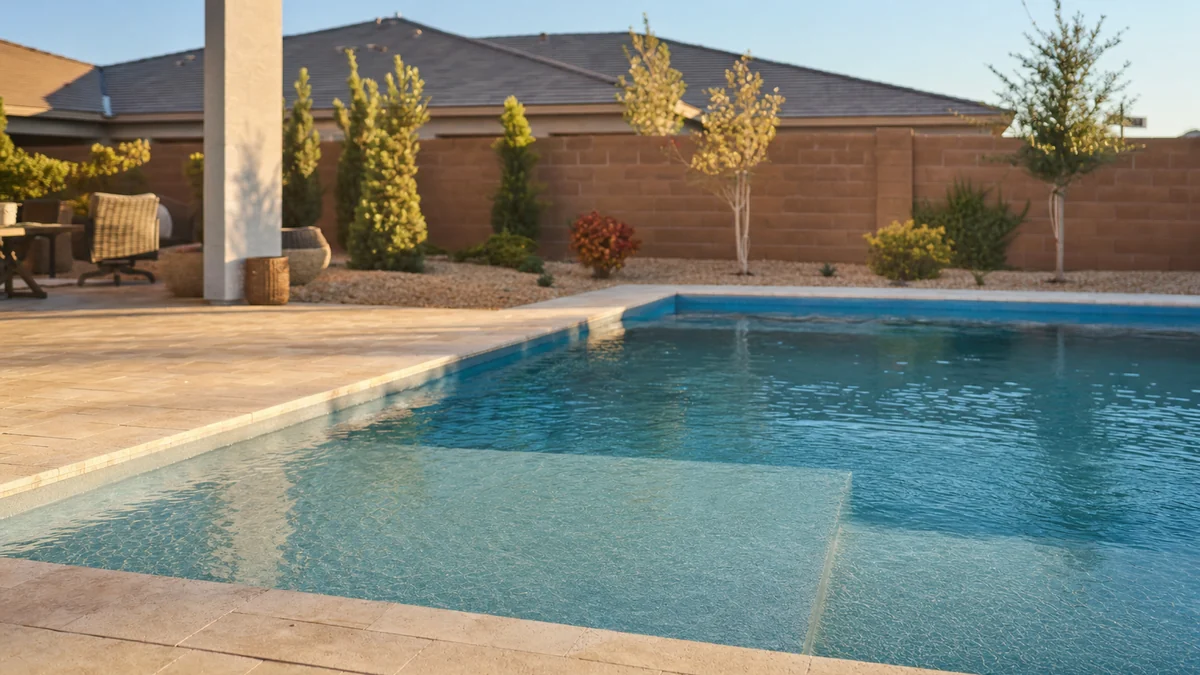
Yes, both ways, once you have town pages worth linking to. A project in a town is the best proof you can put on that town’s page, and a homeowner who likes a project often wants to know whether you build near them. In our judgement, each project page should name its town and link to that town’s page, and each town page should show the projects built there.
Don’t do it backwards, though. One project in a town isn’t a reason to create a town page; making a page for every city you serve covers where that line sits.
Can I put homeowner testimonials on project pages?
Yes, and a few honest sentences from the homeowner next to their own pool are some of the most persuasive words on your site. Keep them real and keep the permission. The FTC’s Q&A on its consumer reviews and testimonials rule explains that a business that puts testimonials on its own website is disseminating them, not merely hosting them, so it could be liable if they’re fake or false, and that reviews a business pays for or incentivizes count as testimonials under the rule. In practice: use the homeowner’s own words, get their written OK to publish them with the project, and don’t polish a lukewarm comment into a glowing one. That’s a summary of a federal rule, not legal advice.
For the reviews homeowners leave on Google, getting more Google reviews for your pool company covers how and when to ask. Source: The Consumer Reviews and Testimonials Rule: Questions and Answers.
Where does the consultation button go on a project page?
At the end of every project, worded for that project. A homeowner who has just looked through a fiberglass build with a tanning ledge is closer to asking than one sitting on your home page, so the button can say something like “Talk to us about a pool like this” and lead to your usual short consultation form.
Then find out which projects actually start conversations. If your form records the page it was sent from, you’ll see over a season which builds homeowners respond to, and that tells you what to feature on the home page and in ads. Tracking which marketing produces signed contracts covers how to carry that source through to the signed deal.
Should renovations have their own gallery section?
Yes, if you do renovation work. A renovation buyer already owns a pool and wants proof you can transform what they have, so the before-and-after pair from the same angle does most of the selling. A new-build buyer wants to see the finished backyard and how you got there. Mixing the two in one grid makes both harder to find.
In our judgement, renovation project pages should lead with the before photo, list exactly what changed (resurfacing, tile, coping, deck, equipment, lighting), and say what the owner wanted fixed. Marketing renovations separately from new pools covers the rest of that decision.
Not sure which of these is costing you jobs?
A free visibility audit checks the Google profile, reviews, site and tracking, and shows what to fix first.
What's different about a gallery for pool builders
The gallery is the product demo. A homeowner hiring a plumber judges reviews and response time. A homeowner hiring a pool builder is buying something that doesn’t exist yet, and the gallery is the closest thing to seeing it before signing. In our judgement, it deserves more care than any other page on the site after the home page.
The important work gets buried. Steel, plumbing and the shell disappear under plaster and deck. Project pages that show those stages give a homeowner something to compare that a finished-only gallery can’t.
Homeowners come back. Pool buyers often research for months and return to a builder’s site several times before asking for a consultation. A gallery that gets a new project page every few weeks of building season gives them something new each visit.
A worked example: turning one season of builds into a gallery
These numbers are made up to show the math, not a benchmark. Say you finished 24 pools last season, and your crews captured the full before-to-finished photo sequence on 15 of them. Those 15 become project pages. The other 9 have a finished photo or two, so they go into the category grids as photo-only entries.
Now sort the 15: say 8 gunite builds, 4 fiberglass and 3 renovations. That’s enough for a gunite category with real depth and a starting renovation section, and it tells you where the gaps are. If fiberglass is the work you want more of next year, the fix isn’t more design work on the gallery; it’s making sure every fiberglass build next season gets photographed at every stage.
At one project write-up a week through the slow months, the 15 pages take fifteen weeks of writing, which roughly covers the off-season and leaves the gallery complete before the spring rush.
Frequently asked questions
Should I show builds that are still under construction?
Yes, if the homeowner agrees. Update the project page at each stage, then finish it with the completed photos once the pool is filled.
Should I use a gallery plugin or a slider for my pool projects?
Use whatever your site supports, as long as photos load as normal images Google can find and the first photos aren’t lazy-loaded. Avoid sliders that hide most photos behind arrows on a phone; in our judgement, a simple scrolling sequence on a project page is easier to look through.
Can I show 3D design renderings in the gallery?
Yes on your website, as long as each one is clearly labeled as a rendering and sits beside photos of finished work. A rendering shows what you can design; only photos of real builds prove what you’ve built.
Is Houzz or Instagram enough instead of a website gallery?
In our judgement, no. Those platforms are useful places to be seen, but you don’t control how they organize or show your work, and the consultation request should happen on your own site, where you can track where it came from.
Do I need an image sitemap for my gallery?
Not always. Google describes image sitemaps as a way to tell it about images it might not otherwise find, such as ones loaded with JavaScript. If your photos are plain image tags on crawlable pages, it’s optional; if your gallery script loads them, it’s worth adding.
Key takeaways
- Build a gallery index that links to one page per featured project, not one long photo wall.
- Give every project page the same five parts: headline, photo sequence, story, homeowner’s words, next step.
- Sort by pool type and by new build or renovation, with real category pages Google can follow.
- Eager-load the first photos, lazy-load the rest, and set image sizes so the page doesn’t jump.
- Use real homeowner words with written permission, and track which projects start consultations.
Want a second set of eyes on your setup?
We'll look at how you show up locally and where calls are leaking, then send you a plain-English breakdown.
More in this section
- How should a pool builder use project photos and videos?
- What should a pool builder post on Instagram and Facebook?
- Should a pool builder have separate pages for each pool type?
- Should a pool builder make a page for every city it serves?
- What should a pool builder website include to get more consultations?
Sources
- Image SEO best practices — Google Search Central
- Fix lazy-loaded website content — Google Search Central
- Pagination, incremental page loading, and their impact on Google Search — Google Search Central
- URL structure best practices for Google Search — Google Search Central
- Image sitemaps — Google Search Central
- Web Vitals — web.dev (Google Chrome team)
- Browser-level image lazy loading for the web — web.dev (Google Chrome team)
- The Consumer Reviews and Testimonials Rule: Questions and Answers — Federal Trade Commission