
How do I set up Google Maps for a second roofing location?
- How do I add a second roofing location to Google Business Profile without a suspension?
- Does my second roofing location qualify for its own Google profile?
- What happens if I set up a second profile that doesn't qualify?
- Should the second location show its address or only a service area?
- What should I name the second roofing location on Google?
- Which category should the second location use?
- Does the second location need its own phone number and web page?
- How do I set the service areas so the two locations don't compete?
- How do I add and verify the second roofing location?
- What does a roofer need to show in a verification video?
- Who should own the second location's Google profile?
- How does the second location build reviews from zero?
- What's different about a second location for a roofing company
- A worked example: one roofer, two candidate locations
- Frequently asked questions
- Key takeaways
- More in this section
- Sources
The short version
- A second roofing location gets its own Google profile only if it has its own service area and its own staff.
- Mailbox addresses, virtual offices and unstaffed co-working desks aren't eligible and risk a suspension.
- Use the same business name and primary category on both profiles, but a local phone number and location page for each.
- Split service areas between the locations, and manage both profiles from one business group you own.
For roofing owners opening a second office or yard who want it on Google Maps without creating a duplicate, a suspension risk, or two profiles fighting over the same towns.
Get a free visibility audit · Book a growth call
How do I add a second roofing location to Google Business Profile without a suspension?
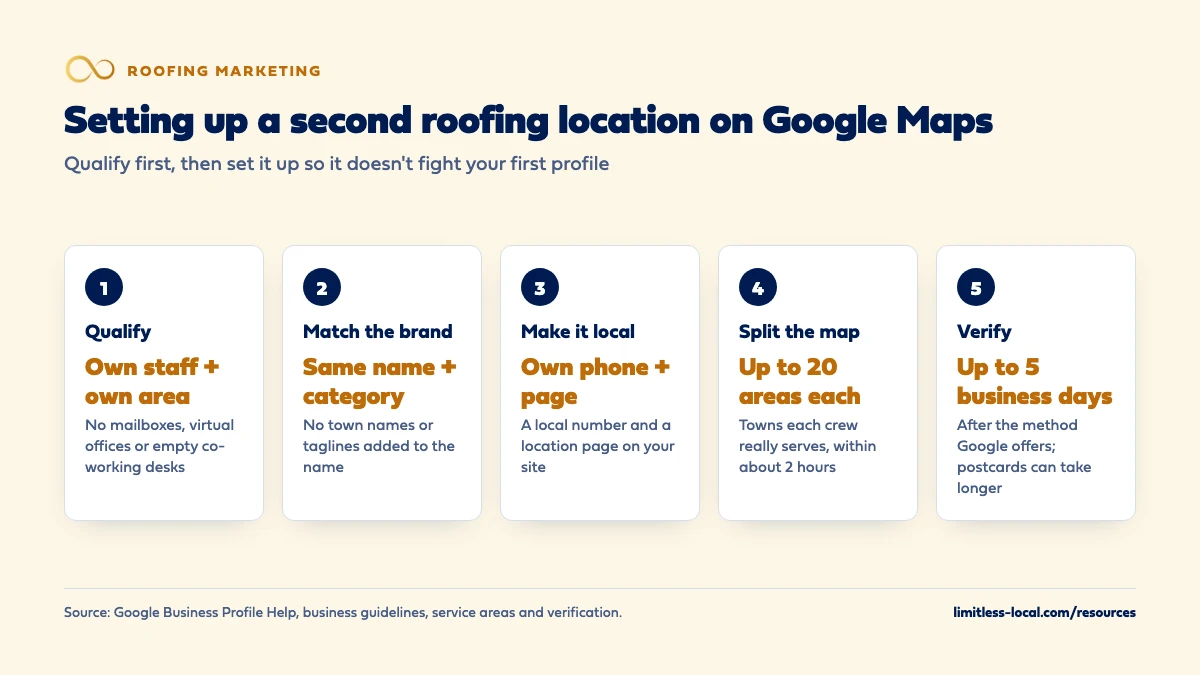
First make sure the second location qualifies: Google allows a separate Business Profile for each location of a service business only when it has its own service area and its own staff, and a rented mailbox or virtual office doesn’t count. If it qualifies, add it as a new profile under the same business name and primary category as your first location, give it a local phone number and its own page on your website, set a service area that doesn’t simply copy the first one, and verify it with the method Google offers. If it doesn’t qualify, widen the first profile’s service area instead of creating a second listing.
Setting up and managing Google profiles for more than one location is part of our local SEO work for roofers, and our roofing marketing packages are scoped by location count. The roofing marketing guide covers getting into the map pack for one business; this page covers only the second location. For other questions like this, see the roofing marketing questions library.
Does my second roofing location qualify for its own Google profile?
This is the question that decides everything else. Google’s guidelines say a service-area business, one that travels to customers rather than serving them at its address, gets one profile for its central office or location with a designated service area. The exception: if you have different locations for your service business, with separate service areas and separate staff at each location, you’re allowed one profile for each location.
Run your second location through that test:
- Does it have staff who work from it? Office staff, a crew lead, crews dispatched from that yard.
- Does it serve its own area? Towns the first location doesn’t really serve, or serves poorly because of the drive.
- Is it a real place you operate from? Google says a rented mailing address you don’t operate out of, a virtual office, isn’t eligible. An office at a co-working space is allowed only with clear signage, customers received during business hours and your own staff there during those hours.
If the honest answer is “it’s a mailbox in a town we want more work in”, it doesn’t qualify. In our view, the better move is to add that town to your first profile’s service area, if it’s within reach, and win it with reviews and a strong page on your website.
What happens if I set up a second profile that doesn't qualify?
Google says there should be only one profile per business, and that multiple profiles for the same business may mislead customers and are against its policies. A profile treated as a duplicate won’t show on Google Search or Maps. Google’s guidelines also say profiles that don’t follow them can be suspended.
Common ways roofers end up here, in our judgement, are a mailbox profile in a storm-hit town, a separate profile for gutters at the same address, or a new profile made after a move instead of an address update. Google’s duplicate guidance rules out all three. If your main profile has already gone missing, why a roofer goes missing on Maps walks through the fixes.
Should the second location show its address or only a service area?
It depends on whether customers come to it. Google’s service-area guidance says that if you don’t serve customers at your business address, you should remove the address from the profile and list a service area instead. A business can show its address and a service area (Google calls this a hybrid business) only if the location is staffed by your team and can receive customers during its stated hours. Google’s guidelines also say a business showing its address should keep permanent fixed signage of its name there.
For most roofing yards, where crews load out but homeowners never visit, that means hiding the address and setting a service area. If it’s a real office with signage where homeowners come in during posted hours, showing the address can fit.
What should I name the second roofing location on Google?
The same name as the first. Google’s guidelines for businesses with more than one location say all locations should have the same name unless the business’s real-world representation consistently varies from location to location. Its example: every Home Depot location uses “The Home Depot”, not a version with the town added on.
So if you’re “Summit Roofing” in both towns, both profiles say “Summit Roofing”. Adding the town, a service or a tagline to the name is the kind of extra information Google’s name rules don’t permit, and it can lead to a suspension. Let the address or service area tell Google where each location is.
Which category should the second location use?
The same primary category as your first location, if it does the same work. Google says all locations of a business must share the one category that best represents the business when they provide the same service. It also says to use as few categories as possible and choose ones that are as specific as possible.
The exception is a location that really runs a different kind of business, such as a commercial-only branch. Even then, keep the category list honest and short. Which Google categories a roofer should choose covers the choice in detail.
Curious what your marketing is actually booking?
Get a free visibility audit — no obligation, no sales pitch.
Does the second location need its own phone number and web page?
Yes, in most cases. Google’s guidelines say to provide a phone number that connects to your individual business location, or a website that represents that individual location, and to use a local number instead of a central call center number whenever possible. The number must be under your direct control.
- A local number for the branch, answered by people who can book that branch’s inspections. It can ring into the same office, as long as you control it.
- A location page on your main website, linked from that profile: the towns it serves, the crew, photos and reviews from jobs there. In our view one website with a page per location usually beats a second website, which splits your effort.
Keep the name, address (if shown) and phone identical everywhere that location is listed. Whether your info has to match on every listing covers how to check.
How do I set the service areas so the two locations don't compete?
Google lets you set up to 20 service areas per profile, by city, postal code or other area, not as a radius. It says the overall area shouldn’t extend farther than about 2 hours of driving time from where the business is based, and to be as specific and accurate as possible.
For two roofing locations, our approach is to draw the line before you open: list the towns each crew can reach and serve well, give each location its own set, and only overlap where both really work. If both profiles claim the same towns, you split your own visibility and confuse homeowners about who to call. That part is our judgement. One thing Google does state, for Local Services Ads: if a business has multiple locations that serve the same area, Local Services shows only the highest-ranking ad for a search. Overlap there doesn’t double your chances.
How do I add and verify the second roofing location?
The mechanics are short. The waiting is the slow part.
- Add the profile at business.google.com/add from the Google Account (or business group) that owns your first profile. Google says you can add or claim a business at no charge (Google Business Profile Help).
- Search Maps first, in case an unverified profile for that location already exists. If it does, Google’s process is to claim it from Maps rather than create a new one.
- Enter the details: same name, same primary category, the branch’s address (hidden if customers don’t visit), its service areas, its local number and its location page.
- Verify. Google decides which verification methods you get, and you may need more than one. Options can include phone or text, email, a live video call, a recorded video or a postcard.
- Wait for review. Google says verification reviews take up to 5 business days, occasionally longer.
If you get a postcard, Google says most codes arrive within 14 days and expire after 30 days. Don’t edit the name, address or category while you wait, or the code won’t work, and don’t request a new one, which cancels the code already in the mail.
What does a roofer need to show in a verification video?
If Google offers video verification, it recommends using it. For a service-area business, Google says the video needs to show three things:
- Where the business operates: street signs, landmarks or other identifiers at the location’s address.
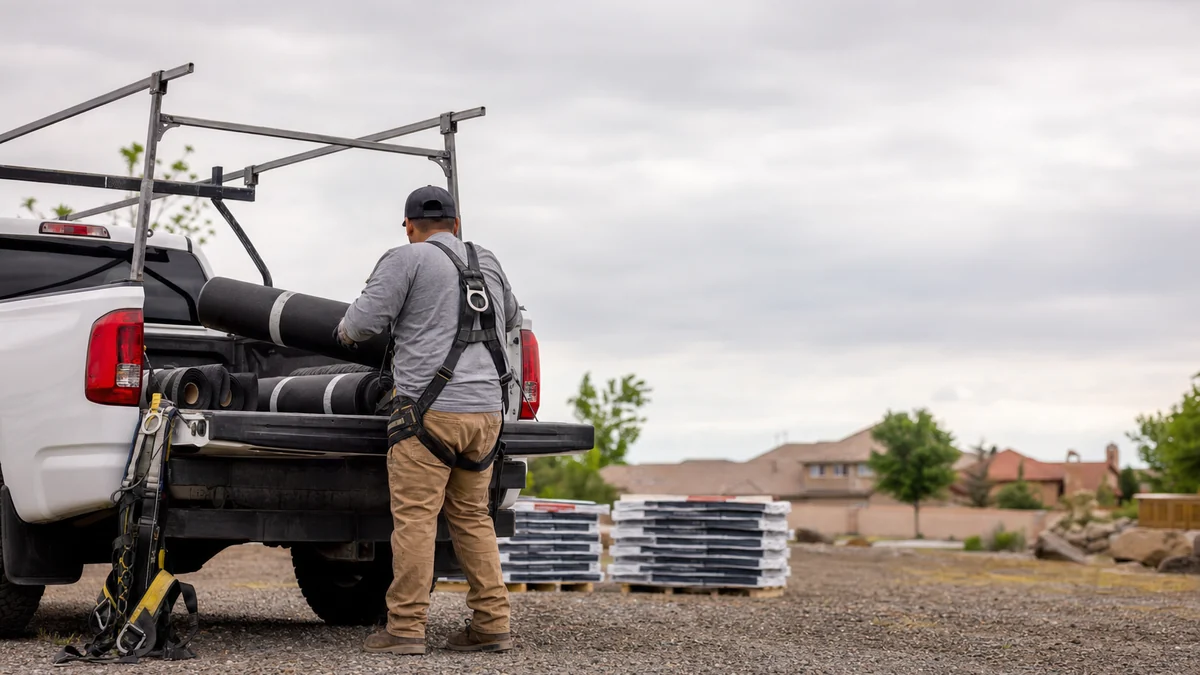
- That the business exists: the tools, equipment or products you use, such as ladders, a loaded trailer, business cards or branded shirts.
- That you manage it: you doing the work or opening something only the business can, such as unlocking a branded truck, or a business document like a permit, invoice or utility bill in the name on the profile.
Google says the video must be recorded live and uploaded from a phone through your Business Profile, unedited and in one take, and must not show other people’s faces or sensitive information like bank or tax numbers. A real yard with real equipment makes this easy. A mailbox location can’t pass it honestly, which is one more sign it shouldn’t be a profile.
Who should own the second location's Google profile?
You should. Google’s ownership guidelines say only business owners or authorized representatives may verify and manage a profile, and that a representative, an agency included, must transfer ownership to the owner immediately on request.
With two or more profiles, Google recommends a business group: a shared folder for your profiles, so people can help manage them without sharing a password. Put both locations in one group you own, then add your office manager or agency as managers.
How does the second location build reviews from zero?
A new profile starts with no reviews of its own, so the branch can look thin next to roofers who’ve worked those towns for years. We don’t know of a way to move reviews between two legitimate location profiles; Google’s merge process is for duplicates of the same business. The second location builds its own.
Use the same system that works for your first location: ask at the final walkthrough of every job that branch runs, text that branch’s review link the same day, and follow up once. Getting more reviews after a roof replacement lays out the ask step by step.
Not sure which of these is costing you jobs?
A free visibility audit checks the Google profile, reviews, site and tracking, and shows what to fix first.
What's different about a second location for a roofing company
Storm work tempts roofers into fake locations. After a big hail or wind event in a town a few hours away, it’s tempting to rent a mailbox there and put up a profile. Google’s guidelines say a virtual office isn’t eligible and that the overall service area shouldn’t extend much past about 2 hours of driving from where you’re based. A temporary storm operation is usually better served by ads aimed at those towns than by a profile that may not survive.
Yards, not storefronts. Most roofing locations are a yard or warehouse where crews load out, not a place homeowners visit. That usually means a hidden address and a service area, and a verification video that shows equipment and documents rather than a storefront sign.
Crews have to match the map. A location that qualifies has its own staff. If both locations really run off one crew, it’s one location with a bigger service area, however many offices you rent.
A worked example: one roofer, two candidate locations
This is a made-up roofer to show the decision, not a real client. Summit Roofing runs out of one office and yard. The owner is weighing two “second locations”:
- Option A: a rented mailbox in a town about 90 minutes away that was hit by hail last spring.
- Option B: a small yard in a growing town in the other direction, with a crew lead and two crews based there, plus an office manager three days a week.
Option A fails Google’s test: no staff, no operation, a virtual office. It also wouldn’t pass a verification video honestly. If that town is within about 2 hours of the main office, Summit adds it to the first profile’s service area and points ads at it during the storm season.
Option B qualifies: its own staff and its own towns. Summit adds a second profile named “Summit Roofing” with the same primary category, hides the yard address because homeowners don’t visit, picks service areas the first location doesn’t really cover, gives the branch its own local number and a location page on the main website, and verifies with a video showing the yard, the trailers and a utility bill in the company name. Both profiles go into one business group the owner controls.
How we’d handle it: our Essentials package ($3,500 a month) covers one location. Growth ($4,500 a month) covers SEO for up to 2 locations and adds Local Services Ads management, and Scale (custom pricing) covers multi-location SEO beyond that. Ad spend is paid to Google separately. We don’t promise when, or where, a new location will rank; a new profile builds over months, and SEO typically takes 3 to 6 months to show meaningful growth. A free visibility audit shows whether your second location qualifies and how your first one is set up today.
Frequently asked questions
Can I put a second roofing location at a rented mailbox to show up in another town?
No. Google says a rented mailing address you don’t operate from, a virtual office, isn’t eligible for a Business Profile, and P.O. boxes or mailboxes at remote locations aren’t acceptable.
Can I add the town name to my second location's business name?
Not unless your real-world branding consistently uses it. Google says all locations of a business should use the same name, and adding location or service details to the name isn’t permitted.
Can I make a separate Google profile for my gutter or siding business?
Not if it’s the same business at the same address. Google says not to create separate profiles for different services; list them as services on one profile.
I moved my roofing office. Do I need a new Google profile?
No. Google says that when a business relocates, you should update the existing profile with the new address rather than create a new one.
How long does it take to verify a new roofing location?
Google says verification reviews take up to 5 business days, occasionally longer. If you’re sent a postcard, most codes arrive within 14 days.
Do two roofing locations get twice the Local Services Ads?
Not in the same area. Google says that if your business has multiple locations serving the same geographic area, Local Services shows only the highest-ranking ad for a search.
Key takeaways
- A second roofing location qualifies for its own profile only with its own staff and its own service area.
- Mailboxes and virtual offices aren’t eligible; if the branch doesn’t qualify, widen the first profile’s service area instead.
- Use the same name and primary category, but a local phone number and a location page for each branch.
- Split service areas so the two profiles don’t claim the same towns.
- Own both profiles in one business group, and build the new location’s reviews from the jobs it runs.
Want a second set of eyes on your setup?
We'll look at how you show up locally and where calls are leaking, then send you a plain-English breakdown.
More in this section
- Why isn't my roofing company showing up on Google Maps?
- How do I get commercial roofing leads with Google Ads?
- Do Local Services Ads help a roofer rank on Google Maps?
- Are Google Local Services Ads worth it for a roofing company?
- How do I get more Google reviews after a roof replacement?
Sources
- Guidelines for representing your business on Google — Google Business Profile Help
- Manage your service areas for service-area & hybrid businesses — Google Business Profile Help
- Resolve duplicate profiles & ownership issues — Google Business Profile Help
- Verify your business on Google — Google Business Profile Help
- Verify your business with a video recording — Google Business Profile Help
- Business eligibility and ownership guidelines — Google Business Profile Help
- Create & manage business groups — Google Business Profile Help
- About ad rankings — Local Services Help