
How do I get HVAC service pages to rank for repair and install?
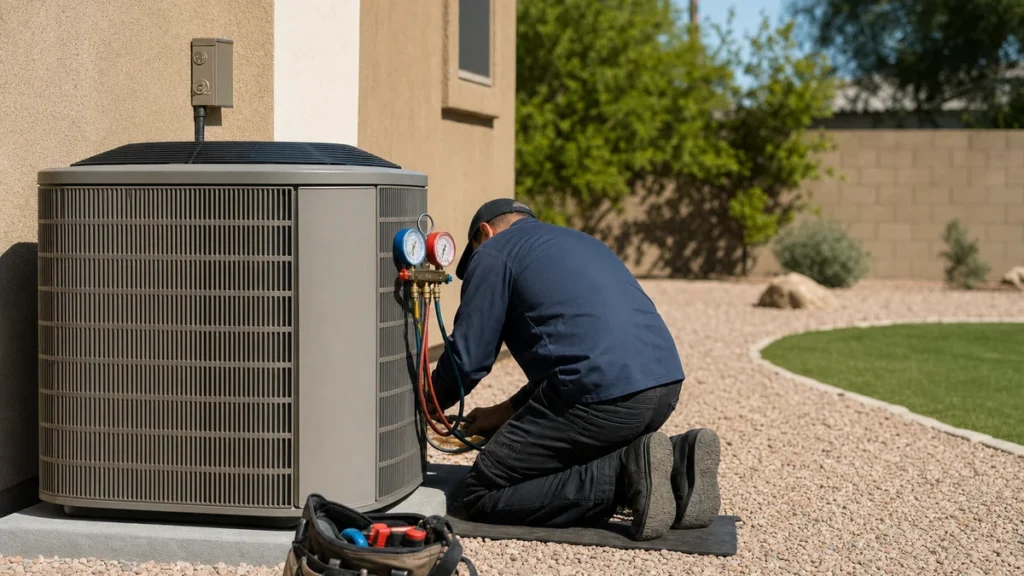
- How do I get my AC repair and furnace installation pages to show up on Google?
- Why do repair and installation need separate pages?
- What words should go in the title and main heading of a service page?
- What should an HVAC repair page tell a homeowner?
- What should an AC or furnace installation page say?
- How do I show Google and homeowners that we actually do this work?
- How should I link to my HVAC service pages?
- Do links from other websites help my service pages rank?
- Does page speed matter for HVAC service pages?
- Should I make a separate service page for every town?
- Can I control what Google shows under my service page in the results?
- How do I know if a service page is starting to rank?
- Why isn't my HVAC service page ranking?
- What's different about service pages for HVAC companies
- A worked example: reading one service page in Search Console
- Frequently asked questions
- Key takeaways
- More in this section
- Sources
The short version
- One job per page: AC repair and AC replacement are different searches from different homeowners.
- Put the service and your town in the page title and main heading, without repeating keywords.
- Answer what a homeowner needs to know before calling, with real photos and reviews of that job.
- Link every service page from the menu and related pages, then track it in Search Console.
For HVAC owners whose service pages exist but don’t show up when homeowners search for repairs or new systems.
Get a free visibility audit · Book a growth call
How do I get my AC repair and furnace installation pages to show up on Google?
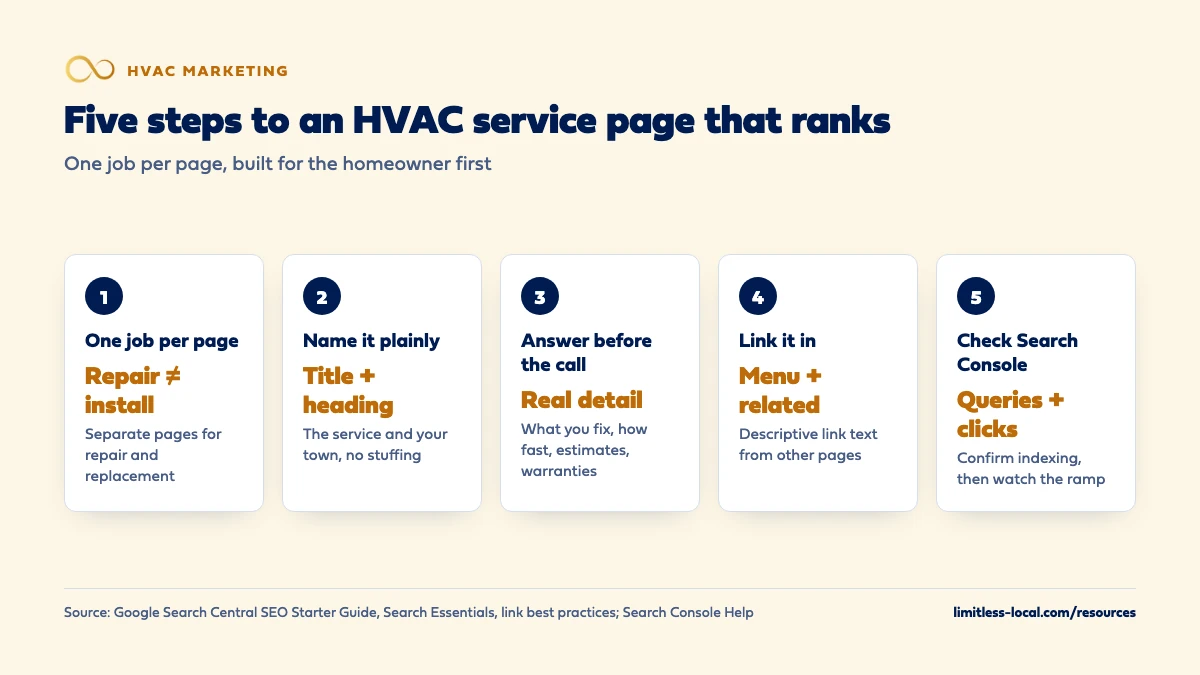
Give each job its own page, with repair and installation kept separate, and put the words homeowners actually search, plus your main town, in that page’s title and main heading. Fill the page with what someone needs before they call: what you fix or install, how fast you come out, how estimates and warranties work, and real photos and reviews from that kind of job. Then link to it from your menu and related pages, confirm in Google Search Console that it’s indexed and which searches it shows up for, and expect a ramp of months, not days.
That’s the order we work in: get each service page answering the homeowner’s question, make sure Google can find it, then watch what it actually brings in. Service pages are part of the content work in our local SEO, which is included in every one of our HVAC marketing packages. For where SEO sits next to ads, reviews and follow-up, see the HVAC marketing guide, and the rest of the HVAC marketing questions library goes question by question.
Why do repair and installation need separate pages?
Because they’re different searches from different homeowners. Someone typing “AC not cooling” or “AC repair near me” wants a tech today and a fair diagnostic. Someone typing “new AC unit cost” or “furnace replacement” is comparing options and estimates over days or weeks. One page can’t lead with both.
Google’s guide to its ranking systems says those systems are designed to work at the page level, using signals to understand how to rank individual pages. So the page has to match the search on its own. A repair page that spends half its length on new systems is weaker for both searches than two focused pages.
The same goes for heating and cooling. AC repair, AC replacement, furnace repair, furnace installation and heat pumps are the usual split. If your site doesn’t have those pages yet, start with which pages an HVAC website needs.
What words should go in the title and main heading of a service page?
Google’s Search Essentials recommends using the words people would use to look for your content and placing them in prominent spots, such as the title and main heading of the page. For a service page, that’s the job and the place: “AC Repair in [Your Town]” as the heading, and something like “AC Repair in [Your Town] | [Company Name]” as the title.
The SEO Starter Guide describes a good title as unique to the page, clear and concise, and says it can include the business name, its location and what the page offers. It also warns that excessively repeating the same words, even in variations, is keyword stuffing, which is against Google’s spam policies. “AC Repair, Air Conditioner Repair, AC Repairs” in one title doesn’t help anyone.
You don’t need every variation. The Starter Guide notes that Google’s language matching can connect a page to many queries even when the exact terms aren’t on it. Write the way your customers talk on the phone.
What should an HVAC repair page tell a homeowner?
Everything they want to know in the minute before they call:
- What you fix. The problems you handle (not cooling, frozen coil, won’t turn on, strange noises) and the equipment brands you work on.
- How fast you come. Same-day or next-day, only if it’s true, and whether you take after-hours calls.
- How the visit works. Whether there’s a diagnostic or trip charge, and that you’ll give a price before doing the work, if that’s how you operate.
- Where you go. The towns you cover, in a sentence.
- How to book. Phone number and a short form, near the top and again at the bottom.
Google’s guidance on helpful, people-first content asks whether someone will leave a page feeling they’ve learned enough to reach their goal, and whether the content shows first-hand expertise. For a repair page, the goal is deciding to call you. A page that answers those five things in your own words does that better than a generic paragraph about comfort.
What should an AC or furnace installation page say?
Replacement shoppers need more before they call, and they’re spending more:
- Signs it’s time to replace, in plain terms, so the page meets them where they are.
- The kinds of systems you install (central AC, gas furnace, heat pump, ductless) and the brands you carry.
- How estimates work: whether they’re free, how long the visit takes, what you look at.
- Financing, if you offer it, with a link to your financing page.
- Warranties on equipment and on your labor, stated the way your paperwork states them.
This is where photos of your own installs earn their place. The Starter Guide recommends sharp, clear images placed near text that’s relevant to them, with descriptive alt text, because the nearby text helps Google understand what the image shows. How the marketing for replacements differs beyond the page itself is covered in marketing replacements differently from repairs.
How do I show Google and homeowners that we actually do this work?
Proof that’s specific to the job beats proof that’s generic to the company. On each service page:
- Reviews that mention that job (a furnace review on the furnace page).
- Photos of your techs doing that work, with alt text that describes what’s in them.
- The licenses and manufacturer certifications that apply to that service.
- A short real example: the problem, what you found and what you did. No customer names unless you have permission.
Google’s helpful content questions include whether content provides original information and whether it was written by someone who demonstrably knows the topic. Its ranking systems guide also describes systems meant to show original content ahead of pages that merely repeat it. A furnace page built from your own jobs is original by default; one rewritten from a manufacturer’s brochure isn’t, and the Starter Guide says plainly not to copy others’ content.
Curious what your marketing is actually booking?
Get a free visibility audit — no obligation, no sales pitch.
How should I link to my HVAC service pages?
Google’s link best practices say every page you care about should have a link from at least one other page on your site, and that the link text should describe the page it points to. The ranking systems guide adds that Google uses how pages link to each other to work out what they’re about. For service pages, that means:
- Each one listed in the main menu under Services.
- Links from the home page to your most important services.
- Links between related pages: AC repair to AC replacement (“when a repair isn’t worth it”), furnace repair to your maintenance plan.
- Link text that names the service, like “furnace installation”, not “learn more”.
Google can generally only follow standard HTML links with a web address, so if your menu is built some other way, have your web developer check it.
Do links from other websites help my service pages rank?
They’re one signal among many. The Starter Guide describes PageRank, which uses links, as one of Google’s fundamental algorithms, but says it’s just one of many ranking signals.
What not to do matters more here. Google’s spam policies list buying or selling links for ranking purposes, excessive link swaps and automated link-building services as link spam. The links worth having come from real relationships: the equipment brands you’re a dealer for, local trade associations, the suppliers you buy from, a local news story about your company. If a vendor offers you a package of links for a fee, that’s the thing the policy describes.
Does page speed matter for HVAC service pages?
It matters to the homeowner standing in a hot house on their phone, and Google’s helpful content guidance says its core ranking systems look to reward content that provides a good page experience. It also says not to focus on only one or two aspects of page experience, so speed is one piece, not the whole job.
Google’s Core Web Vitals give you targets to check against: the main content should load within 2.5 seconds, the page should respond to taps in 200 milliseconds or less, and the layout shouldn’t jump around (a layout shift score of 0.1 or less). Google’s guidance is to measure those at the 75th percentile of page loads, so a page that’s fast on your office computer but slow on most phones doesn’t pass. The same web.dev page lists PageSpeed Insights, a free Google tool, among the tools that report all three from real Chrome users’ visits, so it’s a quick way to check a service page. On HVAC sites, oversized photos and stacked widgets are the usual slow spots.
Should I make a separate service page for every town?
Not as a copy-and-paste job. Google’s spam policies describe doorway abuse, including pages targeted at specific cities that funnel users to one page, and substantially similar pages that are closer to search results than a useful, browseable site. “AC Repair in Town A” and “AC Repair in Town B” with the same text and a swapped town name is that pattern.
The better order is one strong service page per job first, then town pages only where you have real local material to put on them. How to build those is covered in building HVAC city pages without looking like spam.
Can I control what Google shows under my service page in the results?
Partly. The Starter Guide explains that the snippet under your title is mostly pulled from the page’s own content, and that Google occasionally uses the meta description instead. So the first lines of your page matter as much as the meta description does. Open the page with a sentence that says what you do and where, not a welcome message.
Write a different meta description for each service page anyway: a short summary of the service, the area and what makes your offer clear, such as same-day repair or free replacement estimates, if those are true. The Starter Guide describes a good meta description as short, unique to one page and covering its most relevant points.
How do I know if a service page is starting to rank?
Use Google Search Console. Its Performance report shows clicks, impressions (how often your site appeared in results), click-through rate and average position, and you can group the numbers by page and by search query. Filter to one service page and you’ll see which searches it’s showing up for and how often people click.
Impressions usually move before clicks, and clicks before calls. The Starter Guide says some changes take effect in a few hours while others can take several months, and suggests waiting a few weeks before judging a change. For what a realistic ramp looks like, see how long HVAC SEO takes to bring in calls.
Why isn't my HVAC service page ranking?
Work through the likely causes in order:
- Google hasn’t found or indexed it. Check with URL Inspection in Search Console. A page with no links pointing to it is easy to miss.
- It’s too similar to another page. Google’s ranking systems guide says that when pages are very similar, its systems show only the most relevant ones. Two near-identical repair pages compete with each other.
- It doesn’t answer the search. A thin page with a heading and three sentences rarely beats a page that answers the homeowner’s questions.
- The competition is stronger. Older sites with more reviews, more links and more pages can take time to pass.
If you’ve ruled out the first three, see why other HVAC companies rank above you.
Not sure which of these is costing you jobs?
A free visibility audit checks the Google profile, reviews, site and tracking, and shows what to fix first.
What's different about service pages for HVAC companies
Seasons flip the searches. AC repair searches climb with the first heat wave and furnace searches with the first cold snap. Because Google can take weeks to reflect changes, update a season’s pages well before the season, not once the phones are already ringing.
Emergency intent is its own search. “No heat” and “AC not working” at night are urgent. If you run after-hours service, say so in the first lines of the relevant repair pages, with the number to call.
Heat pumps cross both seasons. A heat pump page covers heating and cooling, repair and installation, so it often needs its own page instead of being buried under AC or furnace.
A worked example: reading one service page in Search Console
These numbers are made up to show how to read the report, not a benchmark. Say Search Console shows your AC repair page earned 12,000 impressions and 240 clicks over the last three months. Its click-through rate is 240 divided by 12,000, or 2%. Your call tracking shows 12 calls from people who landed on that page from Google, and six of them booked a repair.
Each number points at a different fix. Few impressions means Google rarely shows the page, so look at indexing, links and whether the page matches the search. Plenty of impressions but few clicks points at the title and the opening lines. Clicks that don’t turn into calls point at what’s on the page and how easy it is to call. Calls that don’t book are a phone problem, not an SEO one.
Our Essentials package ($3,500 a month) includes a content sprint of up to 10 pages, which is usually where service pages like this get built or rebuilt, plus the call tracking that connects a page to booked jobs. SEO typically takes 3-6 months to show meaningful organic growth, so judge a rebuilt service page over months, and a free visibility audit is the place to look at your own pages’ numbers.
Frequently asked questions
How long should an HVAC service page be?
As long as it takes to answer the homeowner’s questions. Google says content length alone doesn’t matter for ranking and it has no preferred word count, so write to the questions, not to a number.
Should I list prices on my service pages?
That’s a business decision, not a ranking rule. In our view, explaining how pricing works (diagnostic fee, free replacement estimates, financing) helps homeowners even if you don’t post exact prices.
Do keywords in the page URL help it rank?
Barely. Google’s SEO Starter Guide says keywords in the URL path alone have hardly any effect beyond appearing in breadcrumbs. Use a clear address like /ac-repair/ because it helps people, not as a ranking trick.
Can two of my service pages show up for the same search?
Sometimes, but don’t plan on it. Google’s ranking systems guide says its site diversity system generally won’t show more than two listings from the same site in the top results, so one strong page per job beats several overlapping ones.
Can I use AI to write my HVAC service pages?
Google’s spam policies treat using AI tools to generate many pages without adding value as scaled content abuse. If a tool helps with a draft, the page still needs your own details, photos and review before it goes up.
Key takeaways
- Give each job its own page and keep repair and installation separate; Google’s ranking systems work at the page level.
- Put the service and your town in the title and main heading once, in plain words, without keyword stuffing.
- Answer what a homeowner needs before calling, with your own photos, reviews and details from that kind of job.
- Link every service page from the menu and related pages, and earn outside links from real relationships, never bought ones.
- Use Search Console’s Performance report and URL Inspection to see whether a page is indexed and which searches it shows for.
Want a second set of eyes on your setup?
We'll look at how you show up locally and where calls are leaking, then send you a plain-English breakdown.
More in this section
- What can I do myself to improve my HVAC company's Google ranking?
- What pages should an HVAC company website have?
- Which HVAC services should I advertise first?
- How do I get my HVAC company recommended by ChatGPT and AI search?
- How long does HVAC SEO take to bring in calls?
Sources
- Search Engine Optimization (SEO) Starter Guide — Google Search Central
- Google Search Essentials — Google Search Central
- Creating helpful, reliable, people-first content — Google Search Central
- A guide to Google Search ranking systems — Google Search Central
- Link best practices for Google — Google Search Central
- Spam policies for Google web search — Google Search Central
- Performance report (Search results): Overview and basic setup — Search Console Help
- Web Vitals — web.dev (Google)