
How can a restoration company get more five-star Google reviews?
- What's the fastest honest way for a restoration company to get more 5-star reviews?
- Why do some restoration companies get far more reviews than others?
- Can I ask only the customers I know are happy?
- Step 1: Who should own the review ask?
- Step 2: When on a restoration job should we ask?
- Step 3: How do I make leaving a review take a minute?
- Step 4: How many times should I follow up?
- Step 5: How do I know the process is working?
- What actually earns five stars on a restoration job?
- What should I never do to get more reviews?
- Should I automate review requests?
- What's different for restoration companies
- A worked example: asking every customer instead of some
- Frequently asked questions
- Key takeaways
- More in this section
- Sources
The short version
- Ask every customer at the same point on every job, not only the happy ones.
- Send your Google review link or QR code the same day, then follow up once.
- Give one person ownership of the ask, and track asks against finished jobs.
- Five stars are earned on the job: speed, updates and a clean finish.
For restoration owners who do good work but see a few reviews a month while the company down the road keeps adding them.
Get a free visibility audit · Book a growth call
What's the fastest honest way for a restoration company to get more 5-star reviews?
Ask every customer, not just the ones you expect to be happy, at the same point on every job, and send your Google review link the same day so leaving a review takes a minute. Make one person responsible for the ask, follow up once if there’s no review, and track how many finished jobs got an ask. The five-star part comes from the job itself: fast arrival, clear updates while the equipment runs, and a clean exit. Google’s rules forbid offering anything in return for a review and asking only the customers you think will be positive.
Review generation is part of every tier of our local SEO work: Essentials includes review response and basic review generation, Growth adds advanced review generation, and automated review requests are part of Scale. None of it changes the rules on this page; it makes the ask happen on every job. Our restoration marketing page covers how we work with water, fire and mold companies. For the bigger picture, the restoration marketing guide covers every channel, and the restoration marketing questions library takes the narrower questions one at a time.
Why do some restoration companies get far more reviews than others?
Mostly because they ask more often, not because their work is better. Google’s Local Services help page on reviews and ratings says customers are more likely to leave a review if the request comes from you directly. A company that asks after every job will usually pull ahead of one that asks when somebody remembers, even if both do the same quality of work.
Reviews pay off in more than one place. Google’s local ranking help says more reviews and positive ratings can help your local ranking, and the same Local Services page says star ratings and number of reviews affect how a business is ranked in Local Services Ads, and that providers with higher ratings and more reviews stand out and typically book more jobs.
So the steps below are less about clever wording and more about building a routine that runs on every job, including the hectic weeks. If you want to know how many you’re aiming for, how many Google reviews a restoration company needs covers the target.
Can I ask only the customers I know are happy?
No, and this is the rule owners break most often without realizing it. Google’s prohibited and restricted content policy says merchants may not discourage or prohibit negative reviews, or selectively solicit positive reviews from customers. It also says businesses can’t offer incentives such as payment, discounts or free services for posting a review, or for changing or removing a negative one.
The Federal Trade Commission’s guide to soliciting and paying for online reviews gives the same advice as a rule of thumb: don’t ask for reviews only from customers you think will leave positive ones. Software that sends happy customers to Google and unhappy ones to a private form is doing exactly that.
The way to more five-star reviews is to ask everyone and earn the stars on the job. Google’s own tips to get more reviews note that a mix of positive and negative feedback often feels more trustworthy. This isn’t legal advice; if you have a question about your own review practices, ask a lawyer.
Step 1: Who should own the review ask?
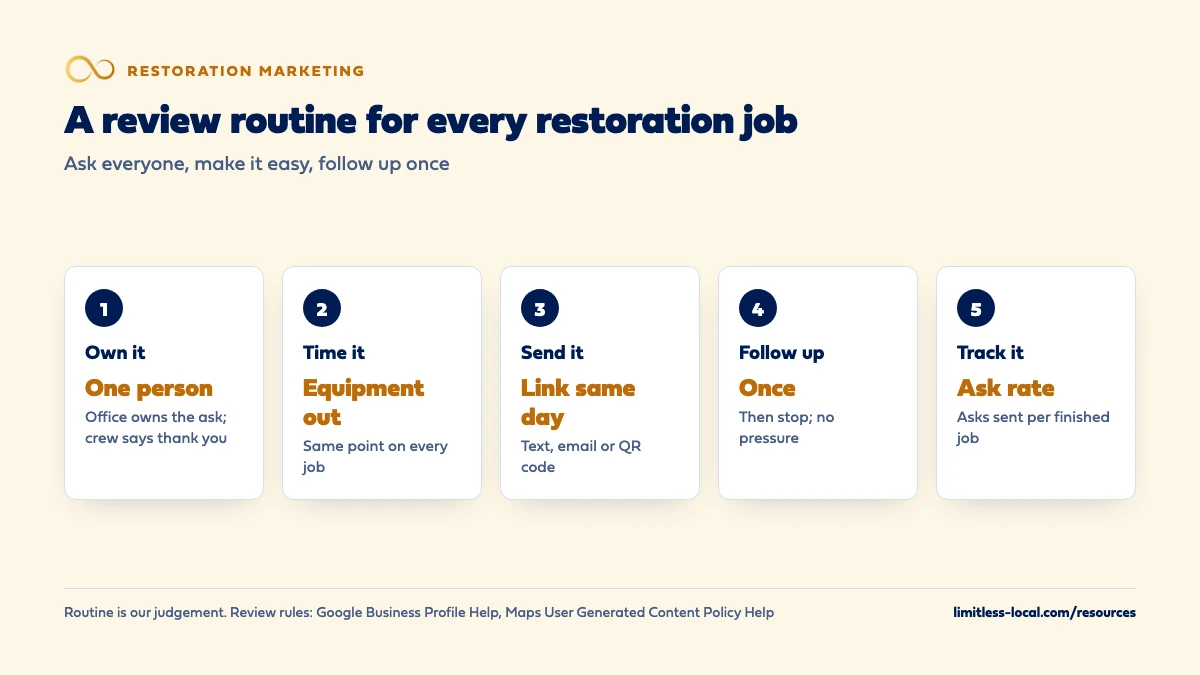
One named person, in our judgement, usually in the office rather than on the truck. The crew lead does the in-person part (thanking the homeowner and mentioning that a link is coming), but someone in the office makes sure the link actually goes out, logs that it did, and sends the follow-up.
Splitting it this way matters in restoration because the crew is already heading to the next loss. If the ask depends on a tired technician remembering at 9 p.m., it won’t happen on the busiest weeks, which are exactly the weeks you have the most finished jobs to ask about.
One caution: Google’s content policy lists merchants requesting that staff solicit a certain number of reviews as something it doesn’t allow. In our judgement, that rules out review quotas for crews. Measure the process instead: whether every finished job got an ask, not how many reviews each person brought in.
Step 2: When on a restoration job should we ask?
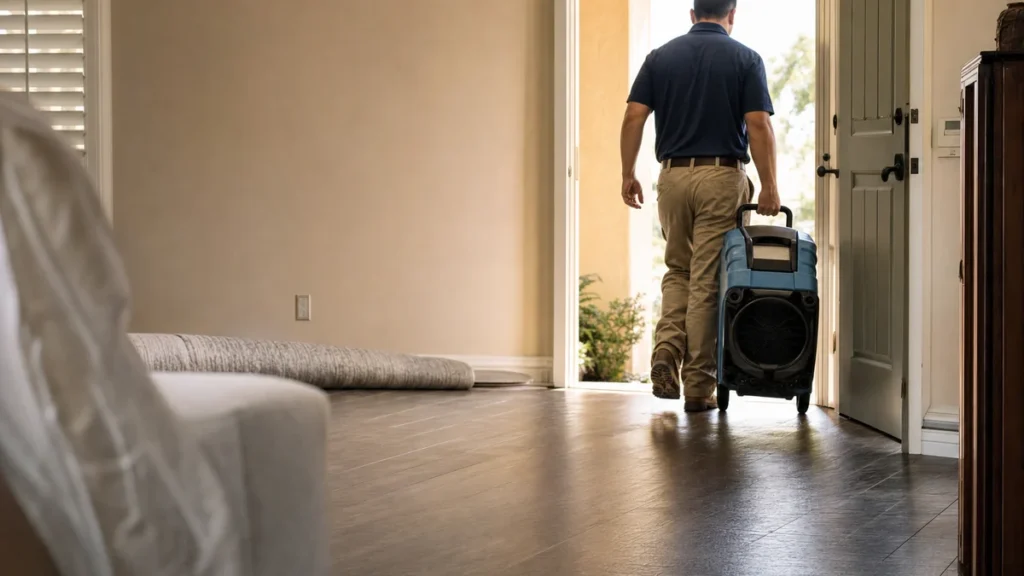
At the same point on every job, so it becomes routine. For water mitigation, in our judgement, the best point is when the drying is done and the equipment comes out. The homeowner can see the result, the noise is gone, and the relief is fresh. Waiting until an insurance payment clears can mean asking weeks later, when the moment has passed.
Job software can tie the ask to a job status. Housecall Pro’s reviews FAQ, for example, says review requests are sent automatically by email and text when a job is marked as finished by default, or can be set to send when a job is paid. For insurance-paid restoration work, in our judgement, “finished” is usually the better trigger than “paid”.
What the crew actually says at the door, and how to get detail into the review without telling people what to write, is covered in getting detailed reviews after a water damage job.
Curious what your marketing is actually booking?
Get a free visibility audit — no obligation, no sales pitch.
Step 3: How do I make leaving a review take a minute?
Send a direct link, not instructions. Google’s page on creating a review link or QR code explains how to get a link that opens the review form for your profile, and suggests putting it on receipts, in thank-you emails and at the end of a chat. It notes you can send review requests by email, WhatsApp message or Facebook post too.
For a restoration company, in our judgement, that means:
- A text with the link, sent the same day, because most homeowners will open it on their phone.
- A QR code on a leave-behind card or the final paperwork, for customers who would rather scan.
- The link in your job-complete email, so it’s there when they look for your invoice later.
One snag catches people out: Google’s tips page says customers must be signed into a Google Account to leave a review, and they can set one up with a non-Gmail address. Mention that in the follow-up for anyone who says the link didn’t work.
Step 4: How many times should I follow up?
Once, in our judgement. Send the link the day the job finishes, then one reminder a few days later if no review has appeared. After that, stop. More than one reminder starts to feel like pressure. Google’s policy says merchants shouldn’t require or pressure customers to leave ratings or reviews while on the premises; in our judgement, the same spirit applies to reminders.
Keep the reminder short and personal: who you are, the job you did, a thank-you and the link. Don’t mention stars, and don’t suggest what they should write. Google’s policy says businesses shouldn’t request that specific content be included in a review.
If a customer replies with a complaint instead of a review, that’s useful too. Call them, fix what you can, and still leave the choice about a review to them. If a lower-star review does arrive, a calm reply matters more than the rating; replying to restoration reviews covers what to say.
Step 5: How do I know the process is working?
Track three numbers each month: finished jobs, asks sent and new Google reviews. Divide asks by finished jobs to get your ask rate, and reviews by asks to get your response rate. In our judgement, the ask rate is the one to fix first, because it’s fully in your control.
If your ask rate is high but reviews aren’t appearing, check two things. First, whether the link works on a phone. Second, whether reviews are being held: Google’s page on missing or delayed reviews says reviews are checked against its policies, that this can take a few days, and that reviews removed for policy violations won’t be restored.
Look at the pace as well as the total. A profile with a steady stream of recent reviews tells a homeowner more than a big total that stopped growing last year.
What actually earns five stars on a restoration job?
The ask brings in reviews; the job decides the stars. In our judgement, these are the moments that most often decide a restoration review:
- Arrival. How fast someone showed up, and whether they called ahead with an honest time.
- The first explanation. What the equipment does, why it’s loud, how long it will run, and what happens next.
- Updates while drying. A short message after each moisture check, so the homeowner isn’t left guessing.
- The paperwork. Clear, honest answers about what you send to their insurer and what they need to do, without promising how the claim will turn out.
- The exit. Equipment out on the day you said, floors protected and debris gone.
Most low-star restoration reviews, in our judgement, trace back to one of these going quiet rather than to the drying itself. That’s why the review process starts at the first call, not at the end.
What should I never do to get more reviews?
The rules come from Google and, in the U.S., the Federal Trade Commission. Google’s content policy doesn’t allow incentives for reviews, selective asking, discouraging negative reviews, or content based on a conflict of interest such as current or former employment or family relationships.
The FTC’s final rule on fake reviews and testimonials, announced in August 2024, prohibits buying fake reviews, offering incentives conditioned on a review expressing a particular sentiment, certain undisclosed reviews by company insiders, and using unfounded legal threats or intimidation to prevent or remove a negative review. The FTC’s marketer guide adds that you can be held responsible for what a company you hire does on your behalf.
In practice that means no gift cards for reviews, no reviews from your crew or relatives, no buying reviews from anyone, and no threats over a bad one. This isn’t legal advice. If reviews have already dropped or vanished, recovering when reviews drop covers what to do next.
Should I automate review requests?
Automation helps with the part people forget: sending the link and the follow-up on time. Job software such as Housecall Pro can send requests by text and email when a job is marked finished, and other field-service tools have similar features. It doesn’t replace the in-person thank-you from the crew, which is what makes the text feel personal when it arrives.
Two checks before you switch it on, in our judgement. First, make sure it goes to every finished job, not a filtered list, because selective asking breaks Google’s policy whether a person or a setting does it. Second, make sure the trigger fits restoration: a request tied to payment on an insurance job can arrive weeks late.
Not sure which of these is costing you jobs?
A free visibility audit checks the Google profile, reviews, site and tracking, and shows what to fix first.
What's different for restoration companies
The customer had a bad week before you arrived. A homeowner with a flooded basement is stressed, so the way you communicate counts for more than in a routine service call. That’s a risk and an opportunity: handled well, relief turns into some of the warmest reviews any trade gets.
Who’s the customer isn’t always obvious. A tenant, a landlord, a property manager and an insurer can all be involved in one job. In our judgement, ask the person who actually experienced the service, and don’t ask anyone to review on someone else’s behalf.
Insurance timing can stall the ask. If your review request waits for payment, insurance-paid jobs may not get an ask for weeks. Trigger it when the work is finished.
Keep claim details out of it. Don’t ask customers to mention their insurer or claim, and keep those details out of your replies.
A worked example: asking every customer instead of some
These numbers are made up to show the math, not a forecast for your company. Say a restoration company finishes 30 jobs a month. Today the crews ask when they remember, which works out to about 9 asks, and about one in three of those customers leaves a review: 3 reviews a month, or 36 a year.
The company makes the office manager responsible for the ask, sends the link the day each job finishes, and follows up once. Now all 30 finished jobs get an ask. At the same one in three response rate, that’s 10 reviews a month, or 120 a year.
Nothing about the work, the wording or the rating changed. The only difference is that every customer was asked, which is also what Google’s policy requires.
Frequently asked questions
Can I offer a discount to customers who leave a review?
No. Google’s policy doesn’t allow incentives such as payment, discounts or free services in exchange for a review, and the FTC’s rule prohibits incentives conditioned on a review being positive or negative.
Can my employees or family leave us reviews?
Google treats reviews based on a conflict of interest, including employment and family relationships, as rating manipulation. Keep reviews to genuine customers.
Is it OK to ask for a review while we're still at the house?
Mentioning it is fine. Google’s policy says businesses shouldn’t require or pressure customers to leave a review on the premises, so in our judgement it’s better to send the link by text and let them do it in their own time.
Do I need a perfect 5.0 rating?
No. Google’s own tips say a mix of positive and negative feedback often feels more trustworthy. A strong rating with plenty of recent reviews and calm replies does more than a perfect score with very few reviews.
Should I ask commercial and property management customers for reviews?
Yes, if the person you ask actually dealt with your team on the job. A facility or property manager who worked with your crew can describe the experience; someone who only approved the invoice can’t.
Do Google reviews count for Local Services Ads too?
Yes. Google’s Local Services help says customer reviews are managed through your Google Business Profile, and that star ratings and number of reviews affect how you’re ranked in Local Services Ads.
Key takeaways
- Ask every customer at the same point on every job; Google forbids asking only the happy ones.
- Send your Google review link the same day, and follow up once.
- Give one person ownership of the ask, and track asks against finished jobs, not reviews per employee.
- No incentives, no staff or family reviews, no bought reviews and no threats over bad ones.
- The stars are earned on the job: arrival, clear updates, honest paperwork answers and a clean exit.
Want a second set of eyes on your setup?
We'll look at how you show up locally and where calls are leaking, then send you a plain-English breakdown.
More in this section
- How should a restoration company reply to Google reviews?
- How many Google reviews does a restoration company need?
- How does a restoration company recover when its reviews drop?
- How do I optimize my restoration company's Google Business Profile?
- How do I get detailed Google reviews after a water damage job?
Sources
- Tips to get more reviews — Google Business Profile Help
- Create a Google link or QR code to request reviews — Google Business Profile Help
- Prohibited & restricted content — Maps User Generated Content Policy Help
- Reviews and Ratings on Local Services Ads — Google Local Services Help
- About missing or delayed reviews — Google Business Profile Help
- Soliciting and Paying for Online Reviews: A Guide for Marketers — Federal Trade Commission
- Federal Trade Commission Announces Final Rule Banning Fake Reviews and Testimonials — Federal Trade Commission
- Reviews FAQs — Housecall Pro Help Center