
What elements turn restoration website visitors into calls?
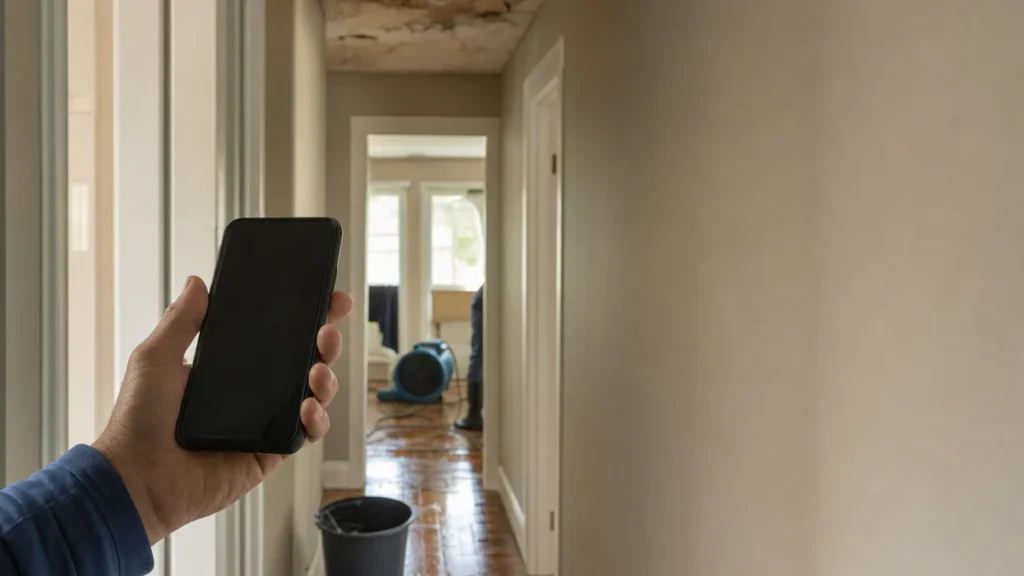
- What should a restoration website show so visitors pick up the phone or fill in a form?
- What does a restoration visitor need to see in the first few seconds?
- Element 1: A phone number that's easy to tap
- Element 2: A headline that names the job and the towns
- Element 3: The hours you really answer
- Element 4: The towns you serve
- Element 5: Proof a stressed homeowner can check
- Element 6: What happens after they call
- Element 7: A short form for people who can't call right now
- Element 8: A fast, clean page on a phone
- Element 9: One page per service
- What should I take off the page?
- What's different about restoration websites
- A worked example: same visitors, more calls
- Frequently asked questions
- Key takeaways
- More in this section
- Sources
The short version
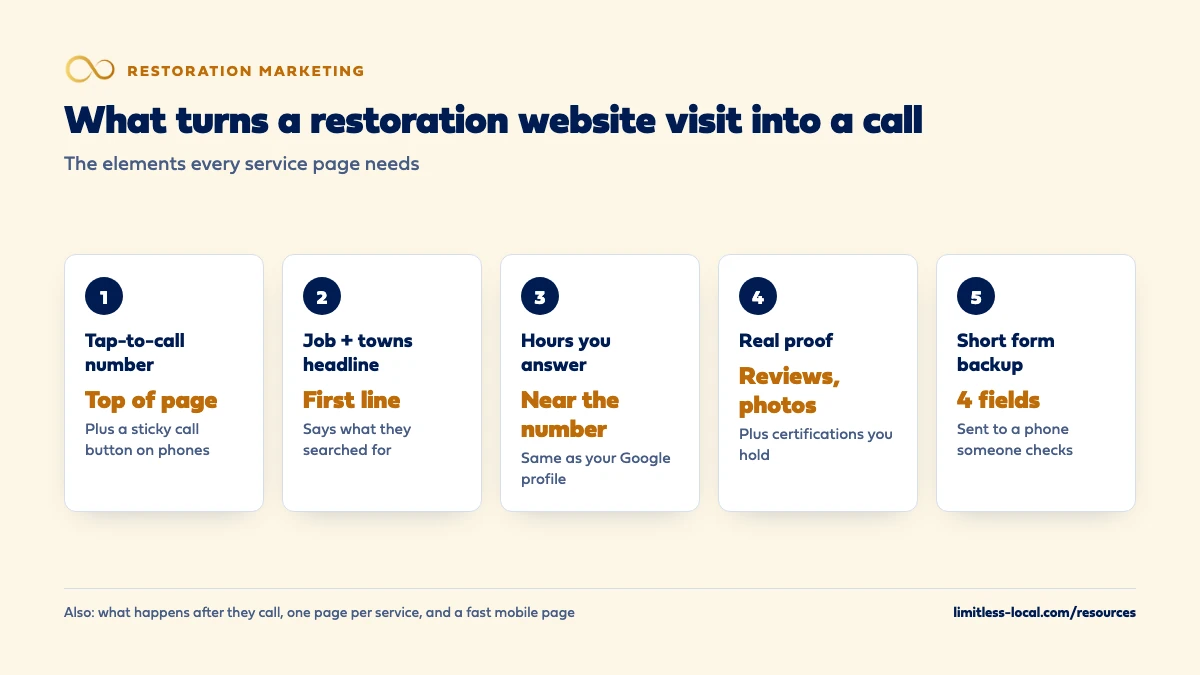
- A tap-to-call number at the top of every page, and a sticky call button on phones.
- A headline that names the job and the towns you serve.
- The hours you answer, and proof: real reviews, job photos, certifications you hold.
- What happens after they call, and a short form as a backup.
- A fast mobile page with one page per service and nothing blocking the screen.
A checklist for restoration owners who get website visitors and want more of them to call, from the top of the page to the footer.
Get a free visibility audit · Book a growth call
What should a restoration website show so visitors pick up the phone or fill in a form?
The elements that turn restoration website visitors into calls are a tap-to-call phone number at the top of every page, a headline that names the job and the towns you serve, the hours you really answer, and proof a stressed homeowner can check fast: real reviews, your own job photos and certifications you hold. Add a plain explanation of what happens after they call, a short form for people who can’t talk right now, and one page per service. The page also has to load fast on a phone without pop-ups in the way, because most emergency visitors arrive on a phone.
Every one of these elements is something we build into restoration sites from the start. Our website work runs from a themed site at $3,750, or $3,000 alongside any Limitless Engine package, up to 25 pages, to custom builds from $5,000. Every Limitless Engine package adds call and form tracking, so you can see which pages ring the phone. See how it fits restoration companies, read the restoration marketing guide, or browse more restoration marketing questions.
What does a restoration visitor need to see in the first few seconds?
Think about who’s on your site. Often it’s someone standing in a wet hallway with a phone in one hand, or a property manager who just got a call from a tenant. They’re not browsing. They want answers to three questions, fast:
- Do you do this job? Water damage, sewage, mold, fire.
- Do you come to me? Their town, their kind of property.
- Can I reach you right now? A number to tap, and hours that cover this moment.
Everything on the first screen, before they scroll, should answer those three. Logos, slogans, company history and a big photo of the office can come later on the page or not at all.
If you already have the elements below and visitors still aren’t calling, why a restoration website gets clicks but no calls helps you find the leak.
Element 1: A phone number that's easy to tap
This is the single most important element on a restoration website. Get it right:
- Top of every page, in large type, as a tap-to-call link. On a phone, one tap should start the call.
- A sticky call button on mobile that stays on screen as people scroll.
- Repeated after each main section and in the footer.
- Written as text, not baked into an image. Text numbers can be tapped, read by Google and swapped by call tracking.
- A number someone answers. If the site says to call, the call has to reach a person.
If you use call tracking, a script can swap the number based on where the visitor came from. Google’s own website call tracking setup works this way: a small snippet replaces the business number on your page with a forwarding number, and it asks that the number match the one on your page exactly. That’s one more reason to keep the number as plain text.
Getting each of those calls answered is the other half; getting more live inbound calls covers routing and coverage.
Element 2: A headline that names the job and the towns
The headline at the top of each page should say exactly what the visitor searched for. Compare:
- “Restoring Peace of Mind Since 1998” tells a homeowner nothing.
- “Water Damage Restoration in [Your Town] and Nearby Towns” tells them they’re in the right place.
Under the headline, one short line can add what makes you the right call, such as “Crews on call day and night” (only if true) or “Water extraction, drying and repairs, start to finish”.
This also matters for ads. Google’s description of landing page experience says higher-rated pages are usually well organized and have text that relates to the person’s search terms. A water damage ad that lands on a page with a water damage headline is doing what Google wants to see. What a restoration Google Ads landing page should include covers the ad side in detail.
Element 3: The hours you really answer
Emergency visitors want to know if anyone will pick up now. Say it plainly, near the phone number:
- “We answer day and night, every day” if you do.
- “Phones answered 7 a.m. to 9 p.m. Leave a message after hours and we’ll call back first thing” if that’s the truth.
Match the hours on your website to the hours on your Google profile, your ads and your voicemail greeting. A site that says around the clock and a phone that goes to voicemail at night costs you the job and, often, a review.
Be careful with arrival-time promises. “On site within 60 minutes” is a strong line only if your crews hit it nearly every time, across every town you list. If not, say what you can keep: “We’ll give you an arrival time on the call.”
Element 4: The towns you serve
A homeowner half an hour from your shop wonders whether you’ll come. Tell them.
- List your main towns in plain text near the top of each service page, or right below it.
- Add a short “Areas we serve” section with links to town pages, if you have them.
- Keep the list honest. Listing towns you won’t drive to brings calls you’ll turn down.
A map image is fine as decoration, but the town names need to be in text, because that’s what people and Google read. If you have a separate page for a big town, link to it from the service page and back again.
Curious what your marketing is actually booking?
Get a free visibility audit — no obligation, no sales pitch.
Element 5: Proof a stressed homeowner can check
People are about to let strangers into their home and run equipment there for days. Show them why they can trust you:
- Real reviews, with names or initials and towns, ideally pulled from your Google profile. A link to your profile lets them see the full count.
- Your own job photos. Crews setting up drying equipment, before-and-after shots, your trucks. Stock photos of smiling models are easy to spot and do nothing for trust.
- Certifications your company really holds, such as an IICRC Certified Firm status, plus licenses and insurance where your state requires them.
- Faces, if your team is comfortable: the owner, the crew lead, the person who answers the phone.
Keep every testimonial real. The FTC’s questions and answers on its reviews and testimonials rule explain that a business putting testimonials on its own website is disseminating them, and could be liable if they’re fake or false.
Element 6: What happens after they call
A lot of homeowners hesitate because they don’t know what they’re signing up for. A short, plain “What happens next” section takes the fear out:
- You call, and a person answers.
- We ask a few questions and give you an arrival time.
- A crew arrives, finds the source and starts removing water.
- We set up drying equipment and check moisture until it’s dry.
- We document the job with photos and readings, which helps if you file an insurance claim.
Insurance is the question in many callers’ heads. Say how you work with it, like documenting the damage and working with the adjuster, without promising coverage or telling people what their policy pays. Whether a restoration website should explain insurance claims covers how much to say.
Element 7: A short form for people who can't call right now
Some visitors can’t talk: a tenant at work, a property manager in a meeting, someone checking at midnight who doesn’t want to wake anyone. Give them a short form as a backup to the phone, not a replacement for it.
- Keep it short. Name, phone, address or town, and a box for what happened. Google’s tips on mobile landing pages point out that forms on a phone are inconvenient and can cause visitors to leave.
- Say when you’ll respond, and keep that promise.
- Send every form to a phone that someone checks, not just to an inbox.
- Call back, don’t just email. A form from a water emergency is a phone call waiting to happen.
Chat can do the same job if someone answers it fast. A chat bubble that nobody watches is worse than no chat at all.
Element 8: A fast, clean page on a phone
Most emergency visitors arrive on a phone, often on a weak signal in a basement. The same mobile landing page tips say prospects will wait only seconds for mobile pages to load before going elsewhere, and that full-size pop-ups, ads or chat boxes covering the screen disrupt the visit.
What that means for your site:
- No pop-ups covering the page on load. If you want a coupon or a sign-up, put it in the page.
- Compressed images and no autoplay video at the top.
- Large buttons and text that’s readable without zooming.
- A menu that doesn’t fill the whole screen.
To see how your pages do for real visitors, check the Core Web Vitals report in Search Console, which groups your pages as Good, Need improvement or Poor based on real usage data. Mobile speed fixes for restoration websites lists what to change first.
Element 9: One page per service
A homeowner with a sewage backup doesn’t want to read about fire damage, and a person worried about mold wants to know you handle mold. Give each main service its own page:
- Water damage, with emergency variations like burst pipes or flooded basements.
- Sewage cleanup.
- Mold remediation.
- Fire and smoke damage.
- Storm damage or commercial work, if you want those jobs.
Each page repeats the core elements: the tap-to-call number, the headline with the job and towns, hours, proof that fits that job, what happens next, and the short form. Then send ads, your Google profile services and your referral partners to the page for the job, not the homepage. That one change often lifts calls because people land on exactly what they came for.
What should I take off the page?
Some common website features get in the way of calls on a restoration site:
- Rotating sliders at the top that push the phone number down and slow the page.
- Long company history before any mention of the job.
- Stock photos that make you look like every other site.
- Several phone numbers with no clue which one to call.
- Forms with ten fields, or that ask for insurance details up front.
- Vague promises like “the best in the business” with nothing to back them.
Then test what’s left. Open each service page on your own phone, on mobile data, and try to call. Ask someone who’s never seen the site to find your hours and your towns in ten seconds. If they can’t, neither can a homeowner standing in water.
Want to see where your company stands?
A free visibility audit shows where you show up on Google, Maps and AI answers, and what it's costing you in calls.
What's different about restoration websites
Visitors are in a hurry. Many restoration visitors have an active problem, so speed and the phone number matter more than design flourishes.
Trust is a bigger hurdle. Homeowners are letting a crew and equipment into their home for days, often after a stressful event. Real photos, reviews and certifications carry more weight than in most trades.
Insurance is in the room. Many callers wonder about their claim. A clear, careful line on how you work with insurance answers the question without promising anything.
Several separate jobs. Water, sewage, mold and fire each bring a different kind of visitor, so one generic services page rarely converts well.
A worked example: same visitors, more calls
These numbers are made up to show the math, not a benchmark for your market. Say a restoration company’s water damage page gets 400 visits a month, and 2% of visitors call, which is 8 calls. The number sits in the footer only, the headline says “Welcome”, and a pop-up covers the page on phones.
The company moves the number to the top as a tap-to-call link, adds a sticky call button on phones, rewrites the headline to name the job and towns, removes the pop-up and adds real job photos and reviews. With the same 400 visits, now 5% call: 20 calls a month.
If about half of those calls book, that’s 4 jobs before and 10 jobs after, from the same traffic. That’s why page fixes often pay off before buying more clicks.
Frequently asked questions
Should my restoration website show prices?
Most restoration jobs can’t be priced before someone sees the damage, so a price list rarely helps. Explain how you estimate and how you work with insurance instead.
Is live chat worth adding to a restoration website?
Only if someone answers it within minutes, day and night or during the hours shown. An unanswered chat box loses the visitor and adds clutter.
Should the homepage or the service pages get the most attention?
The service pages. Ads, your Google profile and most searches should land people on the page for their job, so those pages need every element first.
Do I need a separate website for each service or town?
No. One site with a page for each service and each main town is easier to run and builds on itself.
Can I use photos from my equipment supplier?
You can, but your own job photos build more trust. Homeowners can tell the difference between a catalog shot and your crew in a real basement.
How do I know which page elements are working?
Track calls and forms by page, then change one thing at a time and compare a month before and after with similar traffic.
Key takeaways
- Put a tap-to-call number at the top of every page, with a sticky call button on phones.
- Name the job and the towns in the headline, and show the hours you really answer.
- Show real reviews, your own job photos and certifications you actually hold.
- Explain what happens after they call, and offer a short form as a backup.
- Keep the mobile page fast and free of pop-ups, with one page per service.
Not sure what's working right now?
Start with a free visibility audit: rankings, Google profile, reviews and tracking, checked against your service area.
More in this section
- Why is my restoration website getting clicks but no calls?
- Restoration website traffic vs phone calls: what is the difference?
- How can I tell if restoration SEO is working before leads arrive?
- What can a restoration company use for leads while SEO ramps up?
- Which SEO work produces leads first for a restoration company?
Sources
- Set up Tracking calls to a phone number on a website — Google Ads Help
- Landing page experience: Definition — Google Ads Help
- IICRC Certified Firms — IICRC
- The Consumer Reviews and Testimonials Rule: Questions and Answers — Federal Trade Commission
- 5 things to consider when optimizing your mobile landing page — Google Ads
- Core Web Vitals report — Search Console Help