
What is the best POS for a plumbing business?
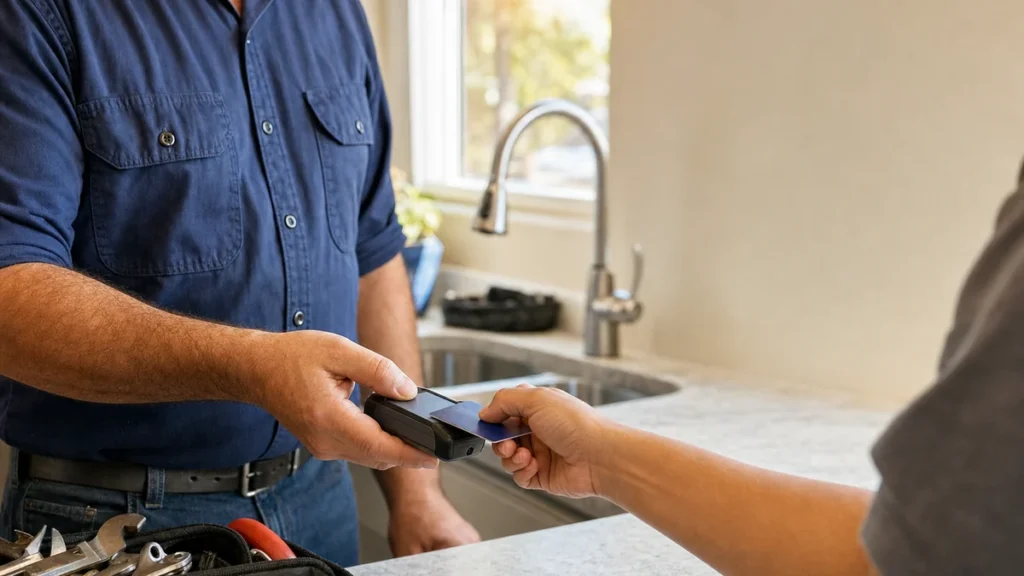
- Which point-of-sale and payment setup works best for a plumbing company in the field?
- What does a POS mean for a plumbing business?
- Should payments run through my field service software or a separate tool?
- Which payment features matter most for plumbing work?
- How should payments connect to my marketing tracking?
- How do I compare payment processing costs?
- How do I keep customers' card data safe?
- What tax paperwork comes with card and app payments?
- Should techs collect payment at the job?
- Can the payment moment help with reviews and repeat work?
- Should I tell customers how they can pay before the job?
- What should I ask before switching payment tools?
- What's different about payments for plumbing companies
- A worked example: comparing two payment processing offers
- Frequently asked questions
- Key takeaways
- More in this section
- Sources
The short version
- A plumber's POS lives in the truck: a phone or small reader, not a counter register.
- Built into your field service software beats a separate tool, because every payment stays tied to its job.
- Compare total cost on your real monthly volume, not the headline rate.
- Every payment should carry the job's lead source, so you can see revenue by marketing channel.
For plumbing owners choosing how techs take payment at the job, send invoices and keep every dollar tied to the job and the marketing that brought it in.
Get a free visibility audit · Book a growth call
Which point-of-sale and payment setup works best for a plumbing company in the field?
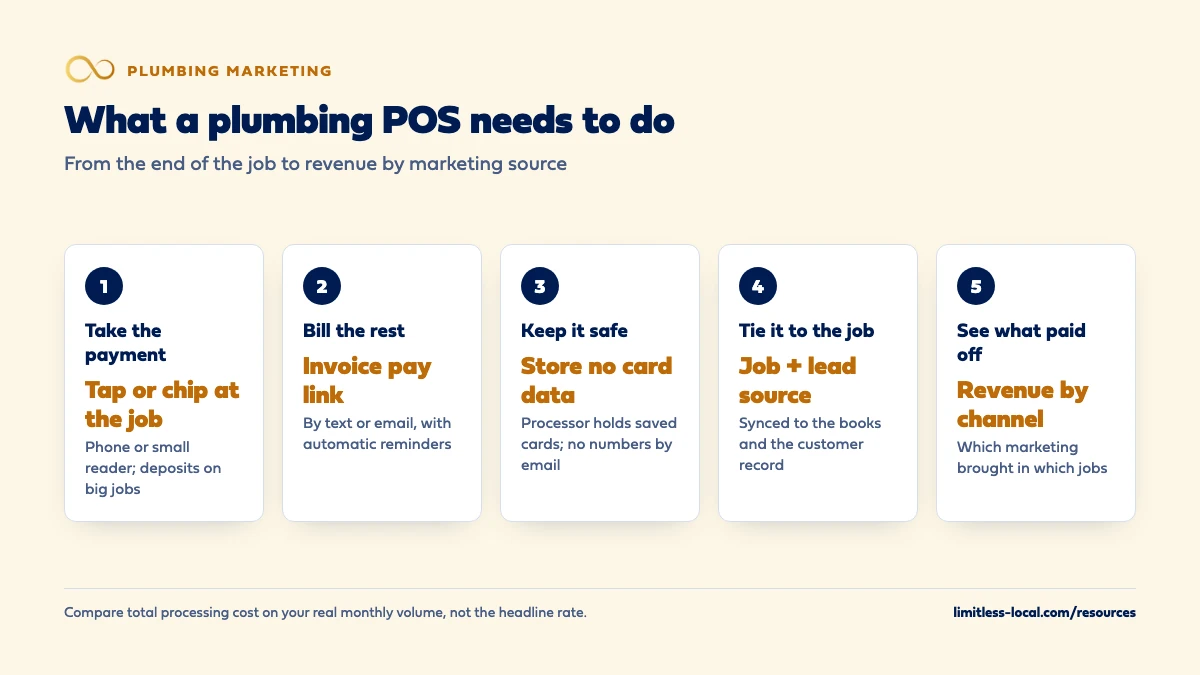
For most plumbing businesses, the best POS is the payment tool built into, or tightly connected to, your field service software, not a retail register. It should let techs take tap, chip and card payments at the job from a phone or small reader, send invoices with a pay link, take deposits on big jobs, and sync every payment to the job, the customer and your accounting. Pick on total processing cost, how well it ties payments to booked jobs, and how easily you can leave, not on the advertised rate alone.
That last point is where payments meet marketing. Every one of our plumbing marketing packages includes call tracking, source tagging and a real-time dashboard, and our automation add-ons, like the lead tracking dashboard and calendar reminders, plug into any package. The rest of the plumbing marketing questions library covers the tools and tracking around it.
What does a POS mean for a plumbing business?
For a store, a point of sale is the counter. For a plumber, it’s the kitchen, the basement or the driveway, wherever the job ends. So a plumbing POS is really three things working together:
- Something to take the card: a phone with tap-to-pay, or a small reader that pairs with the tech’s phone or tablet.
- Something to bill from: an invoice, built from the job, that can be paid on the spot or later through a link.
- Someone to process it: the payment processor, sometimes called a merchant bank or acquirer, that moves the money to your account.
The PCI Security Standards Council’s Guide to Safe Payments for small merchants uses the same split: a payment terminal takes card payments by swipe, dip, insert, tap or manual entry, and a merchant bank processes them on your behalf. A countertop register only matters if you also run a showroom or parts counter.
Should payments run through my field service software or a separate tool?
For most plumbing shops, through the field service software. When payments live in the same system as the job, one record shows the call, the quote, the work, the invoice and the payment. Nobody retypes amounts, nobody has to match a deposit to a job at month end, and you can see which jobs are unpaid without asking.
A separate payment app can work for a one-truck shop just starting out, but it creates a gap: the money arrives, and someone has to remember which job it was for. That gap is where unpaid invoices hide and where revenue disappears from your marketing reports.
If you’re still picking the main software, payments belong on your checklist. Choosing field service software for a plumbing business covers the rest of the list.
Which payment features matter most for plumbing work?
- Tap, chip and card on a phone or small reader, so a tech can collect before leaving.
- Invoices with a pay link by text and email, for customers who weren’t home or want to pay later.
- Deposits and progress payments for water heater installs, repipes and sewer line replacements.
- Saved cards for repeat customers, stored by the processor, not by you, for maintenance plans and property managers.
- Bank transfer and check entry, since commercial customers and some homeowners still pay that way.
- A way to work without signal, because basements and crawl spaces often don’t have any.
- Automatic receipts with the job details and your business name.
- A clean accounting sync, so payments, fees and refunds land in the books without retyping.
Ask every vendor to show each one on a real job in a demo, not a slide.
How should payments connect to my marketing tracking?
This is the part most owners never set up, and it’s the one that makes the payment system pay for itself. If every job carries a lead source, and every payment is attached to the job, you can see revenue by marketing channel: not just which ad made the phone ring, but which one brought in the $9,000 repipe.
That number is what turns cost per lead into cost per booked job and return on ad spend. It can also go back to the ad platform. Google’s page on offline conversion imports explains that an ad often starts a path that ends in a sale over the phone or offline, and that importing those conversions lets you measure what happened after the click or call.
Make the lead source a required field when a job is booked, and check monthly that paid jobs carry one. Tracking which plumbing marketing books jobs shows how to connect calls to jobs and invoices.
How do I compare payment processing costs?
The advertised rate is only one line of the bill. Ask each processor for the full list:
- The rate for tapped or dipped cards and the rate for keyed-in cards, which is often higher.
- Any per-transaction fee on top of the percentage.
- Monthly or software fees, including whether payments cost extra inside your field service software.
- Hardware: whether readers are bought, leased or free, and who owns them.
- Chargeback fees and how disputes are handled.
- Payout timing, and whether faster payouts cost extra.
- Contract length and early termination fees.
Then run each offer against your own last three months: how many payments, the average ticket, and how many were keyed in. The worked example below shows the math.
Curious what your marketing is actually booking?
Get a free visibility audit — no obligation, no sales pitch.
How do I keep customers' card data safe?
The simplest rule: if you don’t need card data, don’t store it. Let the processor keep saved cards as tokens, which it can charge later without you ever holding the card number. A few habits do most of the rest:
- Never take card numbers by email or text. If one arrives that way, process it, delete it and tell the customer how you prefer to receive card details instead.
- No card numbers on paper tickets or in job notes. If paper with card data has to be kept, lock it up where only a few people can reach it.
- Change default passwords on payment devices and accounts, and give every tech their own login.
- Check readers for tampering and install updates from your vendors.
The FTC’s guide to protecting personal information sums up the same thinking for any business: take stock of what personal information you have, and keep only what you need.
What tax paperwork comes with card and app payments?
Expect a Form 1099-K. The IRS page Understanding your Form 1099-K says that if customers pay you directly by credit, debit or gift card, you’ll get one from your payment card processor no matter how many payments you got or how much they were for. Payment apps and online marketplaces must send one when your payments for goods or services total over $20,000 in more than 200 transactions, though they may send one for less. Copies go to you by January 31.
Whether or not a 1099-K arrives, all business income still has to be reported. That’s another reason to run every payment through one system tied to the job: when the 1099-K totals and your books are built from the same records, they match. Your accountant will thank you.
Should techs collect payment at the job?
For service calls, yes. Collecting before the truck leaves is the easiest money you’ll ever chase, and it’s when the customer is happiest, right after the water’s back on. For bigger work, take a deposit when the job is booked and the balance at completion.
Make it routine, not awkward: the tech finishes, walks the customer through what was done with photos, and hands over the phone or reader with the invoice already on screen. Anything not collected on site gets an invoice link the same day and an automatic reminder after that. Managing a plumbing business digitally covers the reminder setup and the weekly unpaid-invoice check.
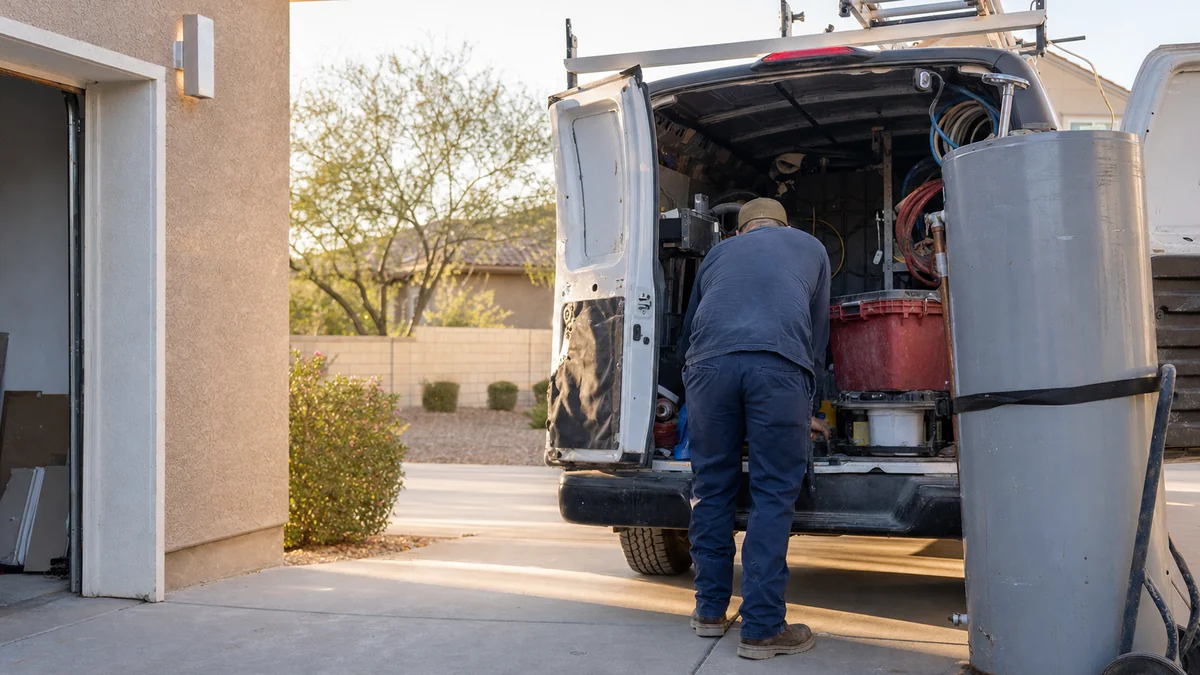
Can the payment moment help with reviews and repeat work?
It’s one of the best moments you’ll get. The job is done and the customer just paid, so the receipt or the follow-up text can carry your Google review link. Many field service platforms can send a review request automatically when a job is marked paid.
The payment record also builds your customer list: name, address, what you fixed and what equipment is there. That’s what lets you send a water heater flush reminder next year or offer a maintenance plan. Getting more Google reviews for a plumbing company covers the review ask, and getting more repeat customers and referrals covers the rest.
Should I tell customers how they can pay before the job?
Yes. It’s a small trust signal that answers a question people have before they call. Put accepted payment methods on your website and Google Business Profile, and mention them when the office books the job.
It works in ads too. Google’s page on the Local Services Ads transition suggests that Local Services Ads advertisers select at least 6 structured callouts, such as business hours, specialties or accepted payment methods, to help your business stand out on Google Search.
What should I ask before switching payment tools?
- Can my saved customer cards move with me? Saved cards are held by the processor as tokens, so they may not transfer. Ask before you count on it.
- Can I export every payment with its job, customer and date?
- What does it cost to leave? Early termination fees, leased hardware and minimum terms.
- How fast do payouts reach my bank, and what happens on weekends?
- Who do I call when a tech’s reader stops working on a Saturday?
- How are disputes handled, and what do they cost?
Switch at a quiet time of year, run the old and new side by side for a couple of weeks, and keep the old account open until every pending payout has landed.
Want to see where your company stands?
A free visibility audit shows where you show up on Google, Maps and AI answers, and what it's costing you in calls.
What's different about payments for plumbing companies
Tickets swing from small to huge. A clogged drain and a whole-home repipe can come through the same phone line. Your payment setup has to handle a quick tap at the door and a deposit plus balance on a big job, without separate tools.
Emergencies happen at night. An after-hours call is often a stressed customer at midnight. Collecting on site, with a clear receipt and photos of the work, avoids chasing payment from someone who’s already moved on.
Commercial work pays differently. Property managers and restaurants often want invoices on terms, by bank transfer or check. Make sure the same system handles both, so commercial revenue still shows up next to its lead source.
A worked example: comparing two payment processing offers
These numbers are made up to show the math, not quotes from any processor. Say a plumbing company takes 80 card payments a month averaging $500 each, or $40,000 a month.
- Offer A: 2.9% plus $0.30 per payment, no monthly fee. That’s $1,160 plus $24, or $1,184 a month.
- Offer B: 2.5% plus $0.10 per payment, plus a $30 monthly fee. That’s $1,000 plus $8 plus $30, or $1,038 a month.
Offer B saves $146 a month, or $1,752 a year, on this volume. But if Offer B charges more for keyed-in cards and the techs type in a lot of card numbers, or if it isn’t built into the field service software and someone spends an hour a week matching payments to jobs, the savings can disappear. Run the math on your own volume, then weigh the time.
Frequently asked questions
Do I need a countertop POS system for a plumbing business?
Only if you run a showroom or parts counter. Most plumbing payments happen at the job, so a phone or small card reader tied to your field service software does the work.
Can I take card payments over the phone?
Yes, as a keyed-in payment, though it often costs more than a tapped card. Don’t write the number down or keep it in notes, and never ask customers to email card details.
What if there's no cell signal at the job?
Look for a payment tool with an offline mode that stores the payment and sends it once you’re back in signal, or send an invoice link the customer can pay later. Check how offline payments are handled before you rely on it.
Should I let customers pay with payment apps?
It’s convenient, but route it through your business account and record it against the job, so it doesn’t fall outside your books and your marketing reports.
Should techs or the office collect payment?
Techs, for service calls, before they leave. The office handles invoices for anything not collected on site, plus deposits and commercial billing.
Does my POS affect my marketing reports?
It can. If payments aren’t tied to jobs with a lead source, you can count calls by channel but not revenue, which hides which marketing brings in the big tickets.
Key takeaways
- A plumbing POS is a phone or small reader, invoices with pay links and a processor, working from the job.
- Payments built into your field service software keep every dollar tied to its job.
- Compare total processing cost on your own volume: rates, per-payment fees, monthly fees, hardware and exit costs.
- Don’t store card data; let the processor hold saved cards, and never take card numbers by email.
- Card processors send a Form 1099-K regardless of amount; report all business income either way.
- Tie every payment to a lead source to see revenue by marketing channel.
Not sure what's working right now?
Start with a free visibility audit: rankings, Google profile, reviews and tracking, checked against your service area.
More in this section
- How do I manage my plumbing business digitally?
- How do I choose field service software for a plumbing business?
- Is a plumbing business profitable, and where does marketing fit?
- How should a plumbing company market to commercial customers?
- Which plumbing services should I advertise first?
Sources
- Data Security Essentials for Small Merchants: Guide to Safe Payments — PCI Security Standards Council
- Protecting Personal Information: A Guide for Business — Federal Trade Commission
- Understanding your Form 1099-K — Internal Revenue Service
- About offline conversion imports — Google Ads Help
- Local Services Ads transition to Performance Max campaigns with pay-per-lead goals — Google Ads Help