
How should a roofer prepare marketing for peak season?
- What should a roofing company get ready before its busy season starts?
- When should a roofer start preparing for peak season?
- Step 1: What should I learn from last season's numbers?
- Step 2: Is my phone setup ready for the rush?
- Step 3: What should I update on my Google Business Profile?
- Step 4: How do I build up reviews before the rush?
- Step 5: What should I check on my roofing website?
- Step 6: How do I get my Google Ads ready before demand rises?
- Step 7: How do I prepare Local Services Ads for the season?
- Step 8: How do I make sure my tracking works before it gets busy?
- Step 9: How should I set up follow-up for the busy months?
- What should I do when crews are booked out mid-season?
- What's different about peak season for roofers
- A worked example: how many leads your season needs
- Frequently asked questions
- Key takeaways
- More in this section
- Sources
The short version
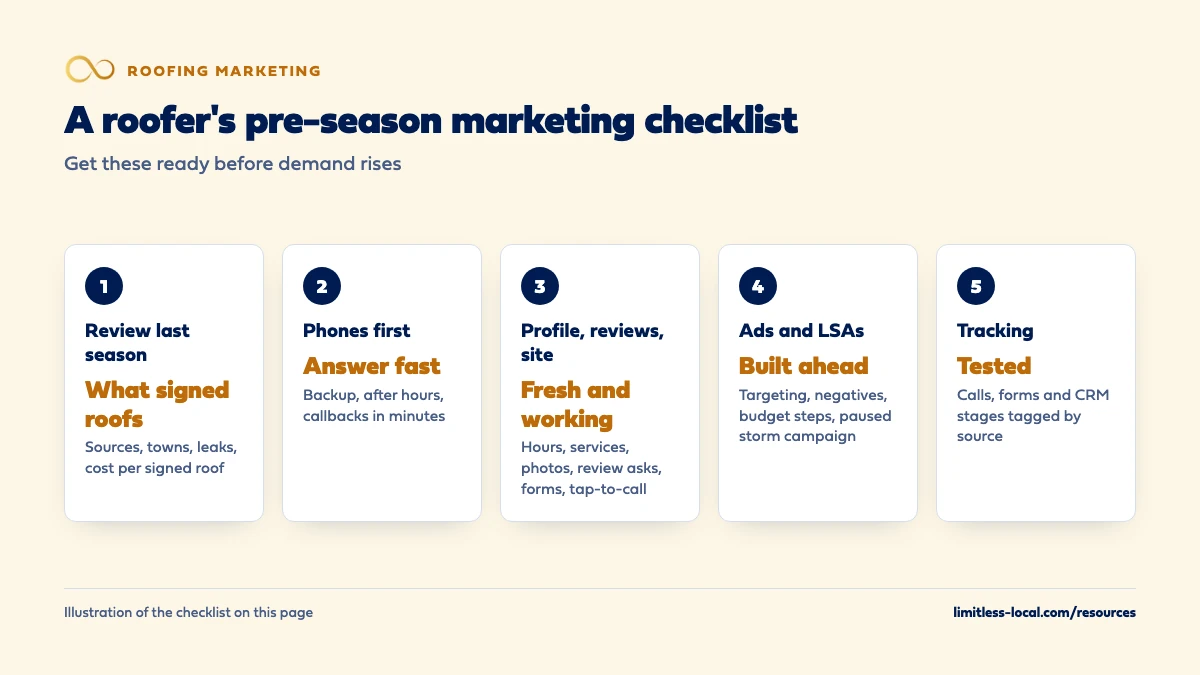
- Start a couple of months before the busy season.
- Fix call handling first: every lead answered or called back fast.
- Tune the Google profile, collect reviews and test the website.
- Build ads, budgets and a paused storm campaign ahead of time.
- Test tracking so you know what's signing roofs.
For roofing owners who want the phones, profile, reviews, website and ads ready before the busy months, not scrambling to fix them once demand hits.
Get a free visibility audit · Book a growth call
What should a roofing company get ready before its busy season starts?
Start getting ready a couple of months before your busy season, while crews have time and leads are cheaper to test. Review last season’s numbers, make sure every call and message gets answered fast, tune up your Google Business Profile, collect reviews from recent jobs, test your website’s phone number and forms, and build your ads and budget plan, including a paused storm campaign. Then check your tracking, so when demand rises you can see which marketing is signing roofs and put the money there.
Getting a roofing company ready for its busy months is how our work starts: first the foundation (tracking, follow-up and a clean online presence), then lead flow from local SEO and ads aimed at the towns and jobs you want, then monthly improvement based on calls, leads and revenue. Onboarding takes your team about 2 to 3 hours, and campaigns go live in the first week or two, so starting before the season matters. See how it works on our roofing marketing page, read the guide to getting roofing leads, or browse the roofing marketing questions library.
When should a roofer start preparing for peak season?
A couple of months before demand usually climbs in your area. That might be early spring where hail season starts, late summer before the fall replacement push, or before the rainy and hurricane months on the Gulf and in Florida. You know your own calendar better than any chart.
Starting early matters for three reasons:
- Some channels take time. Ads can bring leads within days of launch, but SEO typically takes 3 to 6 months to show meaningful growth. Website and profile work done in the slow months is what pays off in the busy ones.
- Your team has time now. Once crews are stacked and the phone won’t stop, nobody will rewrite a service page or test a contact form.
- Mistakes are cheaper in slow months. A broken form or a badly set ad loses a few leads in February. In storm season it loses dozens.
If you’re late and the season has already started, don’t skip the list. Work through it in order: phones first, then tracking, then ads, then the rest.
Step 1: What should I learn from last season's numbers?
Before you change anything, look back. Pull last season’s leads and signed jobs from your CRM or job software and answer a few questions:
- Which sources signed roofs? Google profile, ads, Local Services Ads, website, referrals, door knocking, yard signs.
- What did each signed roof cost from each paid source?
- Which towns and ZIP codes signed? And which produced leads that never closed?
- Where did leads leak? Missed calls, slow callbacks, estimates never followed up.
- When did demand peak, and when did your crews run out of room?
If you don’t have these numbers, that’s the first finding. It means tracking needs fixing before anything else, so this season you can answer them.
Write down three decisions from the review: what to do more of, what to cut, and which leak to fix first. That list shapes every step below. How a roofing ad budget should change from storm season to winter helps turn the numbers into a budget plan for the year.
Step 2: Is my phone setup ready for the rush?
This step comes first for a reason. Every other step brings more calls, and if they ring out, the money’s wasted.
Check these before the season:
- Who answers. One named person during business hours, with a backup for lunch, sick days and the busiest mornings.
- Overflow. What happens when two calls come in at once, or the office is on another line?
- After hours. Storm calls come at night and on weekends. Decide whether calls go to an answering service, an on-call person or voicemail with a callback promise you’ll keep.
- Callback speed. Every missed call and web form gets a call back within minutes, not by end of day.
- Booking on the first call. Whoever answers can see the schedule and book the inspection on the spot.
Run a test: call your own number from a cell phone at 7 p.m. on a weekday and at noon on a Saturday. See what a homeowner gets. How fast a roofing company should call back a new lead sets the standard to aim for.
Step 3: What should I update on my Google Business Profile?
Your profile is often the first thing a homeowner sees when they search for a roofer in a hurry. Go through it top to bottom:
- Hours. Match the hours you’ll actually answer. If you extend hours in season, update them, and confirm holiday hours ahead of time.
- Phone number. The number that rings the person who can book.
- Services. List the jobs you want this season: replacements, repairs, leak repair, storm damage inspections, metal, gutters.
- Service areas. The towns you’ll actually drive to.
- Photos. Fresh shots from recent jobs, crews in safety gear, finished roofs, trucks.
- Description. Plain words about what you do, where, and what sets you apart.
- Posts. Start posting weekly before the season, so the profile looks active when homeowners arrive.
Then check that your name, address and phone match on your website and major directories. Mismatches make Google less sure about your details at the worst possible time.
Step 4: How do I build up reviews before the rush?
Ask every customer from the slow months. Homeowners compare ratings and recent reviews when they pick a roofer, and in peak season you’re competing with every crew in town, plus some from out of town.
Make asking easy:
- Create a Google review link or QR code from your profile and put it on a card, in the job-complete text and in the final invoice email.
- Have the crew lead or salesperson ask at the final walk-through, while the homeowner is looking at the new roof.
- Follow up once by text a day or two later if they haven’t left one.
Google’s tips to get more reviews recommend reminding customers with a review link or QR code, and they also spell out the line not to cross: offering incentives such as free or discounted services in exchange for reviews counts as fake and misleading content. No discounts, no gift cards.
Reply to every review, good and bad, before the season starts. A short, specific reply shows the next homeowner you pay attention. Getting more Google reviews after a roof replacement has scripts and timing.
Curious what your marketing is actually booking?
Get a free visibility audit — no obligation, no sales pitch.
Step 5: What should I check on my roofing website?
Many homeowners will look at your site on a phone, often standing in the driveway looking at a damaged roof. Check it the way they will:
- Tap-to-call works and the number at the top of every page is the right one.
- Forms work. Fill one out yourself and make sure the lead arrives where someone will see it within minutes.
- Pages load fast on a phone, especially over cell data.
- Service pages match the season. A clear page for storm damage and roof inspections, and one for each main service you want to sell.
- Town pages for the areas you’ll target with ads and your profile.
- Trust signals are easy to find: license, insurance, warranty, reviews and real job photos.
- Financing, if you offer it, is explained in plain words.
Fix anything broken first, then improve. Big redesigns belong in the off-season, not the month before the rush.
Step 6: How do I get my Google Ads ready before demand rises?
Do the setup work now, so you’re only adjusting budgets when the season hits:
- Review search terms from last season and add negative keywords for jobs, DIY and supply searches.
- Check location targeting against the towns you want this year. What geo-targeting means for roofing ads covers radius, city and ZIP code settings.
- Refresh ad copy for the season: inspections, storm damage, repair and replacement.
- Build a storm campaign and leave it paused, with storm ads and a storm landing page ready to switch on.
- Plan the budget in steps: a base level now, a higher level for the season, and a surge for storms.
Know how budget changes behave. Google’s page on how budget changes take effect explains that on the day you change a budget, most campaigns are never charged more than twice your highest average daily budget for that day, and your monthly limit is roughly your average daily budget times 30.4. Raise budgets a little ahead of demand instead of all at once in a panic.
If you use Smart Bidding, Google’s seasonality adjustments are meant for short events of 1 to 7 days, may not work as well beyond 14 days, and aren’t needed for normal seasonal swings, which Smart Bidding already manages.
Step 7: How do I prepare Local Services Ads for the season?
Local Services Ads reward responsiveness, so phones come first here too. Google’s page on Local Services Ads rankings says missed calls may hurt your responsiveness, and that turning on message and booking leads gives homeowners more ways to reach you, especially on nights and weekends.
Before the season:
- Job types. Only the work you want, so you aren’t paying for wrong-service leads.
- Service areas. Match your core towns and your Google Ads targeting.
- Budget. Set the level you can handle, not the most you can afford.
- Photos and reviews. Your rating, number of reviews and high-quality images all feed profile quality, which can affect your ranking and cost per lead.
- Message leads. Turn them on, and make sure someone checks them.
Local Services Ads are moving into Google Ads as Performance Max campaigns with pay-per-lead goals, so check where your account is managed now before you need to change it in a hurry.

Step 8: How do I make sure my tracking works before it gets busy?
If you can’t see which marketing signs roofs, you’ll spend peak season guessing. Test everything:
- Call tracking. Call each tracking number and confirm it rings the right phone and shows up in your reports with the right source.
- Forms. Submit each website form and check it’s tagged with where it came from.
- Ad conversions. Confirm calls and form fills from ads are counted in Google Ads.
- CRM stages. Every lead gets a source and moves through new, inspected, estimated, signed or lost, with a job value.
- The “how did you hear about us” question. Train whoever answers to ask it and record the answer.
Then pick a weekly number to watch during the season: signed roofs and cost per signed roof by source. That’s what tells you where to move money when demand is high.
Step 9: How should I set up follow-up for the busy months?
In peak season, estimates pile up faster than anyone can chase them. Set up the follow-up schedule before you need it:
- A reminder before each inspection, the day before, by text.
- A same-day estimate, or as close to it as your schedule allows.
- A follow-up plan for unsigned estimates: a check-in a couple of days later, another the next week, and a last one after that.
- A clear owner for every open estimate, so none fall through the cracks.
Write the follow-up messages now, while you have time to make them good. In the middle of the season, you’ll be glad you’re just sending them, not writing them. This is also the place a CRM or job software earns its keep, because it can remind your team who’s due for a call.
What should I do when crews are booked out mid-season?
A good season can fill your schedule weeks ahead. Don’t switch everything off. Instead:
- Trim, don’t stop. Lower ad budgets to keep a base level running, and pause the lowest-value campaigns first.
- Narrow the work. Focus ads on replacements and high-value jobs and pull back on small repairs if you can’t fit them.
- Be honest about timing. Tell homeowners the real wait when they call. Many will still book.
- Keep asking for reviews. Your busiest weeks produce the most happy customers.
Switching off completely means starting cold when the schedule opens up again. Whether to pause roofing marketing when crews are booked out covers the trade-offs in detail.
Not sure which of these is costing you jobs?
A free visibility audit checks the Google profile, reviews, site and tracking, and shows what to fix first.
What's different about peak season for roofers
Storms don’t follow a calendar. Most trades can plan around a predictable season. Roofers get a busy season plus sudden spikes after hail or wind. Check the Storm Prediction Center’s storm reports after severe weather to see where hail was reported (the reports are preliminary), and have your storm campaign and phones ready to go the same day. Our guide to storm-season roofing marketing covers the storm side in more depth.
Out-of-town crews arrive. After big storms, homeowners see a flood of unfamiliar roofers. Local reviews, a local address, and photos of jobs in their neighborhood matter more than ever.
Each job takes several visits. Inspection, estimate, install and often a follow-up. Your capacity is limited by crews and salespeople, not just by leads, so plan marketing around what you can actually deliver.
A worked example: how many leads your season needs
These numbers are made up to show the math, not a benchmark for your market. Say you have 3 crews, and each can finish two roofs a week in peak season. That’s 6 roofs a week you can deliver.
If you sign about 30% of the inspections you run, you need 20 inspections a week to fill those 6 slots. If about half of your leads book an inspection, you need around 40 leads a week.
That’s the number your phones, follow-up and ads have to handle every week. If your office can’t answer 40 calls and forms a week fast enough, fix that before spending more on ads. If last season brought far fewer leads than that, the gap tells you how much more lead flow to plan for.
Frequently asked questions
Should I raise my ad budget before peak season starts?
Raise it in steps as demand climbs, not all at once. Starting a little early gives you time to see what’s working before the most expensive weeks.
Is it too late to start SEO before peak season?
Not if you’re thinking about next season too. SEO typically takes 3 to 6 months to show meaningful growth, so work started now builds toward the next busy stretch, while ads cover this one.
Do I need a separate storm landing page?
It helps. A page that speaks to storm damage, inspections and your local presence fits storm searches far better than a general homepage.
Should I run special offers in peak season?
Usually not needed when demand is high. Offers tend to work better in slow months, when homeowners need a reason to act.
Should I hire seasonal office help?
If last season showed missed calls or slow callbacks, yes. An extra person answering phones in the busiest months often pays for itself in inspections booked.
What's the single most important step?
Call handling. More leads only help if someone answers, books the inspection and follows up.
Key takeaways
- Start a couple of months before your busy season; SEO and website work need lead time.
- Fix phones first: every call answered or returned within minutes.
- Collect reviews and refresh your Google profile in the slow months.
- Build ads, budgets and a paused storm campaign ahead of time.
- Test tracking so you can judge every source by cost per signed roof.
Want a second set of eyes on your setup?
We'll look at how you show up locally and where calls are leaking, then send you a plain-English breakdown.
More in this section
- How do I market a roofing company in the slow season?
- How does a roofer run a profitable business with marketing?
- What should a roofer expect in the first 90 days of marketing?
- What can a roofer do this month to get more leads without waste?
- How many hours a week can a roofer spend on marketing?
Sources
- Tips to get more reviews — Google Business Profile Help
- How budget changes take effect — Google Ads Help
- About seasonality adjustments — Google Ads Help
- About ad rankings — Local Services Help
- Storm Prediction Center Yesterday's Storm Reports — NOAA National Weather Service
- Local Services Ads transition to Performance Max campaigns with pay-per-lead goals — Google Ads Help