
How do I get my plumbing techs to ask for reviews on every job?
- How do I make the review ask a habit for every plumber on my team?
- Why don't my plumbers ask for reviews already?
- What are my techs allowed to say when they ask?
- Where does the review ask fit in a plumbing job?
- What should a plumber say on an emergency call versus a planned job?
- Should the tech send the review link or should the software?
- What settings should I check in my job software?
- How do I train a new plumber to ask?
- Can I pay my plumbers for every review they bring in?
- How do I know which techs are actually asking?
- What if the customer isn't happy when the job is done?
- What happens if a tech games the system?
- What's different about the review ask for plumbing techs
- A worked example: what four techs' ask rates add up to
- Frequently asked questions
- Key takeaways
- More in this section
- Sources
The short version
- Put the ask in the job close-out, right after the customer sees the fix working.
- Give every tech the same one-line script; let the software send the link.
- Measure each tech's ask rate, never a review count or quota.
- No incentives, no selective asking, no naming the tech, no pressure on site.
For plumbing owners whose techs do good work but forget, rush or feel awkward about the review ask, and who want it to happen on every job without breaking Google’s rules.
Get a free visibility audit · Book a growth call
How do I make the review ask a habit for every plumber on my team?
Make the ask a fixed step in how every job closes out, the same way testing the fix and collecting payment are, and give techs one short line to say while your job software texts the Google review link automatically. Google allows asking every customer for an honest review, but not offering incentives, asking only the happy customers, pressuring people on the spot, asking reviewers to name a tech or giving staff review quotas. So track whether each tech asked, coach the ones who skip it, and reward the habit rather than the review count.
In our judgement, reviews are a big part of what a homeowner sees before choosing which plumber to call, which is why review response and review generation are part of every package on our automation and follow-up side of the work, with advanced review generation in Growth and automated review requests in Scale. See how we approach marketing for plumbing companies. None of it replaces a tech who asks in person, and that part costs nothing. The rest of the plumbing marketing questions library covers the other pieces.
Why don't my plumbers ask for reviews already?
In our judgement, the reasons are rarely laziness. The next call is already waiting, so the close-out gets rushed. Asking a stranger for a favor feels awkward, especially after quoting a price they didn’t love. And nobody set when to ask or what to say, so it depends on memory at the end of a long day.
Each of those has a fix you control: a fixed moment in the job, one line to say, and software that sends the link so the tech only has to mention it. If you’re still deciding how many reviews you’re aiming for, how many reviews a plumbing company needs covers the target. This page is about the habit that gets you there.
What are my techs allowed to say when they ask?
Google’s Maps content policy says businesses may ask customers to post reviews of genuine experiences, as long as they don’t offer incentives or try to influence the rating or what gets written. For a tech in a customer’s kitchen, that comes down to five rules:
- Ask every customer, not only the ones who seem pleased. Google doesn’t allow selectively soliciting positive reviews.
- Offer nothing in return: no discount, no free drain cleaning next time.
- Don’t require or pressure anyone to review while you’re on the premises.
- Don’t ask for specific content, including the tech’s name.
- Don’t ask for five stars. Ask for an honest review.
The full list of what Google allows, and what it removes, is on getting more Google reviews for plumbers. Your techs only need the five lines above.
Where does the review ask fit in a plumbing job?
Build it into the close-out your techs already follow, so it’s a step rather than an extra. A close-out that works for most service calls:
- Test the fix with the customer watching: run the water, flush, fire the water heater, show the drain clearing.
- Clean up and show them the work area.
- Walk through the invoice and take payment.
- Say the review line, and tell them the link is coming by text.
- Mark the job complete in your software, which sends the link.
In our judgement, asking right after step one or at step four works best, because the customer has just seen the problem solved. What matters more than the exact spot is that it’s the same spot on every job, so it stops depending on how the tech feels about a particular customer.
What should a plumber say on an emergency call versus a planned job?
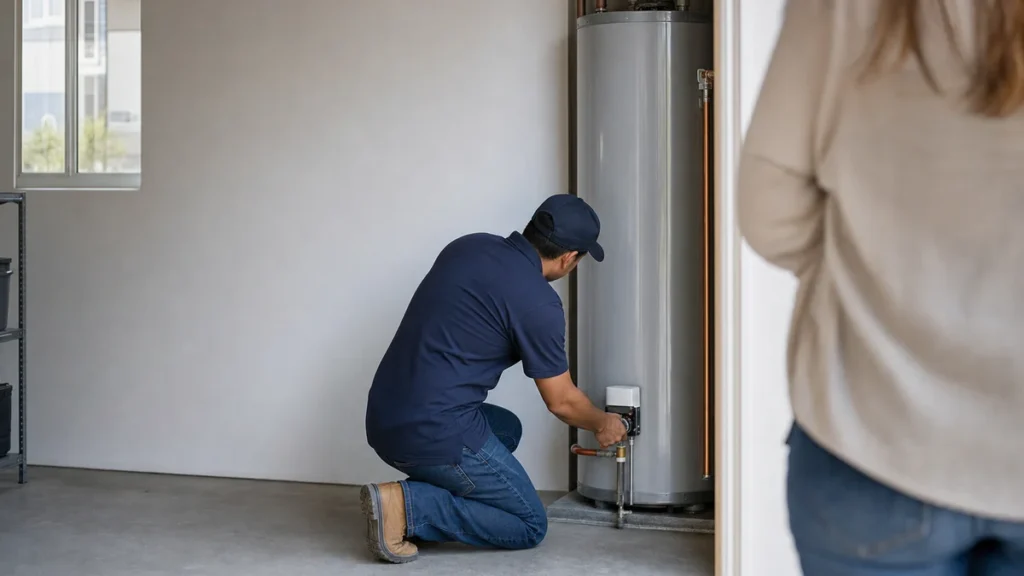
Give techs two short versions and let them pick. For a planned job like a water heater swap or a fixture install, at the walkthrough:
“Thanks for having us. We’re a local company and Google reviews are how people find us. You’ll get a text with a link; if you have a minute, an honest review would mean a lot.”
For an emergency, where the customer has just dealt with water on the floor at midnight:
“Glad we got this stopped. Tomorrow you’ll get a text from us with a link to leave a review if you’d like. No rush.”
Neither asks for five stars, names the tech or offers anything, which keeps both inside Google’s policy. The emergency version only sets up the ask; the text does the asking once things are calm.
Should the tech send the review link or should the software?
Both have a job. The tech’s spoken line is what makes a customer bother; the software makes sure the link arrives every time. Most plumbing job software can send it automatically:
- Housecall Pro sends review requests by email and text automatically when a job is marked finished by default, or when the job is paid if you change the setting.
- Jobber’s Reviews tool can send a text and email when a job closes, a visit is completed or an invoice is paid, and sends up to two follow-up reminders if the customer doesn’t click.
If your software can’t send it, Google lets you create a review link or QR code from your Business Profile to put on receipts or share directly. Note that the QR code can only be generated from a computer browser, not a phone, so make it once in the office and print it for every van.
Curious what your marketing is actually booking?
Get a free visibility audit — no obligation, no sales pitch.
What settings should I check in my job software?
Three settings decide whether every customer actually gets asked:
- Which event triggers the request. “Job finished” sends while the tech is still nearby. “Invoice paid” can delay it on jobs billed later; Jobber notes that with partial payments the request waits until the invoice is paid in full.
- Late-night timing. Jobber says that if a job closes between 9 PM and 9 AM, the first request goes by email only so it doesn’t disturb customers. For plumbing night calls that’s a reasonable default; it fits the “text tomorrow” script.
- Where customers are sent. Housecall Pro’s Premium Reviews, by default, sends customers with a Gmail address to Google and splits the rest between Facebook and website reviews. Google says customers can set up a Google Account with a non-Gmail email, so if Google reviews are what you want, check the distribution settings.
Also check who gets excluded. Housecall Pro only sends to customers with notifications turned on unless you change that setting, and a request needs a mobile number on file to go by text.
How do I train a new plumber to ask?
Treat it like any other part of the job they learn on a ride-along:
- Show it. On the first few ride-alongs, the senior tech asks on every job while the new hire watches.
- Practice it. Have the new tech say the line out loud a few times in the shop. It feels silly, and it’s what makes it sound natural on a doorstep.
- Hand it over. The new tech asks while the senior tech watches, then on their own.
- Put it in writing. Add the line to your close-out checklist and keep a QR card in every van.
Can I pay my plumbers for every review they bring in?
Not per review, and not with a target. Google’s policy names merchants asking staff to solicit a certain number of reviews, or reviews that identify a staff member, as not allowed. A per-review bonus also tempts a tech to ask only the friendly customers, push on site or ask a cousin, all of which break the rules.
The broader rules on bonuses and staff reviews are on getting more Google reviews for plumbers; for the techs, what you can reward is the asking itself: a tech who asked on nearly every job this month gets recognized, whatever the review count did. Reviews from staff and family are a separate problem. Google treats them as a conflict of interest, and the FTC’s guide on soliciting reviews says not to ask your staff to write reviews of your business unless they disclose that you employ them and asked them to. This is a summary of Google’s policy and FTC guidance, not legal advice.
How do I know which techs are actually asking?
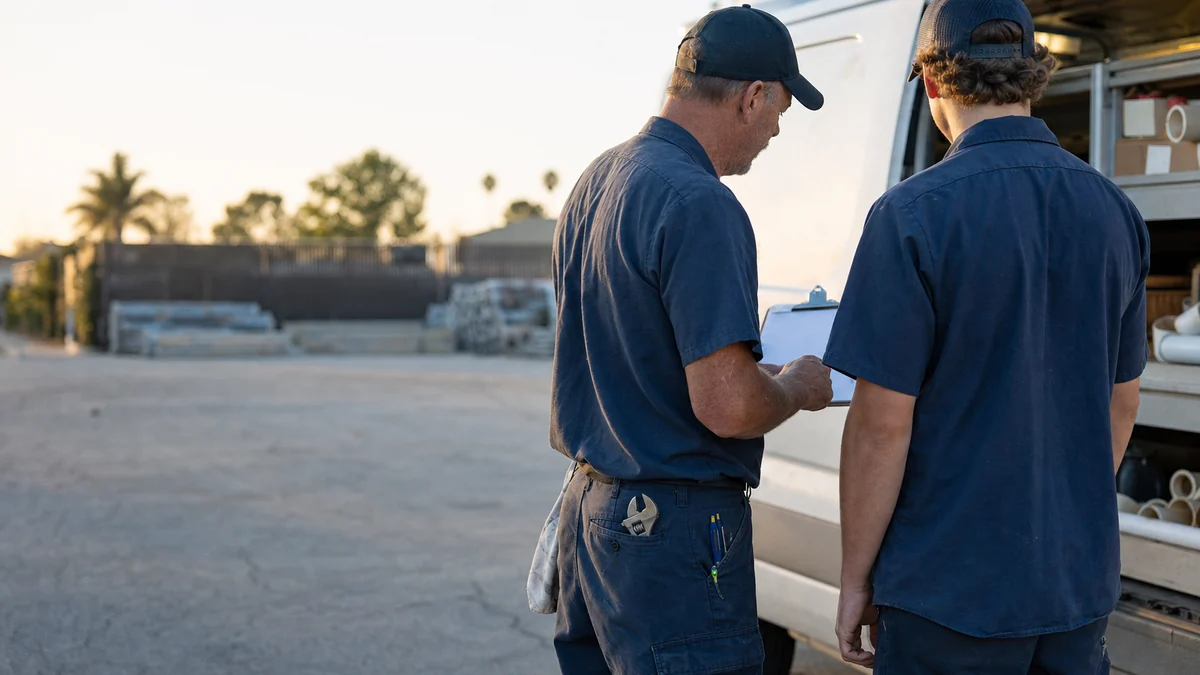
Measure the ask, not the result. A few ways to see it:
- Add a “review asked” checkbox to the job close-out in your software and check it weekly by tech.
- Check the send history. Housecall Pro shows when the review request went out in each job’s activity feed, and Jobber’s review dashboard shows how many requests you’ve sent.
- Read new reviews. Customers sometimes mention a tech by name on their own, which is fine; you just can’t ask them to.
An automatic text can go out on every job even when the tech never said a word, so the checkbox is what tells you whether the in-person ask happened. In our judgement, when one tech’s reviews lag the others, the reason is usually that they skip the spoken line, not that their work is worse.
What if the customer isn't happy when the job is done?
The tech still doesn’t get to decide who’s asked. Google doesn’t allow selectively soliciting positive reviews, and the FTC’s guide says the same: don’t ask only the customers you think will leave positive ones. If the automatic text goes to everyone, that rule takes care of itself.
What the tech should do is flag the problem before leaving: a callback needed, a price complaint, a mess they couldn’t fully clean. The office then calls that customer the same day. Fixing it may change how the customer feels; it never changes whether they get asked. If a bad review does come in, recovering from bad plumbing reviews covers how to reply.
What happens if a tech games the system?
The cost lands on the business, not the tech. Google removes reviews that break its policy, and its Business Profile restrictions page says a business that violates the fake engagement policy may also face restrictions, such as not being able to receive new reviews for a set period, having existing reviews unpublished for a set period, or a warning on the profile telling customers that fake reviews were removed.
Under the FTC’s rule on consumer reviews and testimonials, a business also can’t offer compensation conditioned on a review expressing a particular sentiment, and an officer or manager can’t solicit reviews from employees or relatives, or have employees ask their own relatives, when those reviews get posted without disclosing the relationship and the manager didn’t tell them to disclose it or let it stand. This summarizes Google’s help pages and the FTC rule; it isn’t legal advice.
Not sure which of these is costing you jobs?
A free visibility audit checks the Google profile, reviews, site and tracking, and shows what to fix first.
What's different about the review ask for plumbing techs
A lot of the work happens in a crisis. A sewer backup or a burst supply line is a bad moment to ask for anything. The plumbing version of the habit is to set up the ask on site and let the text arrive once the water’s off and the floor is dry. Those night calls only turn into reviews if someone answers them, which is what stopping lost after-hours plumbing calls is about.
Some jobs end with bad news. A camera inspection that shows a collapsed line, or a water heater that can’t be saved, isn’t a happy moment. The customer still gets asked like everyone else; the tech’s job is to explain the options clearly, which is what a fair review will reflect.
Big jobs run over several visits. A repipe or a sewer line replacement can take more than one day. Ask at the final walkthrough, not after day one. Housecall Pro lets you choose whether multi-segment jobs send the request after the first segment or the last.
The customer isn’t always the owner. Tenants, landlords and property managers all call plumbers. Send the link to whoever you dealt with on the job.
A worked example: what four techs' ask rates add up to
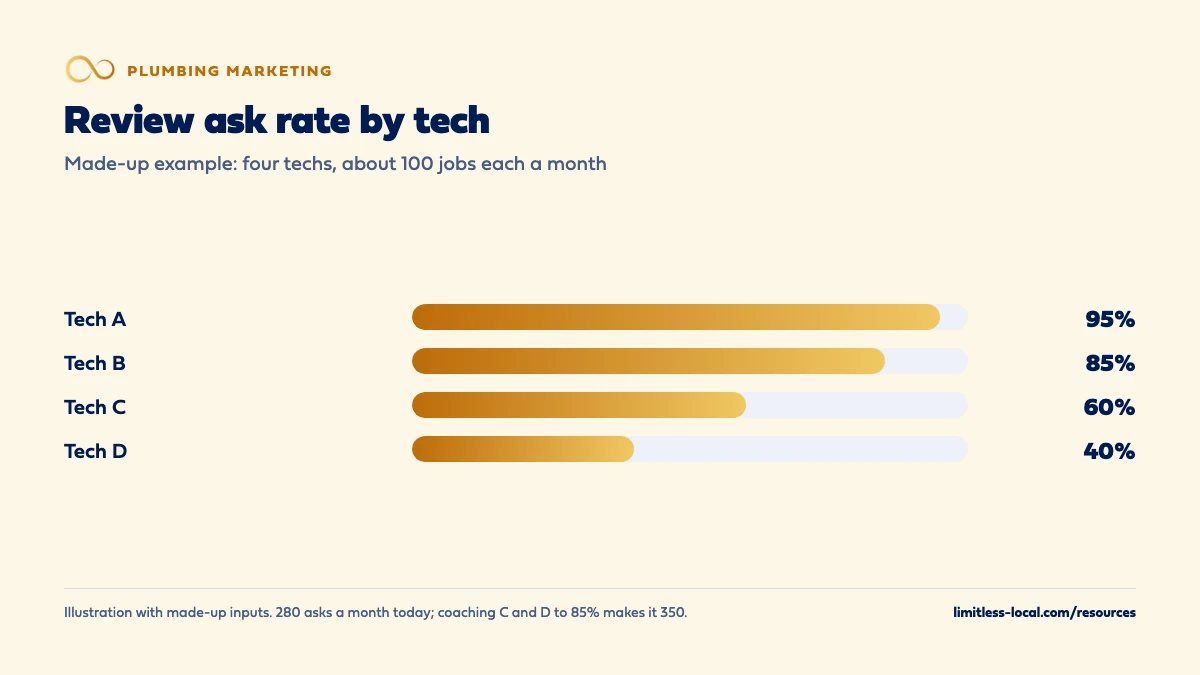
These numbers are made up to show the math, not a benchmark for your market. Say you run four techs who each close about 100 jobs a month, 400 in total. You add a “review asked” checkbox and find:
- Tech A asks on 95% of jobs.
- Tech B asks on 85%.
- Tech C asks on 60%.
- Tech D asks on 40%.
That’s 280 asks a month, a team ask rate of 70%. If about 1 in 10 customers who are asked posts a review, that’s 28 new reviews a month.
Now you coach Tech C and Tech D up to 85%, the same as Tech B. Asks rise to 350 a month, and at the same 1 in 10 that’s about 35 reviews a month: 7 more every month, or 84 more over a year, from the same techs doing the same work. Nobody was given a quota or offered anything. The share of asked customers who post varies a lot between companies, so measure your own for a month before and after. A free visibility audit shows how your review count and rating compare with the plumbers who show up next to you.
Frequently asked questions
Should my techs ask customers to mention them by name?
No. Google’s policy says businesses shouldn’t request specific content in reviews, including content that identifies a staff member. If customers name a tech on their own, that’s fine.
Can a tech hand the customer a tablet and have them review on the spot?
Google’s policy says merchants shouldn’t require or pressure customers to leave reviews while on the premises. Leaving a link by text or a QR card lets the customer decide on their own time.
How long should the review text be?
Short. Jobber notes that phone carriers split text messages over 160 characters into two or more messages, which can affect delivery, so keep the request under that.
Will a customer get asked twice if we come back for a second job?
That depends on your software. Jobber says it sends one review request to a given client at most every 6 months, even on recurring work; check your own system’s rules.
Can my office manager ask our techs' families to leave reviews?
No. Google treats reviews from employees and family as a conflict of interest, and the FTC’s rule restricts officers and managers from soliciting reviews from employees or relatives without disclosure.
Do customers without Gmail need to sign up for something to review us?
They need to be signed into a Google Account, but Google says they can create one with a non-Gmail email address. Some customers won’t bother, and that’s their choice.
Key takeaways
- Make the review ask a fixed step in every job’s close-out, not something techs remember.
- Give techs one short line, with a calmer version for emergency calls.
- Let job software send the link automatically, and check its trigger and routing settings.
- Track each tech’s ask rate and coach the ones who skip it; never set review quotas.
- Every customer gets asked, including unhappy ones; the tech flags problems to the office.
- Shortcuts like incentives or staff reviews can get reviews removed and the profile restricted.
Want a second set of eyes on your setup?
We'll look at how you show up locally and where calls are leaking, then send you a plain-English breakdown.
More in this section
- How do I get more Google reviews for my plumbing company?
- How do I get more repeat customers and referrals for plumbing?
- How do I recover from bad reviews on my plumbing company?
- How many Google reviews does a plumbing company need?
- How do I get my plumbing company recommended by ChatGPT?
Sources
- Prohibited & restricted content — Google Maps User Contributed Content Policy Help
- Tips to get more reviews — Google Business Profile Help
- Create a Google link or QR code to request reviews — Google Business Profile Help
- Business Profile restrictions for policy violations — Google Business Profile Help
- Reviews FAQs — Housecall Pro Help Center
- Reviews | Marketing Tools — Jobber Help Center
- Soliciting and Paying for Online Reviews: A Guide for Marketers — Federal Trade Commission
- 16 CFR Part 465: Use of Consumer Reviews and Testimonials — Electronic Code of Federal Regulations