
What photos should a roofer post on Google Business Profile?
- Which roofing job photos belong on your Google profile, and how often should you add them?
- Which photos matter most on a roofing company's Google profile?
- What makes a roofing job photo good enough to post?
- Should a roofer post before-and-after photos?
- Can I post storm damage photos on my Google profile?
- Should I add videos as well as photos?
- How often should a roofer add photos to Google?
- What about the cover photo and logo?
- Do photos help a roofer rank higher in Google Maps?
- What photos should a roofer never post?
- What if a customer posts a bad photo of my work?
- What's different about Google profile photos for roofers
- A worked example: a simple weekly photo routine
- Frequently asked questions
- Key takeaways
- More in this section
- Sources
The short version
- Post your own job photos: crews at work, finished roofs, details, before-and-after.
- Add team and truck photos so homeowners recognize who's coming.
- Google asks for photos that are in focus, well lit and not heavily filtered.
- Add a few new job photos as you finish work, all year, not one big batch.
For roofing company owners who want their Google profile to look like the company that actually shows up and does the work.
Get a free visibility audit · Book a growth call
Which roofing job photos belong on your Google profile, and how often should you add them?
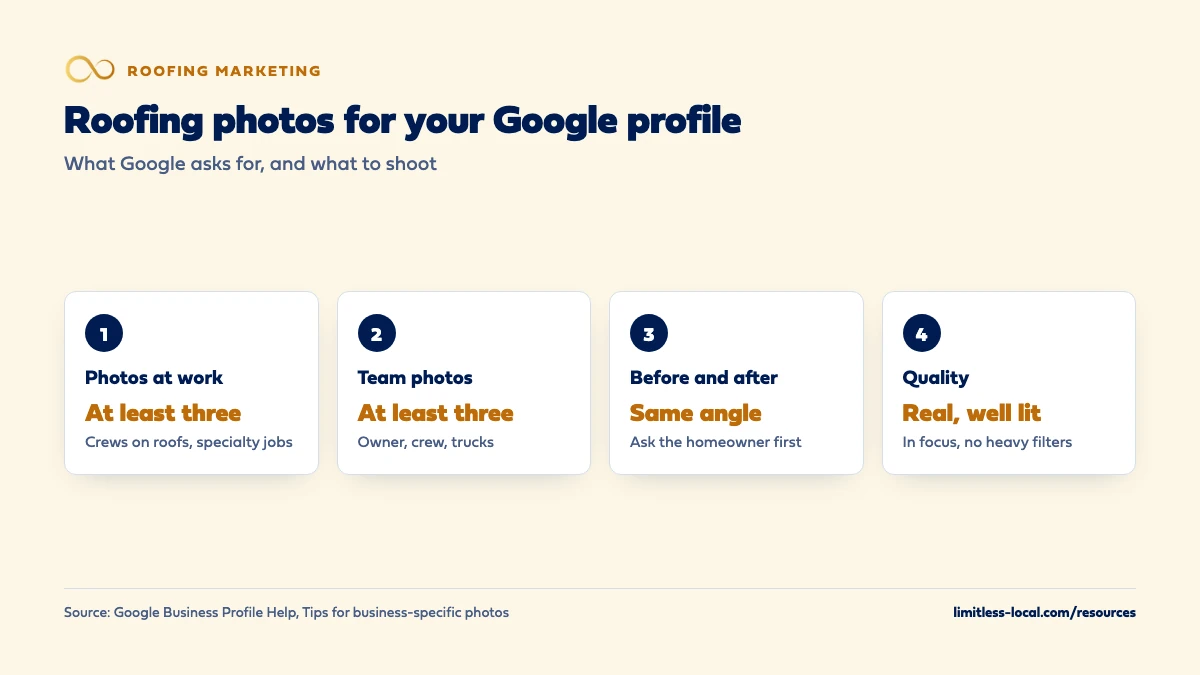
A roofer should post real photos of its own work on its Google Business Profile: crews working safely on roofs, finished roofs from the street, close-ups of details like flashing and ridge vents, before-and-after pairs, the team, and the trucks homeowners will see in their driveway. Google recommends at least three photos representative of the services you offer and at least three team photos, in focus, well lit and without heavy filters, because photos should represent reality. Add new job photos steadily as you finish work rather than in one batch, and keep the cover photo and logo current.
Google Business Profile management is part of our Essentials and Growth packages, with weekly posts on Essentials and three posts a week on Growth, and our local SEO service keeps the profile and listings consistent. Our roofing marketing page shows how we work with roofers, our roofing marketing guide covers the wider plan, and the roofing marketing questions library goes question by question.
Which photos matter most on a roofing company's Google profile?
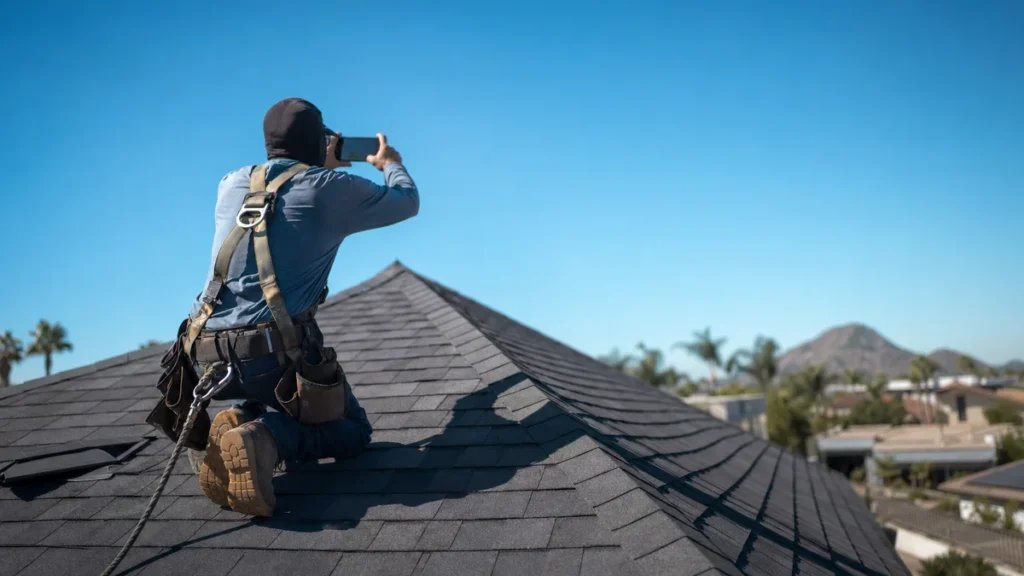
Google’s guide to business-specific photos lists several types. For a roofer, the ones that apply are photos at work and team photos, plus exterior photos if customers visit your office or yard. Google says photos at work help customers quickly understand the type of work you do, and suggests capturing your team providing different types of service and the specialty services you deliver. It suggests at least three of each.
For a roofer, that translates into:
- Crews working on residential roofs, in harnesses, mid-job
- Finished roofs from the street, the way a homeowner sees their own house
- Close-ups that show craft: flashing, valleys, ridge vents, drip edge
- Before-and-after pairs from the same angle
- Each roof type you install: asphalt, metal, tile or flat
- The owner and crew, informal, on site or at the shop
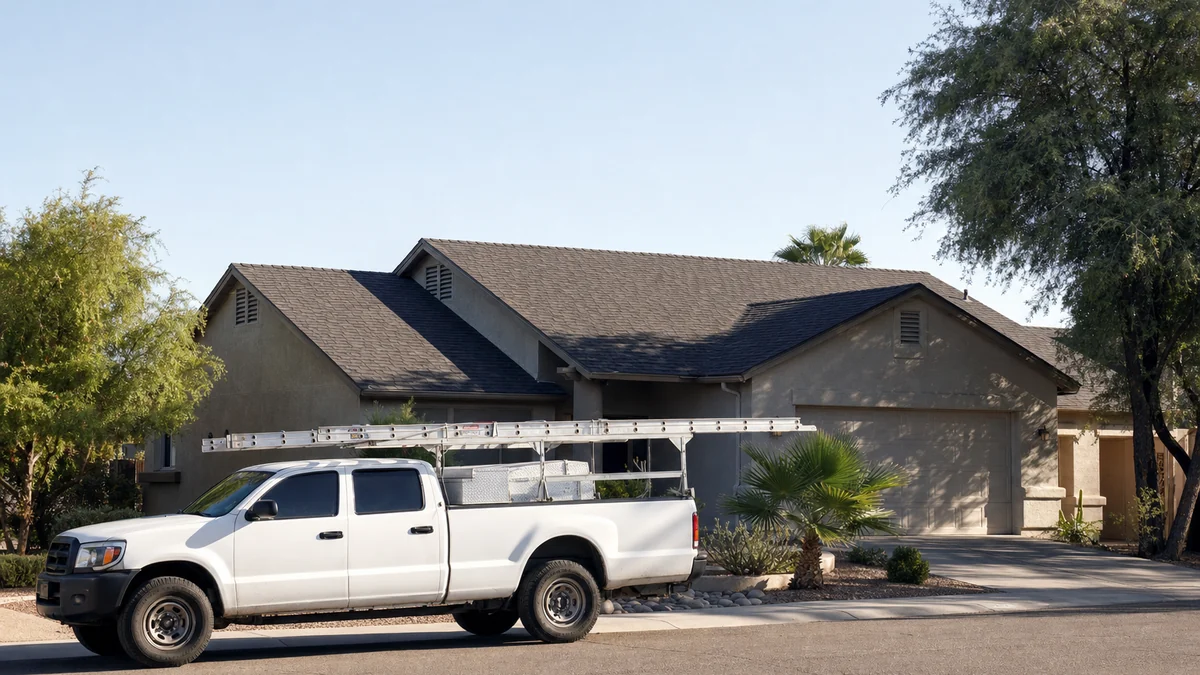
- Your trucks and trailers, so homeowners recognize them in the driveway
What makes a roofing job photo good enough to post?
Google’s photo guidelines are specific:
- Format: JPG or PNG
- File size: between 10 KB and 5 MB
- Recommended resolution: 720 px tall by 720 px wide
- Quality: in focus, well lit, and without significant alterations or excessive filters. Google’s business photo guide adds excessive use of AI; the image should represent reality.
On a roof, that mostly means shooting in daylight, holding the phone steady, and taking a wide shot as well as a close-up. A straight, sunlit photo of a clean ridge line does more than a dramatic filtered one.
Should a roofer post before-and-after photos?
Yes. In our judgement, before-and-after pairs are the most persuasive roofing photos, because homeowners are trying to picture what their own roof will look like. Shoot both from the same spot and angle, ideally from the street or yard. Keep the house itself the subject, and leave out house numbers, cars with readable plates and people who haven’t agreed to be photographed.
Ask the homeowner before you post photos of their house. Most say yes, and the conversation is a natural moment to ask for a review too; getting reviews after a replacement covers that ask.
Can I post storm damage photos on my Google profile?
Photos of damage you documented during an inspection can show homeowners what to look for, but in our judgement they should be about the roof, not the family’s bad day. Skip anything that identifies the home or shows people in distress, and never caption a photo with promises about insurance outcomes. Google’s content policy says you’re responsible for making sure your posted imagery complies with applicable laws and regulations.
Curious what your marketing is actually booking?
Get a free visibility audit — no obligation, no sales pitch.
Should I add videos as well as photos?
Short ones, yes. Google allows videos up to 30 seconds long, up to 75 MB, at 720p or higher. A short clip of a crew working a ridge or a slow walk around a finished roof works well. Keep the sound off or plain; the picture is the point.
How often should a roofer add photos to Google?
Google doesn’t publish a required number of uploads per month. In our judgement, a steady habit beats a big batch: a few photos from each finished job, added the week it’s done, keeps the newest images current. Google notes your newest media appears first on your profile, so a profile that last saw a new photo two years ago looks it.
A simple routine: the crew lead takes a before, a during and an after on every job, and someone in the office picks the best and uploads them weekly. Photos can take 24 to 48 hours to appear after upload, so don’t panic if they don’t show up right away.
What about the cover photo and logo?
Set both. Google says the logo helps customers recognize your business, and the cover photo sits at the top of the profile, although choosing one doesn’t guarantee it shows first. Google also notes that if your cover photo is low quality, or other sources suggest it’s not the best image of your business, a customer’s photo may be picked instead. In our judgement, a well-lit finished roof or a crew mid-job makes a better cover than a logo or a stock image.
Do photos help a roofer rank higher in Google Maps?
Google’s page on improving local ranking lists adding photos and videos among its tips for a complete profile. It also says local results are mainly based on relevance, distance and popularity. In our judgement, photos are better thought of as a way to win the click once you show up: a homeowner comparing three roofers in the map results looks at the photos before calling.
If you aren’t showing up at all, photos won’t fix it; see why a roofer isn’t on Maps. For the rest of the setup, choosing your profile categories covers the category choice.
What photos should a roofer never post?
- Stock photos or manufacturer brochure images presented as your work.
- Other contractors’ jobs. If it isn’t your roof, it doesn’t belong.
- Heavily edited or AI-generated images. Google asks that photos represent reality.
- Unsafe work. Crews without fall protection send the wrong message to homeowners and anyone else who sees it.
- Photos with text overlaid, such as phone numbers or offers. Put offers in a post, and use Google’s Call now button rather than a number in the content; Google says it may remove posts with unverified contact information.
What if a customer posts a bad photo of my work?
Customers can add photos to your profile. Google lets you request removal of customer photos through its process, but in our judgement it won’t remove a photo just because you dislike it. The better answer is volume: when your own recent, well-lit job photos keep coming, one unflattering upload matters less. If the photo comes with a complaint, reply to the review calmly; replying to roofing reviews covers how.
Want to see where your company stands?
A free visibility audit shows where you show up on Google, Maps and AI answers, and what it's costing you in calls.
What's different about Google profile photos for roofers
Your work isn’t at your address. Most roofers work at customers’ homes, so photos at work and team photos carry the profile, not storefront shots. Google’s guidance on photos at work fits roofing better than its exterior and interior guidance.
Getting the shot takes planning. Roofs are hard to photograph from the ground and risky to photograph from the top. Give crew leads a simple shot list and remind them that safety comes first; a good photo is never worth a fall.
Seasons show. A profile full of summer photos looks stale by winter. Keep adding through the year, including cold-weather repairs, so the profile reflects a company that’s working now.
Trucks and yard signs build recognition. Homeowners see your trucks and signs around the neighborhood. Photos of them on your profile connect what they saw on the street with who they’re about to call.
A worked example: a simple weekly photo routine
These numbers are made up to show the routine, not a benchmark. Say your company finishes 6 jobs in a typical week. The crew lead on each job takes three photos: before, during and after, from the street where possible. That’s 18 photos a week.
On Friday, the office manager picks the best 5, checks they’re in focus and don’t show house numbers or people who didn’t agree, and uploads them. Over a quarter of about 13 weeks, that’s roughly 65 new job photos, spread evenly instead of dumped at once. The rest go to the website gallery and social pages.
For context on our side: our Essentials package ($3,500 a month) includes Google Business Profile management with one post a week, and Growth ($4,500 a month) includes posts three times a week.
Frequently asked questions
Can I post photos before my Google profile is verified?
You can upload them, but Google says photos and videos only show on your profile after it’s verified. Until then they stay pending.
Should I geotag my roofing photos?
Google’s photo help pages don’t mention location data in photos. In our judgement, time is better spent taking clear photos from real jobs in your service area.
Can my marketing agency upload photos for me?
Yes, if they’re a manager on your profile. Send them real photos from your jobs; an agency can’t create authentic job photos for you.
How do I delete an old photo from my profile?
Open your profile in Google Search or Maps, select Photos, choose the photo and delete it. Customer photos have a separate removal request process.
Why isn't my new photo showing on my profile?
Google reviews uploads against its policies, and it can take 24 to 48 hours for media to appear. A photo marked not approved violated a policy and won’t show.
Should photos include my phone number or website?
No. Keep photos clean and put offers in a post instead. For posts, Google says it may remove ones with unverified contact information and suggests a Call now button.
Key takeaways
- Post your own job photos: crews at work, finished roofs, details and before-and-after pairs.
- Google suggests at least three photos at work and at least three team photos.
- Photos should be in focus, well lit and represent reality, without heavy filters.
- Add a few new photos from each job steadily, all year.
- Ask homeowners before posting their house, and leave out anything that identifies them.
Not sure what's working right now?
Start with a free visibility audit: rankings, Google profile, reviews and tracking, checked against your service area.
More in this section
- What Google Business Profile categories should a roofer choose?
- How quickly can a Google Business Profile bring in roofing calls?
- How should a roofer reply to Google reviews?
- Do Local Services Ads help a roofer rank on Google Maps?
- What blog posts should a roofing company publish?
Sources
- Tips for business-specific photos on your Business Profile — Google Business Profile Help
- Manage your Business Profile photos & videos — Google Business Profile Help
- Business Profile photos, videos & posts content policy — Google Business Profile Help
- Tips to improve your local ranking on Google — Google Business Profile Help