
How do I optimize my HVAC Google Business Profile for more calls?
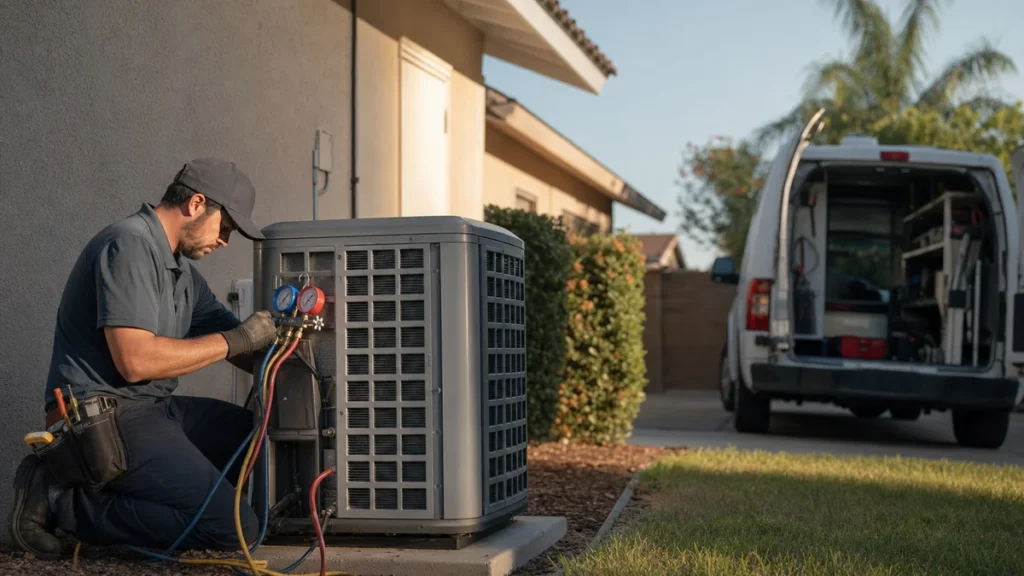
- How do I get my Google Business Profile to bring in more HVAC service calls?
- What does Google look at when it decides which HVAC companies show up in Maps?
- Which category should my HVAC company pick on Google?
- How should I list my services so I show up for the jobs I want?
- Should my HVAC company show an address or a service area?
- What should my business name and description say?
- How should I set my hours if we take emergency calls?
- How do I make it easy for people to call or text from my profile?
- What photos actually help an HVAC company's Google profile?
- How do I get more Google reviews without breaking the rules?
- How should I reply to reviews, especially the bad ones?
- Does it matter if my business info is different on other sites?
- How do I know if my Google profile is bringing in more calls?
- What's different about Google profiles for HVAC companies
- A worked example: from profile calls to booked jobs
- Frequently asked questions
- Key takeaways
- More in this section
- Sources
The short version
- Google ranks local results mainly on relevance, distance and popularity, and you can't pay for a better spot.
- Category, services and service area drive relevance. Reviews and links drive popularity.
- Keep your name real and your hours and phone number honest; keyword-stuffed names risk suspension.
- Judge the profile by booked jobs from calls, not by views.
For HVAC owners who already have a verified Google Business Profile and want it to ring the phone more, without breaking Google’s rules.
Get a free visibility audit · Book a growth call
How do I get my Google Business Profile to bring in more HVAC service calls?
Start with what Google says drives local ranking: pick the most specific primary category for your business, list the services you actually sell, set a service area you’ll really drive, and keep your name, hours and phone number accurate. Then build popularity with a steady flow of genuine reviews, short replies to them, and real photos of your crews at work. Finally, check the Calls number in your profile’s Performance report against your call log, so you know whether the changes are producing booked jobs and not just profile views.
Judging the profile by booked jobs is how we work on it for the HVAC companies we serve. Google Business Profile management, review response and basic review generation are part of our local SEO work, and our Essentials package ($3,500 a month) includes them for one location. See how it fits with the rest of our HVAC marketing. The HVAC marketing guide covers reviews and your Google profile alongside every other channel, and the rest of the HVAC marketing questions library goes question by question.
What does Google look at when it decides which HVAC companies show up in Maps?
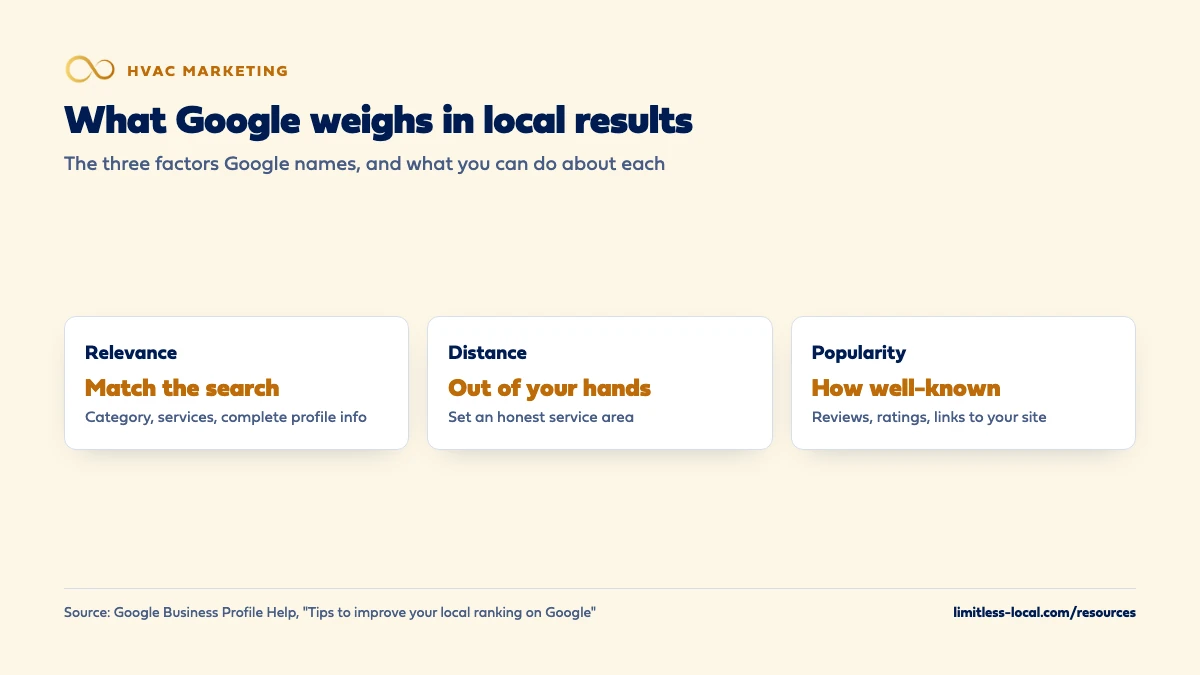
Google says local results are mainly based on three things: relevance, distance and popularity. Relevance is how well your profile matches what the homeowner searched, so complete, detailed business info helps. Distance is how far you are from the person searching, which you can’t change. Popularity is how well-known your business is, based partly on how many websites link to you and how many reviews you have; Google says more reviews and positive ratings can help your local ranking.
Google is also clear that there’s no way to request or pay for a better local ranking. Source: Tips to improve your local ranking on Google.
Which category should my HVAC company pick on Google?
Google says the categories you select affect your local ranking. Its rules for choosing them:
- Pick the most specific category that describes your core business. Google’s test is that it should finish the sentence “This business is a”, not “this business has a”.
- Use as few categories as possible. Additional categories are for real parts of your business, not for every service you sell.
- Don’t use categories as keywords. You can’t create your own category; if the exact one isn’t there, choose a more general one.
For most HVAC shops that means an HVAC-type primary category, with a small number of additional ones only if they’re a real part of the business (for example, if you run a true plumbing division). Changing a category can trigger a request to verify your business again, so make the change once, deliberately. Sources: Manage your business category and Guidelines for representing your business on Google.
How should I list my services so I show up for the jobs I want?
Categories say what you are; the services list says what you do. Google says that when a local customer searches for a service you list, that service may be highlighted on your profile, and Maps users can see your full services list. The services editor suggests options for your business type and also lets you add custom services, group them, and add descriptions.
Build the list around the jobs you want more of, such as AC repair, furnace repair, heat pump installs, system replacement and maintenance plans, with a short plain description for each. Keep custom service names clean: Google automatically rejects names with prices, phone numbers, personal information or gibberish.
Source: Manage your services on your Business Profile.
Should my HVAC company show an address or a service area?
Most HVAC companies go to the customer, which makes them a service-area business in Google’s terms. If customers don’t come to your address, Google says to remove it from your profile and set a service area instead. If you run the business from home, clear the address. A staffed shop or showroom with permanent signage that customers visit makes you a hybrid business, which can show both.
Google’s service area rules:
- You can list up to 20 service areas, by city, ZIP code or other area. A radius around your shop isn’t an option anymore.
- The overall area shouldn’t extend more than about 2 hours of driving from where you’re based.
- Be as specific and accurate as possible. Approved edits can take up to 48 hours to show.
- A service-area business gets one profile for the whole area. A separate profile is only allowed for a separate location with its own staff and its own service area.
Distance still counts, so list the towns you want to work in, not every town you could reach. Sources: Manage your service areas and Guidelines for representing your business on Google.
What should my business name and description say?
Your business name on Google should be your real-world name, the one on your trucks, invoices and website. Google says adding unnecessary information to the name isn’t permitted and could get your profile suspended. That rules out tacking on service words, city names, taglines or “24/7” unless they’re truly part of the name you use everywhere. Put the city in your service area and the services in your services list instead.
The business description is where you can say what you do in plain words. Google wants useful information about your services, your history and what makes you different. It doesn’t allow links in the description, and it doesn’t want it focused on promotions, prices or sales. For HVAC: what you install and repair, where, whether you take emergency calls, and how long you’ve been at it. Sources: Guidelines for representing your business on Google and Edit your Business Profile.
Curious what your marketing is actually booking?
Get a free visibility audit — no obligation, no sales pitch.
How should I set my hours if we take emergency calls?
Google asks for your regular customer-facing hours, and says businesses with complete, accurate info are more likely to show up in local results. The honest test for an HVAC shop is simple: list the hours someone actually picks up the phone. If you truly answer around the clock, say so. If after-hours calls roll to voicemail, listing 24 hours sets up a missed call and an unhappy homeowner.
Two tools help:
- Special hours for holidays and short closures of up to 6 days in a row. Google suggests confirming your holiday hours even when they’re the same as usual. Closed for 7 days or more? Mark the business temporarily closed instead.
- More hours for specific services with their own times, set as a subset of your main hours.
If after-hours calls are where you’re losing work, how fast you respond to new leads matters as much as the profile itself. Sources: Guidelines for representing your business on Google, Tips to improve your local ranking on Google and How to set Special hours.
How do I make it easy for people to call or text from my profile?
Google’s rules: use a number that connects to your business location, prefer a local number over a central call center line, and the number must be under your direct control. Google doesn’t allow numbers that redirect callers to some other business. You can add up to 2 more numbers beyond your main one.
If you use a call-tracking number on the profile, our view is that it should ring straight to your office, with your main number kept as one of the additional numbers, so the number on Google still matches the one homeowners see everywhere else.
Texting is the other door. Google ended Business Profile chat and quote requests in July 2024. Where it’s available, verified businesses can now add a text message or WhatsApp option to their contact info; if you add both, only text shows. If your office can answer texts quickly, turning it on gives homeowners who won’t call a way to reach you. Sources: Guidelines for representing your business on Google, Edit your Business Profile, Changes to Google Business Profile chat and call history and Chat with customers from your Business Profile.
What photos actually help an HVAC company's Google profile?
Google says photos help show customers what you offer, and its photo tips for service businesses come down to two kinds that matter for HVAC:
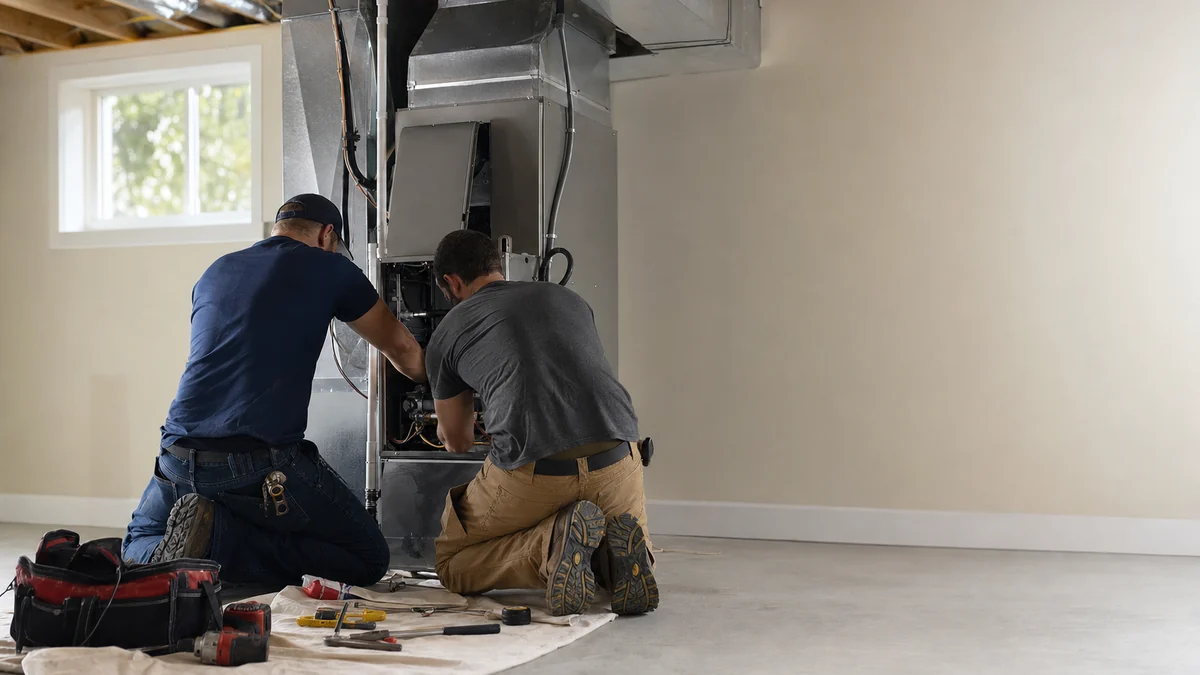
- Photos at work. Google suggests at least three that represent the services you offer: a tech at a condenser, a furnace install in progress, a finished mechanical room.
- Team photos. At least three showing you and your staff, a little less formal, so homeowners get a feel for who will show up at the door.
Google’s quality standards: JPG or PNG, between 10 KB and 5 MB, with a recommended resolution of 720 by 720 pixels. Photos should be in focus, well lit and without heavy filters or AI edits; Google wants them to represent reality. Your business has to be verified for photos to show. Real job-site photos beat stock images on every one of those points. Source: Tips for business-specific photos on your Business Profile.
How do I get more Google reviews without breaking the rules?
Reviews feed popularity, so a steady flow of new ones is the most reliable long-term lever on the profile. Google gives you a review link and QR code to make asking easy, and suggests putting it on receipts and thank-you emails. For HVAC that means the invoice, the follow-up text and a card the tech leaves behind. The QR code can only be created from a computer browser, not a phone.
The hard line: offering anything in exchange for a review, such as a discount, a free filter or an entry in a drawing, counts as fake engagement and is strictly prohibited. That also covers paying for a review to be changed or removed. Customers need a Google Account to leave a review, though it doesn’t have to be Gmail.
Reviews help beyond Maps, too: Google lists rating and number of reviews among the profile-quality signals in your Local Services Ads ranking (About ad rankings (Local Services Help)). Sources: Create a Google link or QR code to request reviews and Tips to get more reviews.
How should I reply to reviews, especially the bad ones?
Google says replying to reviews shows you value the feedback, and that positive reviews and helpful replies can help your business stand out. Its advice for replies:
- Keep it short, polite and specific, not the same thank-you on every review.
- Be conversational, not promotional. Don’t use replies to push a tune-up special.
- On a bad review, never share the customer’s private details or argue. Acknowledge what went wrong, explain what you can and can’t do, apologize where it’s earned, and invite them to call to sort it out.
In our judgement, one calm answer to a one-star review can do more for you than another five-star review, because homeowners read the replies. Sources: Tips to get more reviews and Manage customer reviews.
Does it matter if my business info is different on other sites?
Yes. Google asks you to represent your business the way it’s consistently represented in the real world, on your signage, paperwork and other branding, and says popularity is partly based on how many websites link to you. In our judgement, if your name, address or phone number reads three different ways across directories, old listings and your own website, you’re giving Google mixed signals about who you are.
Google may also check your details itself, using automated calls or texts to the verified phone number on your profile, and it shows what it collected under Edit profile, then Collected info. Check it now and then and correct anything wrong. Cleaning up the rest of the web is its own job, covered in fixing your name, address and phone. Sources: Guidelines for representing your business on Google, Tips to improve your local ranking on Google and Edit your Business Profile.
How do I know if my Google profile is bringing in more calls?
Open the Performance report in your profile. The Calls number is how many times someone tapped the call button, and the Searches list shows the terms people used to find you. You can pick a date range, and you can download the data to a spreadsheet. Performance data includes activity from organic results and Google Ads, so if you run ads, the profile isn’t the only thing moving that number.
A tap isn’t a booked job. Compare the Calls number with your call log and your job software, whether that’s ServiceTitan, Housecall Pro or Jobber, to see how many turned into booked work. Tracking whether your marketing pays off walks through that setup. Profile work is part of local SEO, which is a ramp rather than a switch; how long HVAC SEO takes covers what to expect. Source: Understand your Business Profile performance & insights.
Not sure which of these is costing you jobs?
A free visibility audit checks the Google profile, reviews, site and tracking, and shows what to fix first.
What's different about Google profiles for HVAC companies
Two peak seasons. The first heat wave and the first cold snap bring a rush of no-cool and no-heat searches. Review and photo work done in the slow months is what you have in place when that rush comes, so it’s worth treating spring and fall as profile season. That’s our judgement, not a Google rule.
Emergency calls at odd hours. A homeowner with no heat at 10 p.m. calls whoever looks open and picks up. Your listed hours and the number behind the call button need to match what your office or answering setup really does after dark.
Repair versus replacement. A repair call and a full-system replacement are very different jobs to you. List both kinds of work in your services, ask for reviews after installs as well as repairs, and track which kind each profile call turns into.
Shop or no shop. Many HVAC companies run from a home office or a yard customers never visit. That’s a service-area business, and the address comes off the profile. Only a staffed location with signage that customers visit should show an address.
A worked example: from profile calls to booked jobs
These numbers are made up to show the math, not a benchmark for your market. Say your Performance report shows 90 calls for July. Your call log shows that 60 of those reached someone as a new customer call; the other 30 were hang-ups, existing customers or vendors. Your job software shows 20 of the 60 booked. So about 1 in 3 real new-customer calls from the profile became a job, and the profile produced 20 booked jobs that month.
Run the same count the following July, after the category, services, photos and review work, and compare booked jobs to booked jobs. Same month to same month keeps a heat wave from looking like your own improvement. If calls rose and bookings didn’t, the problem is more likely on the phone than on the profile, and finding where leads are leaking is the next step.
Frequently asked questions
Can I pay Google to rank higher in the Maps results?
No. Google says there’s no way to request or pay for a better local ranking. Its local results are based mainly on relevance, distance and popularity.
Can I put "AC Repair" or my city in my business name on Google?
Only if it’s truly part of the name you use on your trucks, signage and paperwork. Google says adding unnecessary information to your name isn’t permitted and could get the profile suspended.
Can I have a separate Google profile for each town I serve?
No. A service-area business gets one profile for its whole area. A separate profile is only allowed for a separate location with its own staff and service area.
Can I offer a discount or a free filter in exchange for a Google review?
No. Google treats any incentive for posting, changing or removing a review as fake engagement and strictly prohibits it. Ask every customer the same way, with no reward attached.
Can homeowners still request a quote or message me through my profile?
Not through Google’s old chat. Business Profile chat and quote requests ended in July 2024. In some regions you can add a text message or WhatsApp option to your contact info instead.
How long do profile changes take to show up?
It varies by change. Google says approved service area edits can take up to 48 hours, and changing your name or category can mean verifying the business again.
Should I hide my home address if I run the business from my house?
Yes. Google’s guidelines say a service-area business run from a residential address should clear the address from its profile and use a service area.
Key takeaways
- Google ranks local results mainly on relevance, distance and popularity, and you can’t pay for a better local ranking.
- Choose the most specific primary category, few extra categories, and a services list built around the jobs you want.
- Hide a home address, set up to 20 real service areas, and list the hours someone actually answers.
- Ask every customer for a review with Google’s link or QR code, never with an incentive, and reply briefly.
- Check profile calls against your call log and job software, and judge the work by booked jobs.
Want a second set of eyes on your setup?
We'll look at how you show up locally and where calls are leaking, then send you a plain-English breakdown.
More in this section
- What can I do myself to improve my HVAC company's Google ranking?
- Which Google Business Profile categories should my HVAC company pick?
- How much do Google reviews affect calls to my HVAC company?
- How do I get my HVAC company back into the Google Map Pack?
- Are Google Local Services Ads worth it for an HVAC company?
Sources
- Tips to improve your local ranking on Google — Google Business Profile Help
- Guidelines for representing your business on Google — Google Business Profile Help
- Manage your business category — Google Business Profile Help
- Manage your service areas for service-area & hybrid businesses — Google Business Profile Help
- Manage your services on your Business Profile — Google Business Profile Help
- Tips to get more reviews — Google Business Profile Help
- Tips for business-specific photos on your Business Profile — Google Business Profile Help
- Understand your Business Profile performance & insights — Google Business Profile Help