
Can AI help a plumbing company answer leads faster?

- Can an AI receptionist or chat tool help my plumbing company reply to new leads faster?
- What does AI answering actually do for a plumbing company?
- Why does a fast first reply matter so much for plumbing leads?
- Which plumbing leads can AI answer well?
- Which plumbing calls should still go straight to a person?
- Can AI book plumbing jobs on its own?
- What does the AI need to know before it answers my phone?
- Should the AI tell callers it's AI?
- Can AI follow up on leads that didn't book?
- How does AI answering fit with Local Services Ads and my Google profile?
- How do I tell whether AI answering is booking plumbing jobs?
- What does AI answering cost a small plumbing shop?
- What's different about AI answering for plumbing companies
- A worked example: is AI answering paying for itself?
- Frequently asked questions
- Key takeaways
- More in this section
- Sources
The short version
- AI can answer calls, chats and texts the moment they come in, day or night.
- It works from the business details, services and rules you give it, and can book jobs if you allow it.
- Emergencies, angry customers and anything needing judgement should go straight to a person.
- Judge it by booked jobs and by reading what it said, not by how many conversations it handled.
For plumbing owners whose calls, texts and web forms wait too long for a reply, and who want to know where AI answering helps and where a person still has to pick up.
Get a free visibility audit · Book a growth call
Can an AI receptionist or chat tool help my plumbing company reply to new leads faster?
Yes, for the first reply. AI answering tools built into field-service software can pick up calls and website chats at any hour, answer common questions from the information you give them, take the job details and, if you allow it, book the visit. They help most with overflow and after-hours calls nobody in the office can reach, but active leaks, sewage backups, pricing judgement calls and upset customers still need a person, so set the tool to hand those off fast and check every conversation it handles.
We set this up as part of the follow-up side of our work: AI website chat and after-hours answering are automation add-ons that plug into any of our packages, with pricing shared on the discovery call. How that fits a plumbing shop is on our plumbing marketing page, and the rest of the plumbing marketing questions library covers the calls, ads and reviews that bring those leads in.
What does AI answering actually do for a plumbing company?
It gives every new call, chat or text an immediate reply, even when the office is on another line, the owner is under a sink, or it’s 11 at night. The tools that matter most to plumbers sit inside the field-service software many shops already book jobs in:
- Jobber’s Receptionist can answer calls and texts to your Jobber number and website chat. Its listed actions include answering questions about your business, booking jobs in your schedule, rescheduling or cancelling appointments, creating requests and follow-up tasks, and escalating specific inquiries to a team member.
- Housecall Pro’s CSR AI answers business calls, summarizes them and notifies you after each completed call. Its chat answering responds to website chats in real time and, the help page says, can now book jobs and manage existing appointments.
Neither tool brings in new customers. They work on people who are already trying to reach you, which is why the question for most plumbing shops is how many of those people are waiting today.
Why does a fast first reply matter so much for plumbing leads?
Because a homeowner with water on the floor can simply call the next plumber on the list if you don’t pick up. The best-known research on reply speed is older and wasn’t about plumbing: the 2007 InsideSales.com/MIT Lead Response Management Study looked at web-form leads at six companies over three years and found the odds of contacting a lead called within five minutes, versus thirty, dropped 100 times, and the odds of qualifying that lead dropped 21 times. Treat it as a sign of how quickly interest fades, not a benchmark for your phones.
If you run Local Services Ads, Google’s rules add a cost of their own. There, a missed call during your business hours counts as a valid lead you pay for if the caller stays on the line more than 20 seconds (How leads work), and Google says missed calls may negatively affect your responsiveness, which is one of the factors in how your ad ranks (About ad rankings). The answer-time targets themselves are covered in how fast a plumbing office should answer a new call.
Which plumbing leads can AI answer well?
In our judgement, AI answering earns its place on the leads that are currently waiting longest:
- After-hours calls and chats that would otherwise hit voicemail until morning.
- Overflow during the day, when the one person on the phones is already on a call or the owner is the office.
- Routine bookings such as a slow drain, a running toilet or a water heater estimate, where the caller mainly needs a time slot.
- Website chats and texts from people who would rather type than call.
- Existing customers who want to reschedule or check an arrival time.
It adds less where the office already answers live within a few rings and returns web forms within minutes.
Which plumbing calls should still go straight to a person?
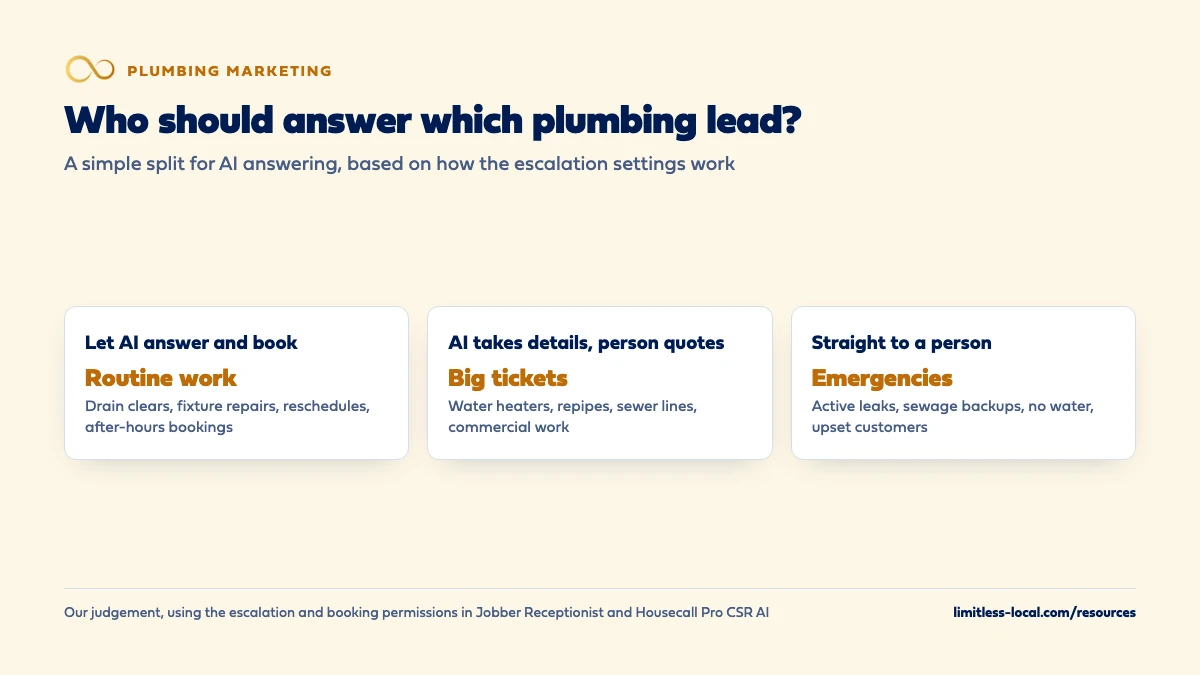
Anything urgent, anything that needs a judgement call, and anyone who asks for a human. For a plumbing shop that usually means water that won’t stop, a sewage backup, no water to the house, a commercial account, a price dispute or an unhappy customer.
Both tools have settings for this. Jobber lets you set an escalation policy triggered by terms such as “emergency” or “urgent”, and either text your escalation contact a transcript snippet with a link to return the call or transfer the call to them. Housecall Pro says its emergency handling is always on, so the setting only changes how you’re notified: forward the call to your chosen number or send you a text alert. Its chat answering escalates when the customer asks for a human and notifies your contact to join.
Add your own trigger words: burst pipe, flooding, leak, sewage, backup, no water. Then test them by calling in as a customer. Stopping lost after-hours plumbing calls covers who should be on the other end of that transfer at night.
Can AI book plumbing jobs on its own?
Some tools can, if you let them. Housecall Pro’s CSR AI has permission settings you control for booking jobs and estimates, rescheduling and cancelling, and if it can’t book a job, it notifies you by text and in your inbox so you can call the customer back. Jobber’s Receptionist schedules jobs using your Online Booking form and settings, which decide which team members can be booked and which services can be booked.
Our suggestion is to start narrow. Let the tool book work that fits a standard slot, such as drain clearing or a fixture repair, and have it collect details and hand off anything bigger: a repipe, a sewer line replacement, commercial work or a water heater swap where the size and access matter. Widen what it can book once you’ve read enough conversations to trust how it handles your customers.
Curious what your marketing is actually booking?
Get a free visibility audit — no obligation, no sales pitch.
What does the AI need to know before it answers my phone?
Everything a good new office hire would ask in the first week. The tools learn from what you put in: Jobber’s Receptionist uses your company settings, business profile and, if you have a Jobber website, its FAQ section; Housecall Pro’s CSR AI uses details such as your business name, services offered, hours, service area and payment options, and lets you define how it handles pricing questions.
For a plumbing company, in our judgement, the list should include:
- The towns and ZIP codes you serve, and the ones you don’t.
- Your hours, and what counts as an emergency after them.
- Your trip or diagnostic fee, if you charge one, stated exactly.
- Jobs you don’t take, such as well pumps or septic, so it doesn’t book them.
- How estimates work for big jobs like water heaters, repipes and sewer lines.
Customers will believe what it tells them, so anything you can’t state exactly, such as a repair price, is better handed to a person.
Should the AI tell callers it's AI?
We think so. Housecall Pro says its CSR AI introduces itself as AI at the beginning of the call. Jobber encourages businesses to let callers know their phone is answered by AI, or that calls may be recorded, though it says this isn’t required, and it tells owners to check local or state regulations about recording phone calls. This isn’t legal advice; if you record calls, check the rules where you work.
A short line in the greeting does it: the caller hears they’ve reached an automated assistant that can book a visit, and how to reach a person.
Can AI follow up on leads that didn't book?
It can make sure nobody falls through, but a person still has to do the follow-up. When Jobber’s Receptionist takes a message, or a customer isn’t ready to book, it creates a follow-up task for the same day, or the following day if the call came in after hours. Jobber can also text callers who hang up before the conversation starts, with limits: not more than once in 24 hours, and not to anyone who has replied STOP.
Where AI shouldn’t go is outbound calling. The FCC ruled in February 2024 that calls made with AI-generated voices are “artificial” under the Telephone Consumer Protection Act (FCC news release), the federal law that covers robocalls. In our judgement, that means an AI voice calling your old leads or past customers carries the same rules as any robocall. This isn’t legal advice; talk to your attorney before you use automated outbound calls. Which AI tools are useful for plumbing marketing covers the other places AI can help.
How does AI answering fit with Local Services Ads and my Google profile?
Google already gives customers ways to reach you without a phone call, and those need a fast reply too. In Local Services Ads, customers can send a text message or email, or a booking request in the United States and Canada, and each counts as a valid lead (How leads work). Google says enabling message and booking leads gives customers more ways to reach you, which can increase the likelihood of receiving a lead, especially during nights and weekends when you can’t answer the phone (About ad rankings). On your Google Business Profile, verified businesses in select regions can add a text message or WhatsApp chat option (Chat with customers from your Business Profile).
Check where each of those lands. If your AI tool only answers your main business line and website chat, Google messages still need a person. Whether Local Services Ads are worth it for plumbers goes deeper on how those leads are charged.
How do I tell whether AI answering is booking plumbing jobs?
Count booked jobs, not conversations. A tool that handles hundreds of calls and books nothing is a cost.
- Use the tool’s own report. Housecall Pro’s CSR AI dashboard shows calls and chats handled, jobs and estimates booked, the booking conversion rate, how often it resolves a contact on its own versus escalating, and revenue attributed to jobs it booked.
- Compare before and after. After-hours bookings per month before the tool, and after.
- Read the conversations weekly for the first couple of months. You’ll spot wrong answers, missed handoffs and questions your website should answer.
- Tag the source. Jobs that started with the AI should be marked so they show up next to calls, forms and ads.
Tracking which plumbing marketing books jobs shows how to tie every source to booked jobs and revenue.
What does AI answering cost a small plumbing shop?
In our judgement, usually less than a hire, but check the pricing model. As an example of how these are priced, Jobber’s help page lists Receptionist as included with unlimited usage on its Plus plan, or as an add-on to select plans for $29 a month including 30 conversations, with $0.79 per extra conversation, and it says conversations tagged as no conversation or spam don’t count. Other tools price differently, and prices change, so check the current page before you compare.
The software fee is only part of the cost: someone still has to set it up, read the conversations and call back the leads it couldn’t book. Whether a plumbing company needs a CRM for follow-up covers where those leads should land.
Want to see where your company stands?
A free visibility audit shows where you show up on Google, Maps and AI answers, and what it's costing you in calls.
What's different about AI answering for plumbing companies
Plumbing calls are often emergencies. A caller with an active leak wants a person and an arrival time, not a menu. Set the emergency handoff before anything else, and make sure the on-call number it transfers to is answered.
Big tickets and small tickets come through the same line. A clogged kitchen sink and a whole-house repipe can arrive ten minutes apart. In our judgement, AI is a good fit for booking the first and a poor fit for pricing the second, so give it permission to book standard visits and have it collect details on the large jobs for a person to quote.
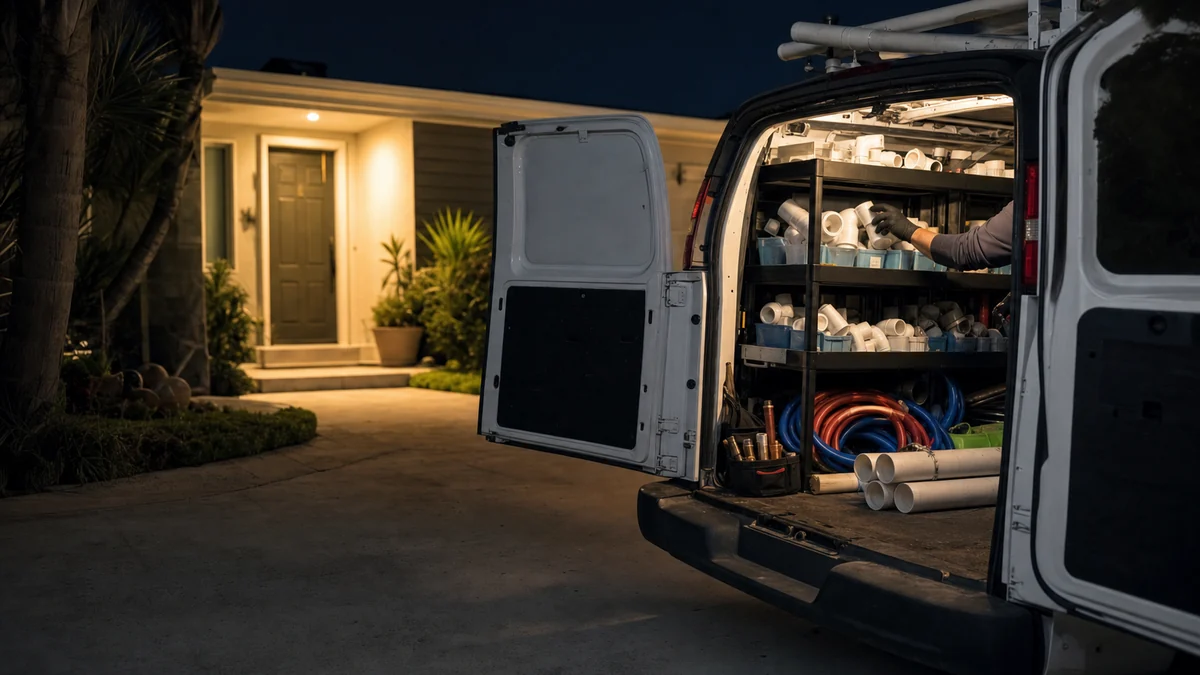
Night calls matter more in plumbing than in many trades, in our judgement. Burst pipes and backups don’t wait for business hours. Without an on-call rotation, an AI that sorts the emergencies and books the rest for the morning can save jobs that would otherwise go to voicemail.
A worked example: is AI answering paying for itself?
These numbers are made up to show the math, not a benchmark for your market. Say the AI tool handles 40 conversations in a month, and 12 of them are new customers calling after hours who would otherwise have reached voicemail. It books 5 of those 12, and each first visit brings in $350 on average. That’s $1,750 in a month from calls that would otherwise have waited until morning.
Now the cost. At the add-on price Jobber lists, 40 conversations would be $29 for the first 30 plus 10 extra at $0.79, or $36.90. Add the hour or two a week someone spends reading conversations and calling back the ones it couldn’t book. If most of those after-hours callers had been booking anyway once you called back at 7 a.m., the tool earns much less, which is why the before-and-after count matters more than the software price.
Frequently asked questions
Will AI answering replace my CSR or dispatcher?
No. It can take routine calls and simple bookings off their plate, especially after hours, but both Jobber and Housecall Pro hand conversations to a person when they’re escalated, and someone has to follow up on what the AI collected.
Can I keep my current business phone number?
Usually, through call forwarding. Jobber says you can keep your existing number but still need a Jobber dedicated phone number; Housecall Pro gives you a forwarding number and says not to use it in your marketing.
Can I turn AI answering off on quiet days?
Yes. Jobber has On and Off settings for calls and texts, plus a trusted-access list for testing with select numbers. With Housecall Pro, you deactivate call forwarding to stop CSR AI taking calls temporarily.
Should the AI quote prices to callers?
Only prices you’ve given it exactly, such as a fixed trip or diagnostic fee. Housecall Pro lets you define how CSR AI handles pricing questions; leave repair and replacement prices to a person.
Can AI answer calls in Spanish?
Check the tool. When we checked, Housecall Pro listed Spanish conversation capabilities among features coming soon to CSR AI, so confirm what’s live before you count on it.
Is a text to callers who hang up the same as answering them?
No. A text is a start, and Jobber can send one to callers who hang up before the conversation begins, but the lead isn’t answered until someone, or something, has the conversation and books the job.
Key takeaways
- AI answering gives every call, chat and text an immediate first reply, which matters most after hours and when the office is busy.
- It doesn’t bring new customers; it catches the ones already trying to reach you.
- Set emergency and human handoffs first, then give it narrow booking permissions and widen them once you trust it.
- Don’t use AI voices to make outbound calls without checking the rules; the FCC treats them as artificial under the robocall law.
- Judge it by booked jobs and by reading its conversations, not by how many calls it handled.
Not sure what's working right now?
Start with a free visibility audit: rankings, Google profile, reviews and tracking, checked against your service area.
More in this section
- Will Google AI Overviews take calls from my plumbing company?
- Which AI tools are actually useful for plumbing marketing?
- Does my plumbing company need a CRM for leads and follow-up?
- How do I get more plumbing leads?
- Are LSAs or Google Ads better for emergency plumbing calls?
Sources
- Receptionist–powered by Jobber AI — Jobber Help Center
- CSR AI Overview — Housecall Pro Help Center
- CSR AI Chat Answering — Housecall Pro Help Center
- The InsideSales.com/MIT Lead Response Management Study — InsideSales.com and MIT (2007)
- How leads work — Google Local Services Help
- About ad rankings — Google Local Services Help
- FCC Makes AI-Generated Voices in Robocalls Illegal — Federal Communications Commission
- Chat with customers from your Business Profile — Google Business Profile Help