
How do I optimize my electrician Google Business Profile?
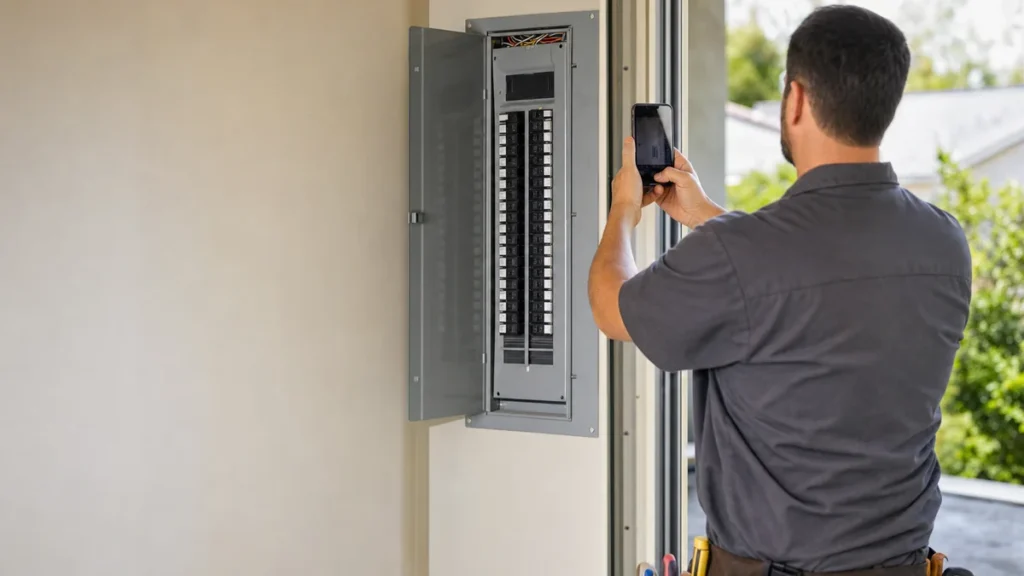
- How do I set up an electrician's Google Business Profile to get more calls?
- What does Google look at when it decides which electricians to show?
- Step 1: Is your profile verified and under your control?
- Step 2: Which category should my electrical company pick?
- Step 3: How should I list services like panel upgrades and EV chargers?
- Step 4: Should my electrical company show an address or a service area?
- Step 5: What should my business name and description say?
- Step 6: How should I set hours and the phone number if we take emergency calls?
- Step 7: What photos help an electrician's profile?
- Step 8: How do I get and answer reviews without breaking Google's rules?
- Which profile changes bring calls the quickest?
- How do I know if my Google profile is bringing in calls?
- What's different about Google profiles for electricians
- A worked example: from profile calls to booked jobs
- Frequently asked questions
- Key takeaways
- More in this section
- Sources
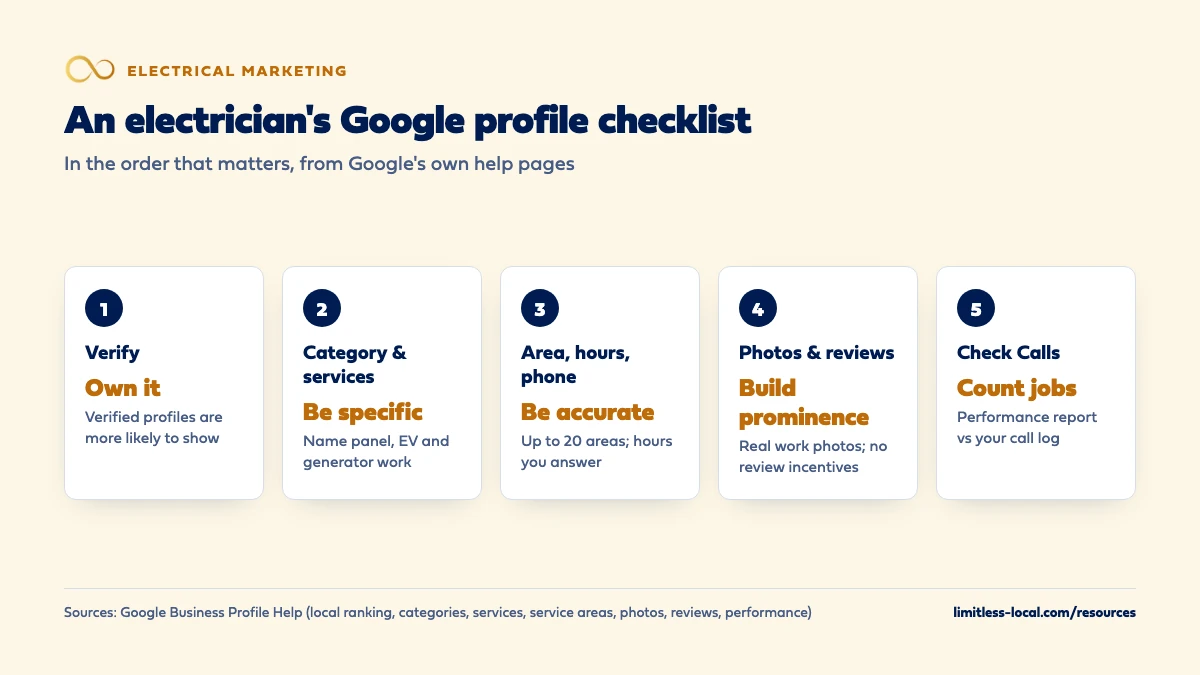
The short version
- Verify first: Google says verified businesses are more likely to show up.
- One specific primary category; let the services list name your jobs.
- Service area, hours and phone should match what your shop really does.
- Reviews, replies and real work photos build prominence over time.
A step-by-step checklist for electrical contractors who want their Google profile to bring in service calls and bigger jobs, using only what Google’s own help pages say counts.
Get a free visibility audit · Book a growth call
How do I set up an electrician's Google Business Profile to get more calls?
Verify the profile, then give Google complete, accurate information: the most specific primary category for your core work, a services list that names the jobs you want (panel upgrades, EV charger installs, generators, troubleshooting), a service area you’ll actually drive, and hours that match when someone answers the phone. Build prominence with a steady flow of genuine reviews, short replies to them, and real photos of your electricians at work. Then check the Calls number in your profile’s Performance report against your call log, so you know which changes produced booked jobs and not just profile views.
Profile work is the base of our local SEO work for electrical contractors: every package includes Google Business Profile management, and it feeds the map pack, the ads and the reviews homeowners read before they call. You can see how it fits the rest of our electrical contractor marketing, or browse more electrical marketing questions.
What does Google look at when it decides which electricians to show?
Google says local results are mainly based on relevance, distance and prominence. Relevance is how well your profile matches what someone searched, so complete and detailed information helps. Distance is how far you are from the searcher, which you can’t change. Prominence is how well-known you are, based partly on how many websites link to you and how many reviews you have; Google says more reviews and positive ratings can help your local ranking.
Google also says there’s no way to request or pay for a better local ranking. The profile work below is about the two things you control: relevance and prominence. How those add up to a spot in the top results is covered in getting into the map pack. Source: Tips to improve your local ranking on Google.
Step 1: Is your profile verified and under your control?
Start here, because the rest depends on it. Google says verifying tells it you’re authorized to represent the business, so it’s more likely to show up in search results. Several features only work once you’re verified: your photos and videos only show on a verified profile, and Performance data, which you’ll use in the last step, is only available for verified profiles.
Check who owns it, too. If a former office manager or an old marketing vendor set up the profile under their own Google account, get ownership moved to an account the business controls before you change anything else. Sources: Tips to improve your local ranking on Google, Tips for business-specific photos and Understand your Business Profile performance.
Step 2: Which category should my electrical company pick?
Google says the categories you select affect your local ranking. Its rules for choosing them:
- Pick a primary category that best describes your business, as specific as the list allows. If the exact one isn’t there, choose a more general one; you can’t create your own.
- Use additional categories for real parts of the business, and don’t add a category for every product or service.
- Adding or editing a category can trigger a request to verify the business again.
For most electrical contractors that means an electrician category as the primary, typed into the box and picked from the list Google shows. Add another category only for a genuine division, such as a real solar or low-voltage operation, not for every job type you’ve ever done. Make the change once, on purpose, because of the reverification risk. Source: Manage your business category.
Step 3: How should I list services like panel upgrades and EV chargers?
Categories say what you are; the services list says what you do. Google says that when a local customer searches for a service you offer, that service may be highlighted on your profile, and Maps users can see your full services list. The editor suggests options for your business type and lets you add custom services, group them into categories, and add descriptions and prices.
Build the list around the work you want more of. For a residential and light-commercial shop that might be electrical troubleshooting, panel upgrades, EV charger installation, generator installation, whole-house rewiring, lighting and ceiling fans, outlet and circuit additions, and commercial tenant work. Give each a short, plain description: what the job involves and who it’s for. Keep custom service names clean, because Google automatically rejects names with prices, phone numbers, personal information or gibberish.
The services list is also a quiet way to steer toward bigger tickets: a profile that names EV chargers and generators can be highlighted for those searches, and one that doesn’t gives Google less to match. Getting more panel upgrade and EV charger jobs goes further on that. Source: Manage your services on your Business Profile.
Step 4: Should my electrical company show an address or a service area?
Most electricians go to the customer, which makes them a service-area business in Google’s terms. If you don’t serve customers at your business address, Google says to remove the address and set a service area instead. A location with permanent signage, staffed and able to receive customers, can be a hybrid business and show both. A home office or a yard customers never visit doesn’t qualify.
- You can set up to 20 service areas, by city, ZIP code or other area. A radius around your shop isn’t an option.
- The overall area shouldn’t be more than about 2 hours of driving from where you’re based.
- A service-area business gets one profile for the whole area. Approved service-area edits may take up to 48 hours to show.
Distance still counts, so list the towns you want to work in, not every town you could reach. Sources: Manage your service areas and Guidelines for representing your business on Google.
Curious what your marketing is actually booking?
Get a free visibility audit — no obligation, no sales pitch.
Step 5: What should my business name and description say?
Your Google name should match your real-world name, the one on your trucks, invoices and website. Google says adding unnecessary information to the name isn’t permitted and could get your profile suspended, so no “Panel Upgrades” or city names tacked on unless they’re truly part of the name you use everywhere.
The description is where you say what you do. Google wants useful information about your services and your history, doesn’t allow links, and doesn’t want it focused on promotions or prices. For an electrician, a strong description covers the work you do and where, whether you take emergency calls, residential or commercial or both, how long you’ve been in business, and that you’re licensed and insured. In our judgement, that last line matters more for electricians than most trades, because homeowners are often weighing you against a handyman.
Source: Guidelines for representing your business on Google.
Step 6: How should I set hours and the phone number if we take emergency calls?
Google asks for your regular customer-facing hours and lets you add special hours for holidays. The honest test for an electrical shop: list the hours someone actually picks up. If you truly answer after hours, show it. If late calls roll to voicemail, listing round-the-clock hours sets up a missed call from someone with a dead circuit and no patience.
For the phone, Google’s rules are to use a local number instead of a central call-center line where possible, never a number that redirects callers to some other business, and only a number under your direct control. If you use a call-tracking number on the profile, our view is that it should ring straight to your office, with your main number kept as an additional number, so the profile still matches what homeowners see elsewhere.
Source: Guidelines for representing your business on Google.
Step 7: What photos help an electrician's profile?
Google’s photo tips for service businesses come down to two kinds that matter for electricians:
- Photos at work. At least three that represent the services you offer, including specialty work: a clean panel upgrade, an EV charger on a garage wall, a standby generator pad, finished lighting.
- Team photos. At least three of you and your staff, a little less formal, so homeowners get a feel for who will show up.
Google’s standards: JPG or PNG, between 10 KB and 5 MB, recommended 720 by 720 pixels, in focus, well lit, and without heavy filters or AI edits; the image should represent reality. Real job photos beat stock on every one of those points. A tidy, labeled panel says more about your work than any adjective in the description. Source: Tips for business-specific photos on your Business Profile.
Step 8: How do I get and answer reviews without breaking Google's rules?
Reviews feed prominence, so a steady flow of new ones is the most reliable long-term lever on the profile. Google suggests asking customers to use a review link or QR code. For an electrical shop that means the invoice, the follow-up text and a card the electrician leaves on the panel door. Customers need a Google Account to leave a review, though it doesn’t have to be Gmail.
The hard line: offering anything in exchange for a review, or for changing or removing one, such as free or discounted work, counts as fake and misleading content and is strictly prohibited. Ask every customer the same way, with no reward attached.
When you reply, Google’s advice is to keep it short, polite and specific, conversational rather than promotional, and on a bad review to protect the customer’s privacy, acknowledge mistakes, explain what you can and can’t do, and offer to sort it out by phone. Getting more Google reviews covers building the habit with your crew. Source: Tips to get more reviews.
Which profile changes bring calls the quickest?
Nobody can promise a timeline, but in our judgement the fixes that remove a mistake tend to show up before the ones that build reputation. A wrong phone number, hours that say closed when you’re open, a missing service area, or a primary category that doesn’t describe your work can each keep you out of searches today, and fixing them takes minutes. Adding the services you want and real work photos helps relevance and makes the profile more convincing to whoever finds it.
Reviews and links from other websites are the slow part. They build prominence over months, which is why it’s worth starting the review habit now rather than when the phone goes quiet. Profile work is part of local SEO, which is a ramp, not a switch.
How do I know if my Google profile is bringing in calls?
Open the Performance report. Calls is the number of times someone tapped the call button on your profile, and Searches shows the terms people used to find you. You can set a date range. Performance data includes activity from both organic results and Google Ads, so if you run ads, the profile isn’t the only thing moving that number.
A tap isn’t a booked job. Compare the Calls number with your call log and your job software, whether that’s ServiceTitan, Housecall Pro or Jobber, and note which kind of job each call became. Tracking which marketing brings real jobs walks through that setup. Source: Understand your Business Profile performance & insights.
Not sure which of these is costing you jobs?
A free visibility audit checks the Google profile, reviews, site and tracking, and shows what to fix first.
What's different about Google profiles for electricians
Licensed versus handyman. Homeowners often can’t tell the difference, and electrical work is the wrong place to guess. Say you’re licensed and insured in the description, show uniformed crews and clean work in your photos, and let reviews mention the inspection that passed. That’s our judgement, not a Google rule.
Emergency calls and project work. A homeowner with half the house dark calls whoever looks open and picks up; a homeowner planning an EV charger reads reviews and photos first. Your hours and phone serve the first, your services list and photos serve the second.
Commercial work. If you run a real commercial division, list commercial services in the services list. You still get one profile for one service-area business; Google only allows a separate profile for a separate location.
A worked example: from profile calls to booked jobs
These numbers are made up to show the math, not a benchmark for your market. Say your Performance report shows 64 calls for March. Your call log shows that 40 of those reached someone as a new customer; the other 24 were hang-ups, existing customers or suppliers. Your job software shows 14 of the 40 booked: 11 service calls, 2 panel upgrades and 1 EV charger install.
So a bit more than 1 in 3 real new-customer calls from the profile became a job. Run the same count next March, after the category, services, photos and review work, and compare booked jobs to booked jobs, and especially the project jobs. If calls rose and bookings didn’t, the problem is more likely on the phone than on the profile.
On our side, Google Business Profile management is in every package: Essentials ($3,500 a month) includes it with one post a week, and Growth ($4,500 a month) moves to posts three times a week and adds advanced review generation.
Frequently asked questions
Do my customers need a Gmail address to leave a review?
No. They need to be signed in to a Google Account, but Google says they can set one up with a non-Gmail email address.
Can I add "EV Charger Installation" or my city to my business name?
Only if it’s truly part of the name you use on your trucks, signage and paperwork. Google says adding unnecessary information to the name isn’t permitted and could get the profile suspended. Put the work in your services list instead.
Can I have a separate Google profile for each town I serve?
No. A service-area business gets one profile for the whole area it serves. List the towns as service areas instead.
Can I offer a discount on the next service call for a review?
No. Google treats incentives such as free or discounted work in exchange for posting, changing or removing a review as fake and misleading content, and strictly prohibits it.
Should I hide my address if I run the business from home?
Yes. Google says to remove your address if you don’t serve customers there, and to set a service area instead.
How long do profile changes take to show up?
It depends on the change. Google says approved service-area edits may take up to 48 hours to show, and adding or editing a category can mean verifying the business again.
Key takeaways
- Verify and own the profile first; photos and performance data depend on it.
- Pick one specific primary category and name your jobs in the services list, including panel, EV and generator work.
- Set a service area you’ll really drive and hours when someone actually answers.
- Grow reviews steadily with a link or QR code, never with incentives, and reply to them.
- Check Calls in the Performance report against your call log and count booked jobs by type.
Want a second set of eyes on your setup?
We'll look at how you show up locally and where calls are leaking, then send you a plain-English breakdown.
More in this section
- How do I get more Google reviews for my electrical business?
- How do I get my electrical company into the Google map pack?
- Are Google Local Services Ads worth it for electricians?
- What Google Ads campaigns work best for electricians?
- What should an electrician's website have to get more calls?
Sources
- Tips to improve your local ranking on Google — Google Business Profile Help
- Guidelines for representing your business on Google — Google Business Profile Help
- Manage your business category — Google Business Profile Help
- Manage your services on your Business Profile — Google Business Profile Help
- Manage your service areas for service-area & hybrid businesses — Google Business Profile Help
- Tips for business-specific photos on your Business Profile — Google Business Profile Help
- Tips to get more reviews — Google Business Profile Help
- Understand your Business Profile performance & insights — Google Business Profile Help