
How do I get more Google reviews for my electrical business?
- What's the most reliable way for an electrician to get more Google reviews every month?
- Why do Google reviews matter so much for electricians?
- What does Google allow me to do when asking for reviews?
- When is the best moment to ask an electrical customer for a review?
- How do I make leaving a review take one tap?
- How do I automate review requests from my field software?
- How do I get my techs to mention reviews without breaking Google's rules?
- Can reviews show that I do panel upgrades and EV chargers?
- How many reviews does an electrical business need?
- How should I reply to reviews, good and bad?
- What happens if Google catches fake or paid reviews?
- What's different about reviews for electrical businesses
- A worked example: asking sometimes versus asking every time
- Frequently asked questions
- Key takeaways
- More in this section
- Sources
The short version
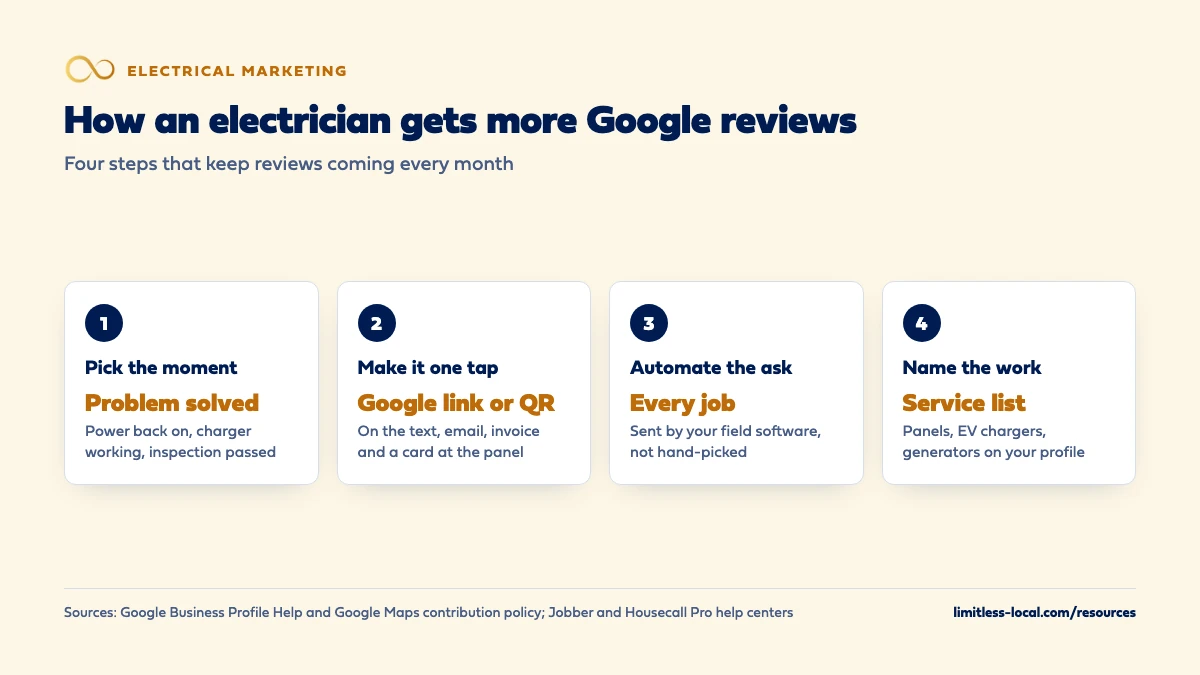
- Ask every customer at a set moment, with your Google review link or QR code.
- Automate the request from your field software, such as Jobber or Housecall Pro, so nobody has to remember.
- List panel upgrades, EV chargers and your other jobs on your profile so reviews can name them.
- No incentives, no asking only happy customers, no asking for a tech's name in the review.
For electrical contractors who do good work but don’t have the Google reviews to show it, and want a system that doesn’t depend on remembering to ask.
Get a free visibility audit · Book a growth call
What's the most reliable way for an electrician to get more Google reviews every month?
Ask every customer, every time, at a set moment, such as when the power is back on, the charger is working or the invoice is paid, and make it one tap with your Google review link or QR code. Send the request automatically from your field software so it doesn’t depend on a tech remembering, and add the jobs you do, like panel upgrades and EV charger installs, to your Business Profile so reviews can name them. Google allows you to ask for honest reviews, but not to offer incentives, ask only happy customers, or ask for specific wording, such as a tech’s name.
Reviews are part of how we build local visibility for electricians: review response and basic review generation come with our Essentials package, and Growth adds advanced review generation, alongside Google Business Profile management. Our local SEO page covers how reviews fit with the rest of your Maps presence, and our electrical contractor marketing page shows the whole picture for electricians. The rest of the electrical marketing questions library goes question by question.
Why do Google reviews matter so much for electricians?
Two reasons: they help you show up, and they help you get picked. Google’s own guide to improving your local ranking says local results are based mainly on relevance, distance and popularity, and that prominence, meaning how well-known a business is, is based partly on how many reviews you have. It says more reviews and positive ratings can help your business’s local ranking.
The second reason is trust. Electrical work is the kind of job homeowners worry about getting wrong, and many are comparing you with other electricians and with handymen at the same time. In our view, a steady run of recent reviews that mention real jobs, such as “replaced our panel” or “installed our EV charger,” does more to settle that worry than anything you can say about yourself. For the map-ranking side in detail, see getting into the Google map pack.
What does Google allow me to do when asking for reviews?
More than most owners think, and less than some marketers do. Google’s policy on prohibited and restricted content says businesses may ask customers to post reviews that reflect a genuine experience, as long as they don’t offer incentives or try to influence the rating or the content.
What Google doesn’t allow:
- Incentives of any kind for a review, such as payment, discounts, or free goods or services. A “$25 off your next service call for a review” offer breaks the rule.
- Asking only the happy customers, or discouraging negative reviews.
- Pressuring people to leave a review on the spot.
- Asking for specific content, including having staff collect reviews that name a team member.
- Reviews from people with a conflict of interest, such as current or former employees and family.
So the system is simple: ask everyone, the same way, and let them say what they want.
When is the best moment to ask an electrical customer for a review?
When the customer can see that the problem is solved. For electrical work, that moment is usually obvious, and it’s worth choosing it on purpose:
- Service calls: when the power is back on, the breaker holds or the new outlets work.
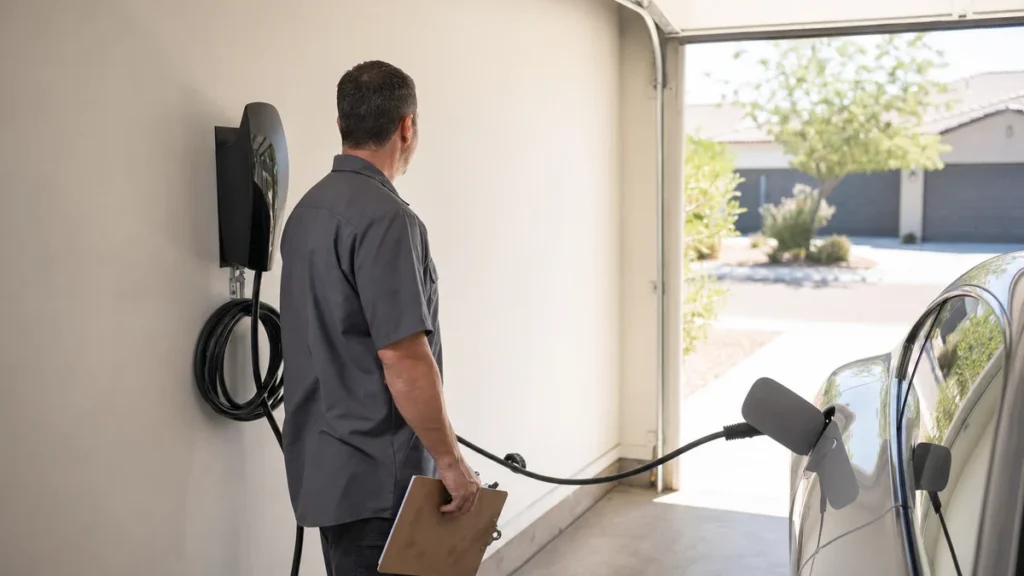
- EV chargers: when the car is plugged in and charging.
- Panel upgrades and generators: when the job is finished and, if a permit was pulled, the final inspection has passed. A request that arrives before the inspector has been out asks the customer to judge a job that isn’t done.
- Larger projects: when the invoice is paid in full.
In our view, the request should go out the same day, while the relief is fresh. A tech can mention it in person (“you’ll get a text from us with a link to leave a review, it really helps us”), and the software sends the link, so the customer is never put on the spot.
How do I make leaving a review take one tap?
Use Google’s own review link. From your Business Profile you can create a link or QR code to request reviews, and Google suggests putting it on receipts, in thank-you emails and at the end of a chat. You can also send it by text, email or a social post. Note that the QR code can only be generated on a computer browser, not a phone.
For an electrical business, that link belongs in a few places:
- The automated text or email after the job (more on that below).
- The invoice and the receipt.
- A small card or sticker left at the panel or with the paperwork, with the QR code on it.
- The bottom of your quote follow-up emails, for customers who’ve already worked with you.
Test the link from a phone that isn’t logged into your business account, so you see what the customer sees.
Curious what your marketing is actually booking?
Get a free visibility audit — no obligation, no sales pitch.
How do I automate review requests from my field software?
Most field software can send the request for you, which removes the biggest reason reviews don’t come in: nobody remembered to ask. Two examples from the help docs:
- Jobber Reviews connects to your verified Google Business Profile and sends the request by text, email or both when a job closes, a visit is completed or an invoice is paid in full. If the customer doesn’t click, it sends up to two reminders, by default 3 days and 5 days later. It sends any one client no more than one review request every 6 months.
- Housecall Pro sends review requests by email and text when a job is marked finished, or when it’s paid if you change the setting. For jobs split into segments, you can choose whether the request goes after the first segment or the last.
Two settings deserve a look. First, Housecall Pro’s premium review feature, by default, sends only customers with a Gmail address straight to Google and splits the rest between Facebook and reviews for your website, because Google requires a Google account to leave a review. If Google reviews are what you’re after, check your distribution settings. Second, whatever software you use, make sure the request goes to every completed job, not a hand-picked list, which keeps you inside Google’s rule against asking only happy customers.
How do I get my techs to mention reviews without breaking Google's rules?
Give them a single line, not a target. Something like: “You’ll get a text from us in a bit with a link to leave a Google review. If you’ve got a minute, it really helps a small company like ours.” That’s an honest ask, it doesn’t pressure the customer to post while the tech is standing there, and it doesn’t ask for any particular rating or wording.
What to avoid, per Google’s policy: asking customers to mention a tech by name or to say anything in particular. In our view, a monthly review target per tech is a bad idea too, because it pushes techs toward the pressure and hand-picking Google doesn’t allow. Reward the habit of asking, if you reward anything, not the count. In our view, the automated request does the heavy lifting; the tech’s job is to make sure the customer expects it.
Can reviews show that I do panel upgrades and EV chargers?
Yes, partly through your settings. Google’s page on reviews for service businesses says customers may be asked which tasks your business performed, and that the list comes from your Business Profile service list, your website, or a standard list for your type of business. If a job type is missing, you can add it to your service list.
So add the work you want more of: panel upgrades, EV charger installation, generator installation, lighting, rewiring, troubleshooting and commercial work, if you do it. When a customer picks the job in their review, it shows up there, which helps the next homeowner looking for that same work. Your Google Business Profile setup covers the service list along with the rest of the profile.
Google also collects ratings on specific aspects of the experience for some service businesses and shows a combined rating for each. You can’t choose which aspects customers are asked about.
How many reviews does an electrical business need?
Google doesn’t publish a number for Maps. For Local Services Ads, it recommends 5 or more reviews and says some business types need 5 before the ad will show. If you’re weighing that channel, whether Local Services Ads are worth it for electricians covers it.
Beyond that, the practical number comes from your market. Search for your main services in your main towns, note how many reviews the electricians in the map results have and how recent they are, and aim to be in that range. Then keep new ones coming every month. In our view, a profile whose newest review is from last spring looks less active than one with a few new reviews every month, whatever the total.
How should I reply to reviews, good and bad?
Reply to all of them. Google’s page on managing customer reviews says the customer is notified when you reply, and Google’s local ranking guide says replying shows you value customers’ feedback, and that positive reviews and helpful replies can help your business stand out. Keep replies short and specific: thank the customer, mention the job if they did, and sign off as the business.
For a bad review, reply once, calmly, with the facts and an offer to talk offline. Don’t argue in public, and never offer a discount or a refund in exchange for changing or removing the review; Google’s policy treats that as an incentive. Google notes that customers can still change their review after reading your reply.
What happens if Google catches fake or paid reviews?
Google removes them, and it can go further. Its page on Business Profile restrictions lists possible penalties when an owner breaks the fake engagement policy: the profile can be blocked from receiving new reviews for a period, existing reviews can be unpublished for a period, and a warning can be shown telling customers that fake reviews were removed.
For an electrician, whose whole pitch is “you can trust us with your house,” a public warning on the profile costs far more than slow review growth. Buying reviews, review swaps with other businesses and reviews from family or employees all carry that risk.
Not sure which of these is costing you jobs?
A free visibility audit checks the Google profile, reviews, site and tracking, and shows what to fix first.
What's different about reviews for electrical businesses
Inspections set the timing on bigger jobs. When work needs a permit and a final inspection, ask after it passes. The customer judges a finished, signed-off job, not one with an inspector still to come.
Multi-visit jobs need one request, not three. A panel upgrade or rewire can take a rough-in visit and a finish visit. Set your software so the request goes out once, after the last visit, rather than after each one.
New-technology customers write useful reviews. EV charger and generator customers often did research before calling, and their reviews tend to mention the specific job. Those are the reviews the next EV owner reads, which is one more reason to list those services on your profile.
Commercial customers review differently. Property managers and general contractors may not leave Google reviews at all. Ask anyway, and also ask whether they’ll be a reference you can name when you bid, which matters more in that world. Marketing to commercial customers covers that side.
A worked example: asking sometimes versus asking every time
These numbers are made up to show the math, not a benchmark for your market. Say your shop completes 80 jobs a month, and right now your techs remember to ask on about 25% of them. That’s 20 asks a month. If roughly 1 in 8 people asked actually post a review, you get 2 or 3 new reviews a month.
Now turn on an automated request after every paid invoice, so all 80 customers get the link, and the techs tell each one to expect it. At the same 1 in 8, that’s 10 new reviews a month, or about 120 over a year. Same crews, same customers; the only change is that nobody has to remember.
That’s the kind of system our packages build in: review response and basic review generation are part of Essentials at $3,500 a month, and Growth at $4,500 a month adds advanced review generation, alongside the rest of your local SEO.
Frequently asked questions
Can I offer a discount or a gift card for a Google review?
No. Google’s policy prohibits offering incentives such as payment, discounts or free goods or services in exchange for a review, and it applies whether the review is good or bad.
Can I send the review link only to customers I know were happy?
No. Google doesn’t allow businesses to selectively ask for positive reviews. Send the request to every completed job.
Should I ask for reviews on Facebook or Yelp too?
You can, but in our view Google reviews are the ones most tied to how you show up in Maps, so make them the default ask and add other sites only if your customers use them.
Why did a customer's review disappear?
Google checks reviews against its policies, which can delay them for a few days, and it removes ones it finds in violation. Reviews removed for policy violations aren’t restored.
Can I put my Google reviews on my website?
Yes, as long as they’re real. The FTC says a business that puts testimonials on its own website is advertising with them and can be liable if they’re fake or false. What an electrician’s website needs covers where to put them.
I'm a new electrical contractor with no reviews. Where do I start?
Ask every customer from your first job on, starting with the review link on your invoice. Getting your first customers covers the rest of the early marketing.
Key takeaways
- Ask every customer, at the moment the problem is visibly solved, with Google’s review link or QR code.
- Let your field software, such as Jobber or Housecall Pro, send the request automatically to every completed job.
- Check settings that route some customers away from Google, and send one request per multi-visit job.
- Add panel upgrades, EV chargers, generators and your other jobs to your profile’s service list.
- No incentives, no hand-picked lists, no requests for specific wording; the penalties outweigh any shortcut.
Want a second set of eyes on your setup?
We'll look at how you show up locally and where calls are leaking, then send you a plain-English breakdown.
More in this section
- How do I optimize my electrician Google Business Profile?
- How do I get my electrical company into the Google map pack?
- Are Google Local Services Ads worth it for electricians?
- What Google Ads campaigns work best for electricians?
- What should an electrician's website have to get more calls?
Sources
- Tips to improve your local ranking on Google — Google Business Profile Help
- Prohibited & restricted content — Google Maps User Contributed Content Policy Help
- Create a Google link or QR code to request reviews — Google Business Profile Help
- About reviews for service businesses — Google Business Profile Help
- Business Profile restrictions for policy violations — Google Business Profile Help
- Improve your Local Services Ads performance — Google Local Services Help
- Reviews | Marketing Tools — Jobber Help Center
- Reviews FAQs — Housecall Pro Help Center