
How do I optimize my plumbing Google Business Profile?
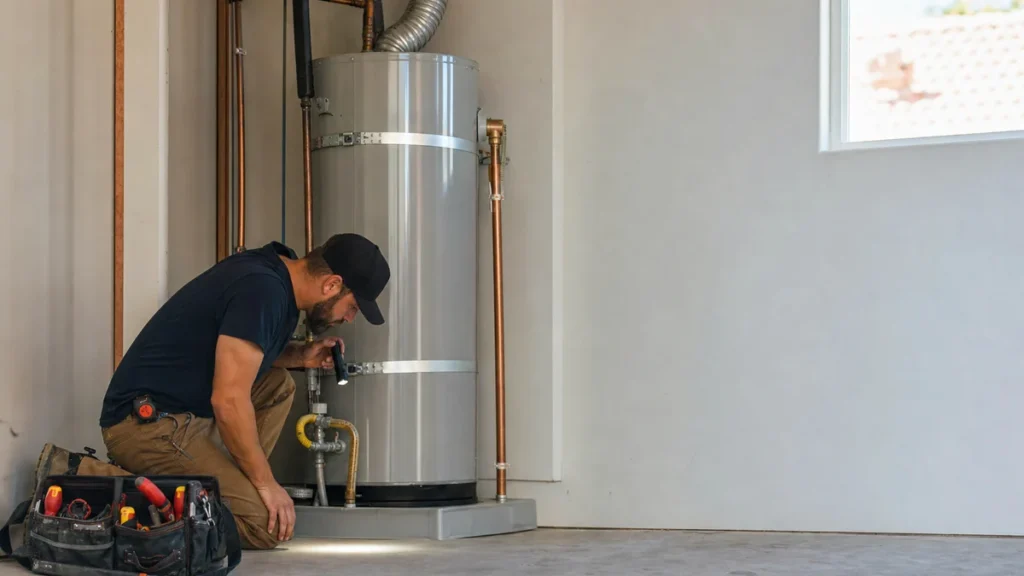
- What does a fully optimized Google Business Profile look like for a plumber in 2026?
- What does an optimized plumbing profile actually include?
- Which Google Business Profile categories should a plumbing company choose?
- How should I list my plumbing services?
- What hours should a plumbing company list if we take emergency calls?
- What phone number and contact options belong on the profile?
- What should my plumbing business description say?
- Can AI tools help with my plumbing Google profile?
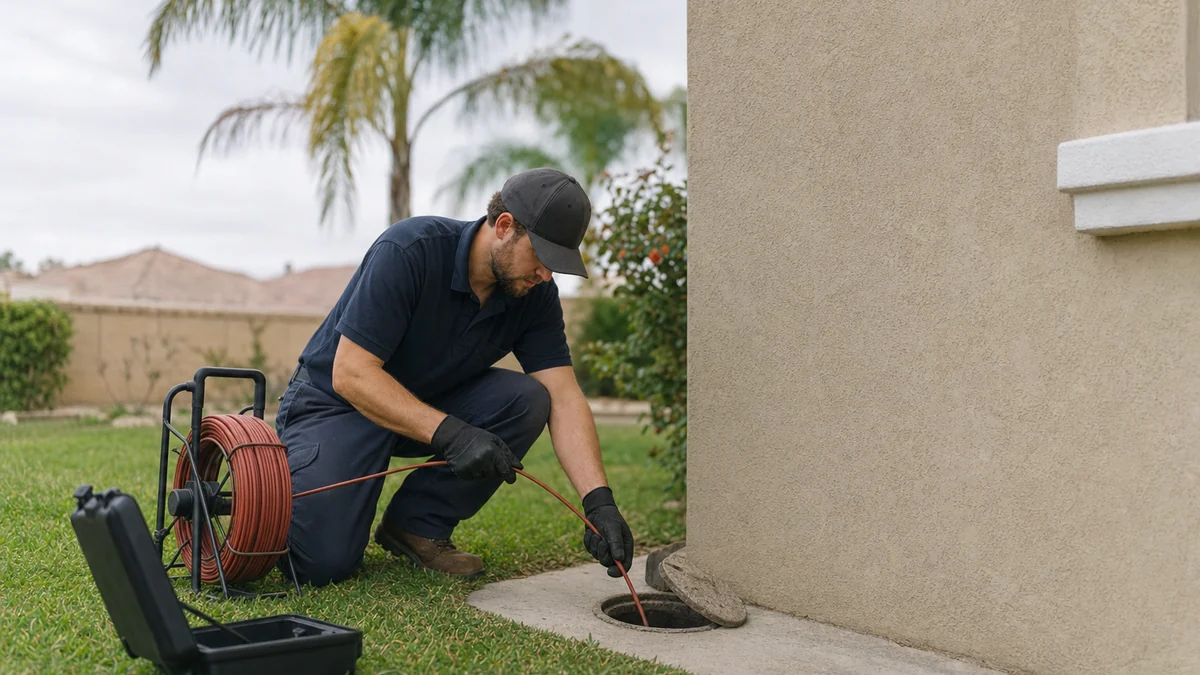
- What photos should a plumber put on Google?
- Do Google posts help a plumbing company?
- When is my profile done, and when is more work a waste?
- What's different about Google profiles for plumbing companies
- A worked example: where profile work stops and the phone takes over
- Frequently asked questions
- Key takeaways
- More in this section
- Sources
The short version
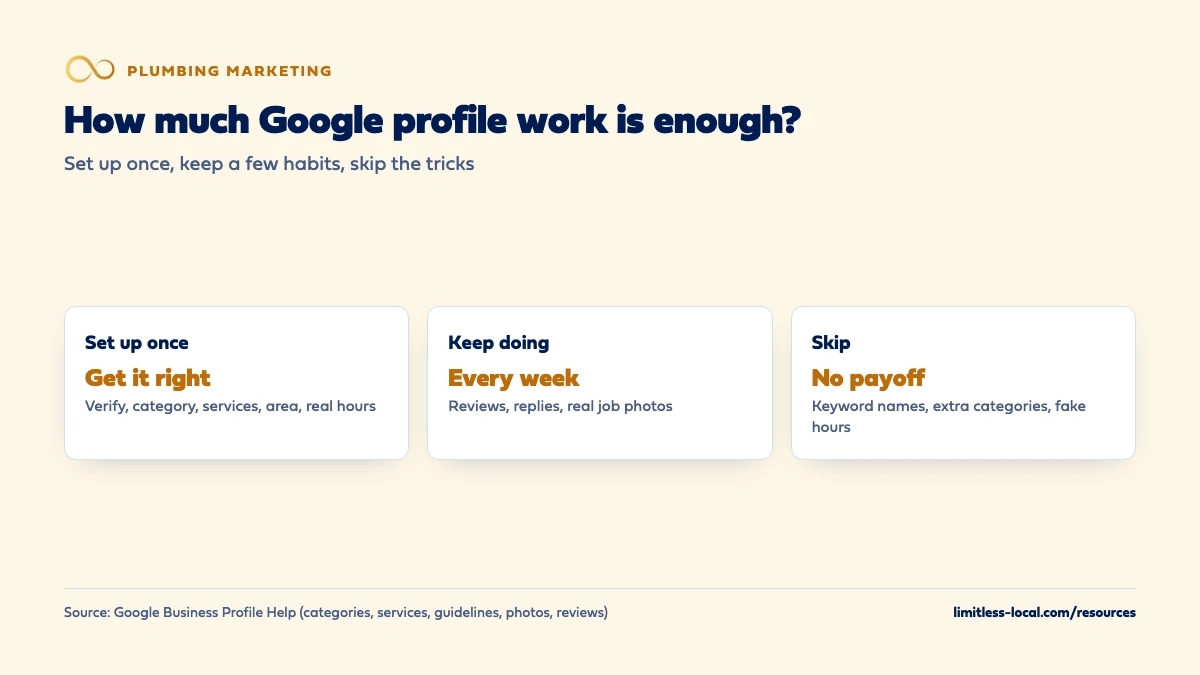
- The one-time setup: verify, one profile, the right primary category, a full services list, an honest service area and real hours.
- The weekly habit: ask for reviews on every job, reply to them, and add photos from real work.
- Google's own services example is a plumber's: it suggests options like Install faucet and Repair toilet, and you can add custom ones.
- Skip the tricks: extra words in the name, a category for every service and 24-hour hours nobody answers.
For plumbing owners who want to know which parts of their Google profile actually matter, which are worth keeping up every week, and which are busywork.
Get a free visibility audit · Book a growth call
What does a fully optimized Google Business Profile look like for a plumber in 2026?
Verify the profile, pick the most specific primary category for your core business, list every job type you want calls for in the services editor, set an honest service area, and show the hours someone really answers the phone. Then keep three things going every week: genuine reviews with short replies, real photos from your jobs, and accurate holiday hours. Past that point, more edits rarely help, and keyword-stuffed names, extra categories or hours you don’t keep can cost you the profile.
That setup-then-habit split is how we run profiles too. Business Profile management, with at least one post a week, is part of our Essentials and Growth packages and our local SEO work, and it’s one piece of the plumbing marketing we do alongside listings, reviews and ads. The rest of the plumbing marketing questions library goes question by question.
What does an optimized plumbing profile actually include?
Less than most checklists suggest. The profile has two kinds of work: things you set up once and get right, and a few habits you keep. In our judgement, a plumbing profile is optimized when all of these are true:
- It’s verified, and it’s the only profile for your business.
- The primary category describes what you are, with additional categories only for real lines of work.
- The services list covers every job type you want calls for, in plain words.
- The address is hidden if customers don’t come to you, and the service area is the towns you’ll really drive to.
- The hours are the hours a person answers the phone.
- The phone number rings your office, and text is on only if someone answers texts.
- There are real photos of your crew at work.
- New reviews come in every week, and each one gets a short reply.
How those pieces affect where you rank, and how long that takes, is covered in getting into the Google map pack. This page is about each field, and where to stop.
Which Google Business Profile categories should a plumbing company choose?
Google says the categories you select affect your local ranking, and its rules for choosing them are short (Manage your business category):
- Pick a primary category that best describes your business, and pick the specific one from the list over a general one. You can’t create your own.
- Use additional categories for real departments or services, not one for every product or service you sell.
- Choose categories that finish the sentence “this business is a”, not “this business has a” (Guidelines for representing your business on Google).
For most plumbing companies, that means the plumbing category as the primary one. In our judgement, add another only if it’s a real part of the business that a homeowner would search for by name and that you staff for, such as a drain and sewer division. Type in the category box and pick from what the list offers in your area. Google also warns that adding or editing a category can trigger a request to verify again, so decide once and leave it alone.
How should I list my plumbing services?
Categories say what you are; services say what you do. Google says that when a local customer searches for something you offer, that service may be highlighted on your profile, and Maps users can see your full list under Services (Manage your services on your Business Profile).
The services editor is one place where Google uses plumbing as its own example: it says a plumbing business might be offered suggested services such as “Install faucet” or “Repair toilet”. Take the suggestions that fit, then add custom services for the work you most want, grouped and described in a sentence or two:
- Water heater repair and replacement, including tankless if you install it.
- Drain cleaning and hydro jetting.
- Sewer line repair and replacement.
- Repiping, leak detection and slab leaks.
- Emergency service, if you truly run it.
Google says custom services that violate its policy are rejected automatically, and tells you to keep profanity, gibberish, personal information, prices and phone numbers out of custom service names. You can add a price in a service’s details. In our judgement, only do that where you’d honor the price on every call; a number that changes once you see the job brings in shoppers and arguments. If the big tickets are what you’re after, getting more water heater and repipe jobs goes further.
What hours should a plumbing company list if we take emergency calls?
Google asks for your regular customer-facing hours (Guidelines for representing your business on Google). For a plumber, the honest test is the phone: list the hours a person answers it. If someone really picks up around the clock, list 24 hours. If calls after six go to voicemail, listing 24 hours sends the homeowner with a burst pipe straight to the next plumber after one missed call, in our judgement.
Two tools help shops with mixed hours:
- Special hours for holidays and short closures. In our judgement, holidays mean full houses and busy drains, so set them ahead of time.
- More hours for specific services. Google says to set them as a subset of your main hours.
If after-hours calls are where work slips away, the fix is answering them, not changing the listing. Stopping lost after-hours plumbing calls covers the options.
Curious what your marketing is actually booking?
Get a free visibility audit — no obligation, no sales pitch.
What phone number and contact options belong on the profile?
Google’s rules for the number (Guidelines for representing your business on Google): it should connect to your business, a local number is preferred over a central call center line, it must be under your direct control, and it can’t redirect people to some other business. Additional numbers can be listed too.
If you use a call tracking number on the profile, our view is that it should ring straight to your office and your main number should stay on the profile as an additional number, so what’s on Google still matches your trucks and invoices. How to set that up so it credits booked jobs is in tracking which plumbing marketing books jobs.
Texting is the other door. Verified businesses can add a text message or WhatsApp option to their contact info where it’s available, and if you add both, only text shows (Chat with customers from your Business Profile). Turn it on only if someone answers texts within minutes. A homeowner who texts about a leak and hears nothing calls someone else.
What should my plumbing business description say?
Google’s instructions are simple (Edit your Business Profile): say what you offer, what makes you different, how long you’ve been in business, and anything else that helps customers. Keep it to 750 characters, with no links or HTML, and focus on the business rather than promotions, prices or sales.
For a plumber, in our judgement, the description should answer the questions a homeowner has before they call:
- Residential, commercial or both.
- The main jobs you do, in the words customers use: water heaters, drains, sewer lines, repipes.
- Whether you take emergency calls, and when.
- The towns you cover.
- How long you’ve been in business, if it’s a selling point.
Leave out “best plumber in town” lines and coupon offers. The description shows in the “From the business” section of your profile, so write it for the homeowner reading it, not for Google.
Can AI tools help with my plumbing Google profile?
For some parts, yes. Google’s own editor offers to help write your business description with AI, in select regions and languages (Edit your Business Profile). An AI draft is a fine starting point for the description and for review replies, in our judgement, as long as you read it, cut the hype and correct anything that isn’t true about your business.
Two places to keep AI out:
- Photos. Google’s photo standards ask for images with no significant alterations or excessive filters or AI, images that represent reality (Tips for business-specific photos). Generated pictures of a spotless water heater install don’t count.
- Reviews. Google says reviews must reflect a genuine experience (Tips to get more reviews). Anything that manufactures them puts the profile at risk.
The tools that tend to help plumbers most aren’t writing tools. They’re the ones that send a review link after every job and make sure a missed call gets a text back fast.
What photos should a plumber put on Google?
Google’s photo tips for business profiles list minimums by type (Tips for business-specific photos). The two that fit a plumbing company:
- Photos at work: at least three that represent the services you offer, such as your team on different types of jobs and any specialty work.
- Team photos: at least three of you and your staff, a little less formal, so homeowners get a feel for who’ll show up at the door.
The standards: JPG or PNG, between 10 KB and 5 MB, a recommended size of 720 by 720 pixels, in focus and well lit. Your business must be verified for photos to show. Google describes exterior photos as helping customers recognize your business as they approach it, so in our judgement a home-based shop can skip them.
Good plumbing photos, in our judgement: a finished water heater install with clean piping, a tech running a camera down a drain line, the van with its gear, a crew on a sewer dig. Leave customers’ faces, house numbers and anything private out of the frame.
Do Google posts help a plumbing company?
Posts are updates, offers or events that show on your profile on Search and Maps. Google describes them as a way to share news and offers that help customers decide, and posts older than 6 months are archived unless you set a date range (Create & manage posts on your Business Profile). A post with a phone number in its text may be rejected if Google can’t connect the number to your business, so put extra numbers in the profile itself.
Google’s posts help page doesn’t describe posts as a ranking factor, so in our judgement treat them as something for customers, not a lever on the map pack. Post when you have something real to say: a seasonal reminder to protect pipes before a freeze, a water heater flush special, a new truck or a new town you cover. A steady weekly post keeps the profile looking active, which is why our Essentials package includes one, but a plumber who posts nothing and answers every call will do better than one who posts daily and misses calls.
When is my profile done, and when is more work a waste?
Once the setup list above is true, most of the remaining value is in three habits: new reviews, replies to them, and fresh photos from real jobs. Google’s review rules are worth knowing before you ask: offering anything in exchange for a review, such as a discount, counts as fake and misleading content and is strictly prohibited. Replies should be short, specific and not promotional, and on a bad review, never share the customer’s private details (Tips to get more reviews). Getting more Google reviews covers how to ask on every job.
The changes that are a waste, or worse:
- Adding service words or towns to the business name. Google says unnecessary information in the name isn’t permitted and could get the profile suspended.
- Swapping categories every few weeks. Each change can trigger re-verification.
- Hours you don’t keep. They turn into missed calls and bad reviews.
After that, the useful question isn’t what else to edit. It’s whether the calls the profile brings are turning into booked jobs.
Not sure which of these is costing you jobs?
A free visibility audit checks the Google profile, reviews, site and tracking, and shows what to fix first.
What's different about Google profiles for plumbing companies
Google already thinks of you as the example. Google’s help pages use a plumber as the example of a service-area business and use plumbing jobs as the example in the services editor. If you run from home, the address comes off the profile and the service area does the work.
Emergency calls and planned jobs pull in different directions. A homeowner with a flooded basement picks whoever looks open and close. A homeowner pricing a repipe or a tankless water heater reads the services list, the photos and the reviews. In our judgement, hours and a fast answer win the first kind of call, and a full services list with real job photos wins the second.
Residential and commercial on one profile. If you do both, say so in the description and services. One business gets one profile; a separate profile is only for a separate location with its own staff.
A worked example: where profile work stops and the phone takes over
These numbers are made up to show the math, not a benchmark for your market. Say your Business Profile’s Performance report shows 60 call taps in January. Your phone system shows that 14 of those came in after six in the evening, and 9 of those went to voicemail.
If about 1 in 3 answered new-customer calls books a job, those 9 missed calls are about 3 lost jobs. At an average emergency ticket of $350, that’s about $1,050 a month walking to another plumber. No change to the category, the description or the posts gets that back. Answering the phone, or listing hours you really keep, does.
For comparison, our Essentials package is $3,500 a month and includes Business Profile management with a weekly post, listing cleanup, review response and basic review generation. After-hours answering is an add-on we price on the discovery call. The point of the example is the order: fix what happens when the profile works before paying anyone, us included, to make the profile work harder.
Frequently asked questions
How many categories should a plumbing company have?
As few as it takes to describe the core business. Google says to use additional categories for real departments, not one for every product or service (Google Business Profile Help).
Why did Google reject a service I added?
Google says custom services that violate its policy are rejected automatically, and tells you to keep profanity, gibberish, personal information, prices and phone numbers out of custom service names. Put the price in the service’s details instead, if you list one at all.
How long can my business description be?
Up to 750 characters, with no links or HTML. Google wants it to focus on your business, not on promotions or prices.
Can I list commercial and residential plumbing on one profile?
Yes. Google allows one profile per business, so describe both in your services and description. A second profile is only for a separate location with its own staff and service area.
Do my photos need to be professional?
No. Google asks for photos that are in focus, well lit and true to life, without heavy filters or AI. Clear phone photos from real jobs meet that.
Can customers still message me through my Google profile?
Where it’s available, verified businesses can add a text message or WhatsApp option to their contact info; if you add both, only text shows (Google Business Profile Help).
Key takeaways
- Optimizing a plumbing profile is a one-time setup plus a few weekly habits, not endless editing.
- Pick the most specific primary category and as few extras as possible; changes can trigger re-verification.
- List every job type you want calls for, starting from Google’s suggested plumbing services.
- List the hours a person really answers, and turn on texting only if someone replies fast.
- Keep reviews, replies and real job photos coming; skip keyword names and AI-made photos.
Want a second set of eyes on your setup?
We'll look at how you show up locally and where calls are leaking, then send you a plain-English breakdown.
More in this section
- How do I get more Google reviews for my plumbing company?
- How do I get my plumbing company into the Google map pack?
- Are Google Local Services Ads worth it for plumbers?
- How do I get more plumbing leads?
- Why are my plumbing Google Ads getting clicks but no calls?
Sources
- Manage your business category — Google Business Profile Help
- Manage your services on your Business Profile — Google Business Profile Help
- Guidelines for representing your business on Google — Google Business Profile Help
- Edit your Business Profile — Google Business Profile Help
- Chat with customers from your Business Profile — Google Business Profile Help
- Tips for business-specific photos on your Business Profile — Google Business Profile Help
- Create & manage posts on your Business Profile — Google Business Profile Help
- Tips to get more reviews — Google Business Profile Help