
How should a pool builder market during storm season?
- How should a pool construction company handle marketing when storms drive a wave of repair and remodel calls?
- What does storm season do to a pool builder's phone?
- Which storm calls should a pool builder actually take?
- How do I keep storm work from swallowing my build schedule?
- Who should hear from me first after a storm?
- Should I change my Google Ads when a storm hits?
- What will Google not let me do in storm ads?
- Can I raise my prices after a storm?
- What should my Google Business Profile say during storm season?
- What should my website say during storm season?
- How do I handle storm season on a tight budget or as a new builder?
- How do I turn storm repairs into remodels and new pools later?
- Why storm season is different for pool builders
- A worked example: flexing the budget for four weeks after a storm
- Frequently asked questions
- Key takeaways
- More in this section
- Sources
The short version
- Storm season overlaps peak building season, so set a repair capacity limit before the first storm.
- Customers with a pool under construction come first after any storm.
- Flex budget in a separate repair and renovation campaign, not in your new-pool ads.
- Google's sensitive events policy bars using event keywords to drive traffic and bars price gouging.
- Treat storm repair customers as future remodel and referral leads, and track them that way.
For pool builders in hurricane, thunderstorm and monsoon country who want to handle the storm-season rush without wrecking the build schedule.
Get a free visibility audit · Book a growth call
How should a pool construction company handle marketing when storms drive a wave of repair and remodel calls?
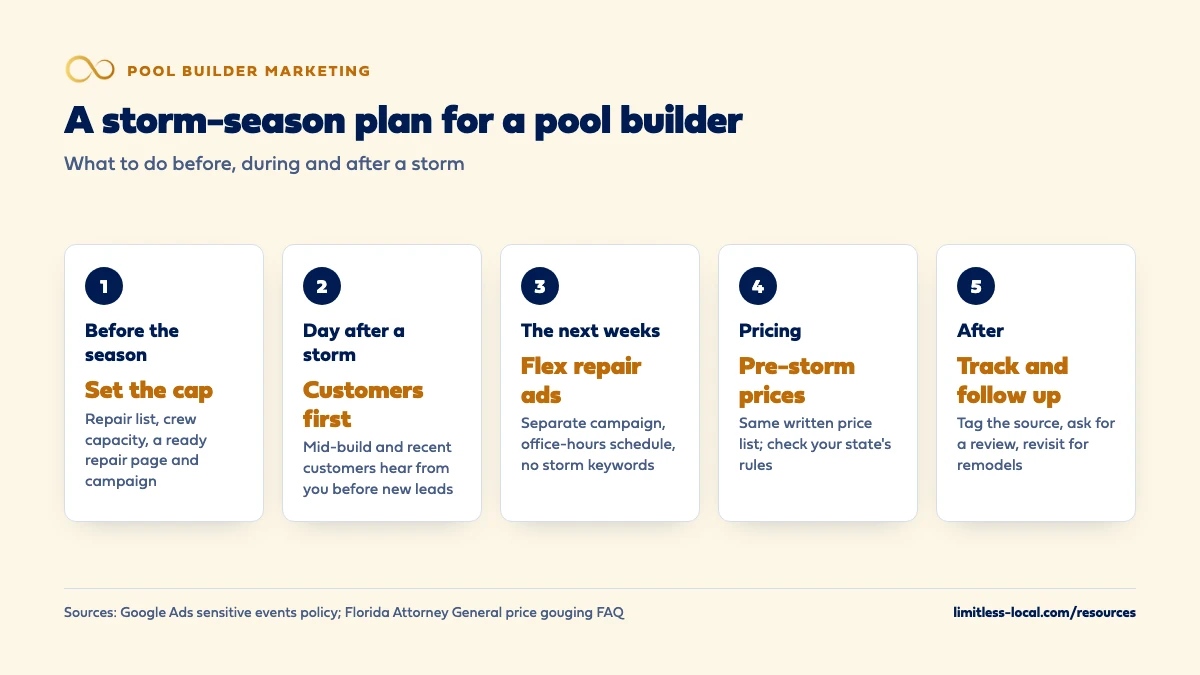
Decide before the season which storm calls you’ll take, such as equipment, deck and finish repairs that can lead to a remodel, and how many your crews can fit around the builds you’ve already signed. When a storm hits, look after your crews and mid-build customers first, update your hours and start dates on your Google profile and website, and put any extra ad money into a separate repair and renovation campaign rather than your new-pool ads. Keep the ads free of storm names and the prices in line with what you charged before the storm.
Storm season is a stress test for the whole system: the profile, the ads, the phones and the follow-up all have to bend at once. Google Ads management is part of every one of our local ads packages, with campaigns built around the jobs you want, and the pool builder marketing page shows how it fits with the rest of what we run for pool companies. More answers are in the pool builder marketing questions library.
What does storm season do to a pool builder's phone?
It adds a different kind of call on top of your busiest months. The National Weather Service says the Atlantic hurricane season runs from June 1 to November 30 each year, and National Weather Service offices in the Southwest define the monsoon as June 15 through September 30. Both land right on top of the months most builders are digging, shooting and plastering.
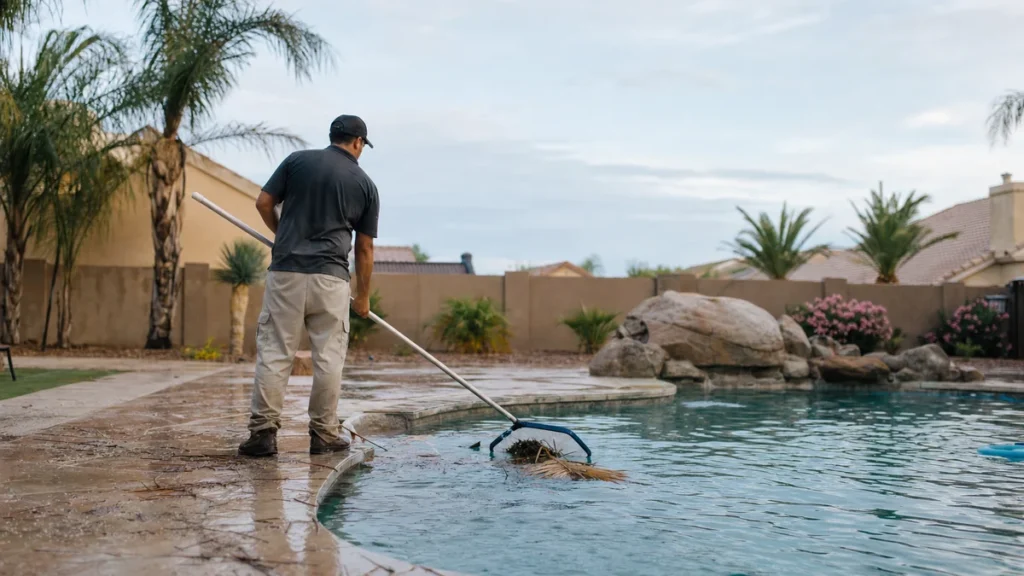
After a bad storm the calls are rarely about new pools. They’re about pumps and heaters that took on water, pools full of debris, cracked decks and coping, damaged screen enclosures, lights that stopped working and finishes that were already tired and finally gave out. Some of those are quick fixes. Some are the start of a full remodel.
Meanwhile, homeowners thinking about a new pool usually go quiet for a few weeks while they deal with the rest of the house. So storm season pulls your marketing two ways at once: a spike in repair demand and a dip in new-build interest.
Which storm calls should a pool builder actually take?
Decide this in spring, not the morning after a storm. Sort the work you might see into three groups:
- Yes: repairs your crews already do well and that often lead somewhere, such as equipment replacement, deck and coping repair, tile and finish work.
- Only for our own customers: small jobs like debris cleanup or a pump restart that tie up a truck for little money but keep a past customer loyal.
- Refer out: work you don’t do, like screen enclosures, fencing or electrical service, to a company you trust.
Write the list down and give it to whoever answers the phone. When the calls start, they shouldn’t be deciding on the spot whether you fix lanai screens.
Take the work that fits your crews, pays properly and plants a seed for a remodel later, and say no politely to the rest.
How do I keep storm work from swallowing my build schedule?
Set a cap. Look at the builds you’ve signed for the season and work out how many crew days you can spare for repairs each week without pushing anyone’s start date. That number is your storm capacity, and it’s usually smaller than it feels when the phone is ringing.
A few rules help:
- Signed builds keep their slots. A customer who signed in February shouldn’t lose their start date to a stranger’s repair.
- Give repairs a lane. One service truck or set days each week, so repairs don’t pull a full construction crew off a job.
- Quote real dates. If the next repair opening is three weeks out, say so on the first call.
- Keep a waiting list with names, numbers and the job, so you can call back in order when capacity frees up.
When the list gets long, turn the marketing down instead of letting it run. Whether to pause marketing when the schedule is full covers how to throttle without going dark.
Who should hear from me first after a storm?
Your customers with a pool under construction. An open excavation full of rainwater, a shell waiting on plaster or equipment sitting on a pad are exactly what a homeowner worries about when the weather turns. A short message the day after, saying what you’ve checked, what happens next and whether the schedule moves, does more for your reviews than any ad you’ll run that month.
Next, your recent customers, the ones you finished in the last season or two. A simple check-in offering to look over the equipment and the deck is useful to them and keeps you as their pool company, which matters when they’re ready to remodel or a neighbor asks who built it.
Only then turn your attention to new repair leads. Existing customers are where your referrals and reviews come from, and they’ll remember how you handled the storm.
Should I change my Google Ads when a storm hits?
Yes, but in a separate place. Keep repair and renovation work in its own campaign with its own budget, keywords and ads, so a storm-week spike doesn’t eat the money meant for new-pool searches. Marketing renovations separately from new pools walks through that split.
Then flex that campaign to match your storm capacity:
- Raise the daily budget on the repair campaign only, and only for the weeks you have room. Google notes that on a given day a campaign might spend up to twice its average daily budget, but won’t spend more than 30.4 times that daily budget over the month, so plan the month, not the day.
- Use an ad schedule so repair ads run when someone can answer. Google’s ad schedule settings let ads show only during the days and times you choose.
- Tighten the area to the towns your repair truck can reach in a reasonable drive.
- Bring the budget back down as soon as the waiting list passes your cap.
Leave the new-pool campaign alone unless your sales team can’t take consultations. Those buyers come back once the cleanup is done.
Curious what your marketing is actually booking?
Get a free visibility audit — no obligation, no sales pitch.
What will Google not let me do in storm ads?
Google treats natural disasters as a possible “sensitive event.” Its sensitive events policy lists, among the things Google Ads prohibits during one, using keywords related to the event to try to drive extra traffic, and offering products or services that exploit the event, including price gouging. During a sensitive event, Google says it may take a variety of actions.
For a pool builder, that means:
- No storm names in keywords or ad text.
- No ads that lean on fear or loss to push a sale.
- No “storm special” pricing that is really a higher price.
None of that stops you from advertising the work itself. “Pool equipment repair” and “pool deck repair” in your service area are ordinary searches. Write the ads the way you would any other month: what you fix, where you work and when you can get there.
Can I raise my prices after a storm?
Be careful, and know your state’s rules. In Florida, the Attorney General’s price gouging FAQ says that during a declared state of emergency, it’s unlawful to sell or offer essential commodities at an unconscionable price. It says a price is presumed unconscionable if there’s a gross disparity from the average price in the 30 days before the emergency, unless the seller can justify it by showing increases in its costs or market trends. The definition of a commodity there includes services. Other states have their own rules, so check yours before storm season.
The practical approach for any pool builder is the same: keep a written price list for repair work before the season starts, charge storm customers what you’d have charged in May, and keep the invoices that show it if your own costs for parts or materials go up. Rush fees and surprise surcharges are how a good storm season turns into bad reviews.
What should my Google Business Profile say during storm season?
The truth about when you’re open and when you can come out. If you have to close the office or pull crews for a few days, set special hours. Google says you can use them when your business temporarily changes its hours or stays closed for up to 6 days in a row, without changing your regular hours.
Use a profile update to tell people what’s happening: that you’re back open, which repairs you’re booking and roughly how far out the next opening is. Keep the services list current, too, so it matches the repair work you actually take.
Don’t mark the business closed when you’re only busy. Homeowners searching a week later should see a pool company that’s open and booking, even if the date it can start is a few weeks off.
What should my website say during storm season?
Have a repair and renovation page ready before the first storm, not written in a hurry after it. It should list the storm-related work you take, the towns you cover, how quickly you’re typically booking and how to request a visit, with a short form that asks for the address, what’s damaged and a photo.
Add a short banner on the homepage after a storm pointing to that page and stating your next opening. Keep it factual. People in a cleanup want to know three things: do you do this, do you come to my area, and when.
The form and phone number on that page should feed the same tracking as the rest of your site, so storm leads are counted and followed up like any other. A quick response matters more than usual when homeowners are calling several companies at once; how fast a pool builder should respond to a new lead covers the timing.
How do I handle storm season on a tight budget or as a new builder?
Spend time before you spend money. The cheapest storm-season marketing is already within reach:
- Your past customers. A text or email after a storm offering an equipment and deck check costs nothing.
- Your Google profile. Current hours, a services list that includes the repairs you take, and a post saying you’re booking.
- One page on your site for repairs and renovations, with a working form.
- Referral partners. Screen, fence and landscape companies will be getting pool calls they can’t handle. Ask them to send those to you, and send them yours.
If there’s money for ads, put a small, capped budget behind a repair campaign in your nearest towns only, and run it while you have capacity. A new builder has a real opening here: a well-handled repair is often the first job that earns a review and a referral in a neighborhood where nobody knew your name.
How do I turn storm repairs into remodels and new pools later?
Treat every storm repair as the start of a relationship. While the crew is there, note the age and condition of the finish, tile, equipment and deck, and leave the homeowner with a short written summary. That’s the conversation you’ll pick up in the off-season when they’re ready to resurface or remodel.
Tag each repair lead with its source and keep the job in your CRM, so that when a repair customer signs a remodel next winter, you can see the storm campaign brought it in. Tracking which marketing produces signed pool contracts shows how to carry the source through.
Then ask for a review once the repair is done and working. Storm-season customers who got a fast, fair fix tend to say so, and those reviews keep working for your new-build marketing long after the season ends.
Not sure which of these is costing you jobs?
A free visibility audit checks the Google profile, reviews, site and tracking, and shows what to fix first.
Why storm season is different for pool builders
It lands in peak season. Storm months overlap the busiest building months, so every repair competes with a signed build for crew time.
Most storm work isn’t your core work. Builders sell long, high-ticket jobs. Storm calls are short repairs, and they only pay off if you keep them in their own lane.
New-pool demand dips, then returns. Homeowners with storm damage put the dream pool on hold for a few weeks. Keep the new-pool campaign steady instead of chasing the dip.
Repairs seed remodels. A damaged finish or an old pump is often the moment a homeowner starts thinking about a full renovation, and the company that showed up after the storm is first in line.
A worked example: flexing the budget for four weeks after a storm
This builder and these numbers are made up to show the method, not a benchmark for your market.
A builder normally runs a new-pool campaign at $80 a day and a repair and renovation campaign at $20 a day. At Google’s 30.4-day month, that’s up to $2,432 and $608 a month. A storm comes through in August, and the owner works out that one service truck can take on about 12 extra repair jobs over the next four weeks without touching any signed build.
- The repair campaign goes from $20 to $40 a day for 28 days: up to $1,120 instead of $560, so up to $560 extra.
- The new-pool campaign stays at $80 a day.
- Ads run only during office hours, in the towns the truck can reach.
Over the four weeks, the repair campaign brings 30 leads; the office books 12 jobs, reaches the cap, and puts the budget back to $20 a day. By winter, two of those repair customers have asked for a resurfacing quote. The extra spend was capped from the start, signed builds kept their dates, and the storm work fed the renovation pipeline.
Frequently asked questions
Should a pool builder advertise storm cleanup?
Only if you want that work and can staff it. Cleanup ties up a truck for little money, so many builders offer it to their own customers and refer the rest.
Can I mention the hurricane in my Google Business Profile post?
A plain update that you’re open and booking repairs is fine. Keep the focus on your hours, the work you take and your next opening, not on the storm itself.
What if I'm not in hurricane country?
The same plan works for summer thunderstorms, hail and monsoon storms. The calls are smaller and shorter-lived, so the budget flex is smaller too.
Should I work outside my usual area after a big storm?
Usually not. Long drives cut into the margin, and licensing rules can differ in other cities and states. Serve your own area well first.
How soon should storm repair ads go back to normal?
As soon as the waiting list passes the cap you set. Leads you can’t serve for weeks tend to go to someone else anyway.
Key takeaways
- Hurricane and monsoon seasons overlap peak building season, so set a repair capacity cap in spring.
- Look after mid-build and recent customers before chasing new storm leads.
- Put extra ad money into a separate repair and renovation campaign, scheduled for office hours.
- Google prohibits using event keywords to drive traffic and price gouging during sensitive events; keep pre-storm prices.
- Track storm repairs as a lead source and follow up for remodels and reviews.
Want a second set of eyes on your setup?
We'll look at how you show up locally and where calls are leaking, then send you a plain-English breakdown.
More in this section
- How should a pool builder prepare marketing before peak season?
- How should a one-truck pool builder handle marketing in peak season?
- How do pool builders keep leads coming in the off-season?
- Does a Florida pool builder have a slow season for marketing?
- How do I grow a pool construction business with marketing?
Sources
- Hurricane Safety Tips and Resources — National Weather Service
- Monsoon Safety — National Weather Service Tucson
- Sensitive events — Google Advertising Policies Help
- About overdelivery and your average daily budget — Google Ads Help
- Set up an ad schedule — Google Ads Help
- Price Gouging Frequently Asked Questions — Florida Office of the Attorney General
- How to set Special hours — Google Business Profile Help