
What should I fix on my electrical website before investing in SEO?

- What does an electrician's website need in place before paying for SEO makes sense?
- Why fix the website before paying for SEO?
- Step 1: Do you own your domain, site and logins?
- Step 2: Can Google find and index your pages?
- Step 3: Does the mobile version show everything?
- Step 4: Is the site fast enough on a phone?
- Step 5: Does each kind of electrical work have its own page?
- Step 6: Do your business details match everywhere?
- Step 7: Is call and form tracking set up?
- Step 8: Are old pages and redesigns cleaned up?
- What can wait until SEO is running?
- Do I need a new website, or can I fix the one I have?
- What's different about fixing an electrician's website before SEO
- A worked example: the same SEO on two different websites
- Frequently asked questions
- Key takeaways
- More in this section
- Sources
The short version
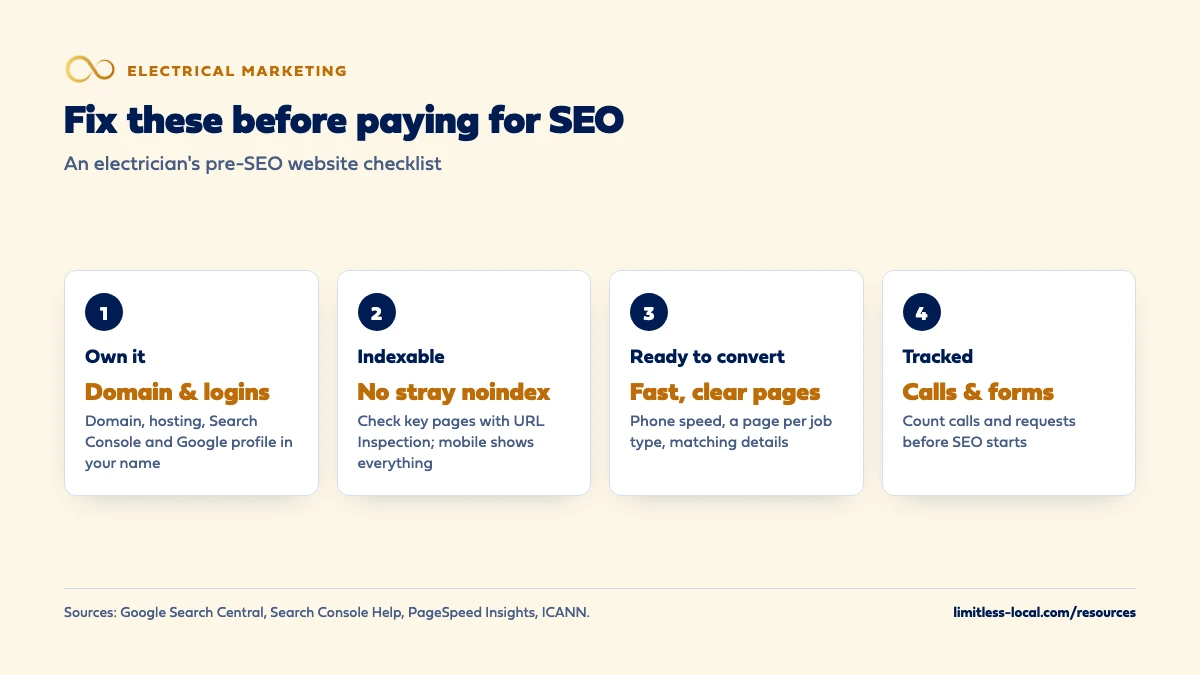
- Own your domain, hosting and logins, and set up Google Search Console.
- Check that Google can index your pages and the mobile site isn't missing anything.
- Fix slow phone loading, missing service pages and mismatched business details.
- Install call and form tracking first, so you have a before-and-after.
For electrical contractors about to pay for SEO who want to know what to fix on the website first, and what can wait.
Get a free visibility audit · Book a growth call
What does an electrician's website need in place before paying for SEO makes sense?
Before you pay for SEO, make sure you own your domain and logins, that Google can find and index every page you care about, and that the mobile version shows everything the desktop version does. Then fix the things that turn visits into calls: a fast-loading phone version, a page for each kind of electrical work you want more of, business details that match your Google profile, and call and form tracking. SEO brings more people to the site over months, so it pays off only when the site is ready to turn those visits into booked jobs.
That’s the order we work in too: tracking, a clean online presence and a site that can turn visits into calls come before we turn on lead flow. Our website design page shows how we build and fix contractor sites, and our electrical contractor marketing page shows how the site fits with search, ads and reviews. The rest of the electrical marketing questions library goes question by question.
Why fix the website before paying for SEO?
Because SEO works on the website. It brings more people from Google to your pages, but it doesn’t change what those people find when they get there. If the phone number is hard to find, the service they searched for has no page, or the site is half broken on a phone, more visitors mostly means more people leaving.
Timing makes this matter more. Ads can generate leads within days of launch, but SEO typically takes three to six months to show meaningful organic growth. Spending those months sending people to a site that can’t turn them into calls wastes the slowest, most patient money you’ll spend on marketing. In our view, a few weeks of fixes up front is usually the better first spend.
The good news is that most of what follows is checking, not rebuilding. Google’s Search Essentials say there are very few technical things a page needs to appear in Google, and most sites pass without even realizing it. The steps below catch the ones that don’t.
Step 1: Do you own your domain, site and logins?
Check this before anyone does any work. If a past web designer or agency registered your domain in their name, everything SEO builds sits on an address you don’t control. ICANN’s page on changing a domain’s registrant explains that you can look up who your domain is registered with through a WHOIS search, and that changes to the registrant go through that registrar.
Make a list and confirm you, the business, hold the owner login for each:
- The domain name and the registrar account it sits in.
- The website hosting and the site’s admin login.
- Google Search Console and Google Analytics.
- Your Google Business Profile.
Anyone you hire should be added as a user, not set up as the owner. Knowing if your agency is getting results covers the same question for your Google Ads account.
Step 2: Can Google find and index your pages?
Set up Google Search Console if you haven’t. Google’s overview of Search Console describes it as a free service that helps you confirm Google can find and crawl your site, fix indexing problems, see which searches show your site and get alerts about issues. You don’t need it to appear in Google, but you can’t check any of this without it.
Then inspect your most important pages: the home page and each service page. The URL Inspection tool shows whether Google has indexed a page and why it could or couldn’t, and can test the live version. One thing to look for is a leftover noindex rule. Google’s robots meta tag documentation says noindex tells Google not to show the page in search results. In our experience, it’s sometimes left switched on after a site build or redesign, and no amount of SEO helps a page Google has been told to leave out.
Step 3: Does the mobile version show everything?
Google indexes and ranks your site from its mobile version. Its mobile-first indexing guidance says to make sure the mobile site contains the same content as the desktop site, with the same clear headings, and warns that Google won’t load content that only appears after someone swipes, clicks or types.
For an electrician’s site, the common gaps we see are service lists that disappear on the phone layout, review sections cut to save space, and service-area information that only shows on desktop. Open your own site on your phone, page by page, and check that every service and every important detail is there. If it’s on desktop and not on mobile, assume Google isn’t counting it.
Step 4: Is the site fast enough on a phone?
Run your home page and a couple of service pages through PageSpeed Insights. Google’s page about PageSpeed Insights explains that it reports on the experience of a page on both mobile and desktop and suggests how to improve it, using lab data for debugging and field data from real visitors where enough exists.
Look at the mobile result first; that’s what most of your customers see. The usual causes on trade sites are oversized job photos, sliders and video backgrounds, and piles of add-on scripts. What an electrician’s website needs to get more calls lists Google’s speed targets and what else should be on screen when the page opens.
Curious what your marketing is actually booking?
Get a free visibility audit — no obligation, no sales pitch.
Step 5: Does each kind of electrical work have its own page?
SEO needs a page to rank. If panel upgrades, EV chargers, generators and commercial work all sit as bullet points on one “Services” page, there’s nothing for a search like “EV charger installer” to land on. Before SEO starts, build a real page for each kind of work you want more of, written by someone who does that work, with your own photos and a clear way to request a quote.
You don’t need every page on day one. Start with the work that pays best and that you have capacity for. Which service pages an electrical contractor’s website needs goes through the list, and how many city pages to build covers the town pages that come after.
Step 6: Do your business details match everywhere?
Your business name, phone number, address or service area and hours should be the same on your website as on your Google Business Profile and other listings. A site that shows an old phone number in the footer, or hours that don’t match Google, sends mixed signals to customers and to search engines alike.
Check the footer, the contact page and the header on every template. If you’ve changed phone numbers or moved shops, search your own site for the old one. Optimizing your Google Business Profile covers the profile side of this, including how to set hours if you take emergency calls.
Step 7: Is call and form tracking set up?
Put tracking in before SEO starts, not after. If you don’t know how many calls and quote requests the site produces now, you’ll never know what the SEO added. At minimum, you want calls from the website counted separately from your Google profile and ads, form submissions recorded, and every call and request entered into your field software with its source.
This is also what lets you judge SEO fairly over its ramp. Months three to six are when you’d expect organic growth to start showing, and you’ll want calls and booked jobs to compare against the months before. Tracking which marketing brings in real jobs walks through the setup.

Step 8: Are old pages and redesigns cleaned up?
If the site has been redesigned or moved before, check that old page addresses still go somewhere. Google’s site move guidance says to prepare a mapping from old URLs to new ones and redirect the old URLs to the new ones, then monitor traffic on both. A redesign that dropped the old service pages without redirects can throw away whatever search visibility they had.
Also look for pages that hurt more than they help: near-identical town pages, empty “coming soon” pages and old service pages for work you no longer do. Rewrite, merge or remove them before SEO starts adding new content on top.
What can wait until SEO is running?
More than most owners expect. In our view, none of these should hold up the start:
- A blog. Service pages come first; articles can follow once the core pages are solid.
- Extra town pages. Build them as you gather jobs and reviews from each town.
- A full redesign if the current site passes the checks above. A site that looks dated but works on a phone, loads fast and has the right pages can carry SEO for a while.
- Fancy features like animations, video backgrounds or chat widgets. They rarely help and often slow the page.
The test is simple: does it stop Google from reading the site, or stop a visitor from calling? If not, it can wait.
Do I need a new website, or can I fix the one I have?
Usually you can fix it, if you own it and it runs on a platform you or your web person can edit. A new site makes sense when the current one can’t be edited, isn’t yours, can’t be made to work on a phone, or would need nearly every page rewritten anyway.
For reference, our themed websites are $3,750, or $3,000 with any of our marketing packages, for up to 25 pages, and custom builds start at $5,000. Concept to launch takes 100 days or less, with themed sites around 60 days. That’s a real cost and real time, which is why it’s worth checking whether fixes alone get you there first.
Not sure which of these is costing you jobs?
A free visibility audit checks the Google profile, reviews, site and tracking, and shows what to fix first.
What's different about fixing an electrician's website before SEO
Trust has to be on the page before traffic arrives. Homeowners don’t always know the difference between a licensed electrician and a handyman, and electrical work is dangerous done wrong. Before SEO brings new visitors, make sure your license number, insurance and real job photos are visible, not buried on an about page. Don’t state a licensing rule for your state unless you’ve checked it with the state.
Service calls and project work need different pages. Someone with a dead circuit and someone planning a generator install arrive with different questions. A site that only has a generic “call us” home page can’t serve both, and SEO will send both.
Newer kinds of work need pages that answer questions. EV charger, generator and solar or battery customers often research before calling. If your site has nothing that explains the work, SEO has nothing to rank for those searches.
Emergency claims must be accurate. If the site promises round-the-clock emergency service, make sure that’s still true before more people read it. A promise nobody answers at night costs more than leaving it off.
A worked example: the same SEO on two different websites
These numbers are made up to show the math, not a benchmark. Say SEO takes an electrician’s site from 300 to 600 visits a month from Google over several months.
- Site A hasn’t been fixed. The number is hard to find on a phone and there are no service pages, so 1% of visitors call or send a request. That’s 3 a month before and 6 after: three more.
- Site B was fixed first: tap-to-call, service pages, fast on mobile. 3% of visitors reach out. That’s 9 a month before and 18 after: nine more.
Same SEO, same traffic growth, three times the new calls on the fixed site. If one in three calls becomes a booked job, that’s one extra job a month on Site A and three on Site B.
For comparison, our Essentials package is $3,500 a month and includes a content sprint of up to 10 pages, with call, web and form tracking. A free visibility audit is the simpler way to find out which of these fixes your site actually needs before you commit to anything.
Frequently asked questions
How long does it take to fix a website before SEO?
It depends on what the checks turn up. Ownership, Search Console and tracking can often be sorted in days; missing service pages or a site that doesn’t work on phones take longer.
Can SEO start while the website is being fixed?
Some of it can, such as your Google Business Profile and listings, which don’t depend on the site. Content and on-page work should wait until the pages they build on are fixed.
Does Search Console cost anything?
No. Google describes Search Console as a free service, and Google’s Search Essentials note that appearing in Google’s search results doesn’t cost money either.
My web designer has my login. Is that a problem?
It’s fine for them to have access. It’s a problem if they’re the only one who does, or if the domain is registered in their name. Make sure the business holds the owner login for everything.
Do I need an HTTPS site?
Your site should load securely, and most hosts make that simple. If yours doesn’t, it’s worth fixing during the cleanup, and Google’s site move guidance covers redirecting the old addresses if the URLs change.
Should I fix the website or the Google profile first?
Do both early; they don’t depend on each other. For many electricians the Google profile brings calls sooner, while the website is what SEO builds on.
Key takeaways
- Own your domain, hosting, Search Console and Google profile before anyone starts SEO.
- Use Search Console’s URL Inspection tool to confirm your key pages are indexed and not blocked by a leftover noindex.
- Make sure the phone version shows everything the desktop does and loads fast.
- Give each kind of electrical work its own page and make your business details match everywhere.
- Install call and form tracking first so you can judge SEO over its three-to-six-month ramp.
Want a second set of eyes on your setup?
We'll look at how you show up locally and where calls are leaking, then send you a plain-English breakdown.
More in this section
- Should my electrical company start with LSAs, Google Ads or SEO?
- What should an electrician's website have to get more calls?
- Which keywords should an electrician bid on in Google Ads?
- How do I know if my electrical marketing agency is getting results?
- Which service pages should an electrical contractor's website have?
Sources
- Google Search Essentials — Google Search Central
- About Search Console — Search Console Help
- URL Inspection tool — Search Console Help
- Robots meta tag, data-nosnippet, and X-Robots-Tag specifications — Google Search Central
- Mobile site and mobile-first indexing best practices — Google Search Central
- About PageSpeed Insights — Google for Developers
- Site moves with URL changes — Google Search Central
- About Change of Registrant — ICANN