
How does a pool builder use Houzz to get leads?
- How do I set up Houzz so it brings my pool company real consultation requests?
- Is Houzz worth it for a pool builder?
- Step 1: Set up your Houzz profile properly
- Step 2: Post each pool as its own project
- Step 3: Ask every client for a Houzz review
- Step 4: Understand how Houzz decides which pros to show
- Step 5: Decide whether to pay for Houzz advertising
- Step 6: Pick ad photos that will pass Houzz's review
- Step 7: Answer Houzz leads fast and put them in your CRM
- How do I tell whether Houzz is bringing in pool jobs?
- How is Houzz different from other lead sites?
- When should a pool builder skip Houzz advertising?
- What's different about Houzz for pool builders
- A worked example: a one-season Houzz advertising test
- Frequently asked questions
- Key takeaways
- More in this section
- Sources
The short version
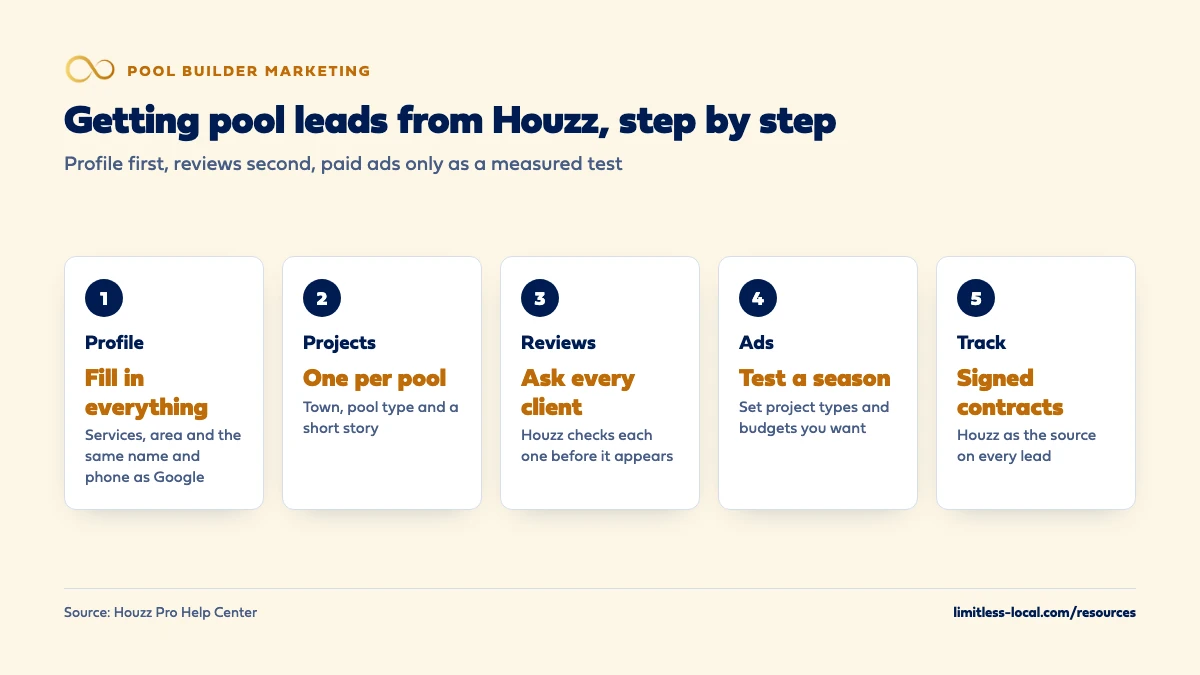
- Post each finished pool as its own project with the town, the pool type and a short story.
- Ask every client for a Houzz review; Houzz checks each one before it appears.
- Free placement depends mainly on category, relevancy and content quality like reviews and saved photos.
- If you pay for advertising, set the project types, budgets and areas you want, and judge it by signed contracts.
For pool builders who have a Houzz profile gathering dust, or are wondering whether it’s worth setting one up, and want it to bring in projects they actually want.
Get a free visibility audit · Book a growth call
How do I set up Houzz so it brings my pool company real consultation requests?
A pool builder gets leads from Houzz by building a complete profile with each finished pool posted as its own project, setting the services and areas you really cover, and asking every client for a Houzz review through the platform’s review request tool. Houzz orders its free directory listings mainly by category, relevancy and content quality, such as number of reviews and photos saved to ideabooks, so a full, active profile earns visibility on its own. Paid Houzz Pro advertising adds sponsored placement and matched homeowner requests; treat it as a measured test judged by signed contracts, not by the number of inquiries.
Houzz is one listing among several, and it works best when it points to a website and a Google profile that tell the same story. Getting your listings, reviews and pages working together is part of our local SEO work, and the pool builder marketing page shows how it fits a pool company. The pool builder marketing questions library covers the rest, question by question.
Is Houzz worth it for a pool builder?
It can be, mostly for the right kind of project. Homeowners use Houzz to collect ideas and look at finished spaces before they choose a builder, so it suits pool companies that sell design: custom pools, full backyard projects, outdoor living and higher-end renovations. A builder whose work photographs beautifully has a real advantage there.
It’s a weaker fit if most of your work is standard package pools sold on price and timing. Those buyers are more likely to search Google, call from Maps and compare a short list of quotes.
Think of Houzz in two parts. The profile is a listing that keeps working whether you pay or not. The advertising is a paid channel you can switch on, measure and switch off. Plenty of builders get value from the first and never need the second. Our page on marketing channels for custom pools vs simpler builds shows where Houzz sits in the wider mix.
Step 1: Set up your Houzz profile properly
Start from Houzz’s guide to creating a business profile. The sign-up asks about your type of business and revenue, then has you fill in your profile, pick a Houzz Pro plan from the pricing page and start a free trial. Read what each plan includes before you choose; you can always upgrade once you’ve seen what the profile does.
Then fill in everything; a complete profile helps potential clients find your business more easily:
- Business name, phone and website exactly as they appear on your Google Business Profile.
- Professional type and services that match what you build: new pools, custom pools, renovations, outdoor living. Leave off what you don’t want to sell.
- Service area drawn around the towns where you actually want to work.
- A description that says what you build, where, and what working with you is like, written for a homeowner, not stuffed with keywords.
- Cover photos that show your best finished pools.
Step 2: Post each pool as its own project
Houzz is a photo site first, and a profile with forty mixed photos and no projects tells a homeowner very little. Post each finished pool as its own project, with the town, the pool type and a few sentences about the yard and what you built. That’s what lets a homeowner picture their own backyard in your work.
Lead with the finished result, then add a handful of in-progress shots that show the build. The best finished photos are the ones homeowners save to their ideabooks, and saves are part of how Houzz judges content quality.
Once a project has enough photos, you can turn it into a short slideshow. Houzz’s Project Highlight Video builds one from the photos already on that project, with templates you can edit and publish, and it shows on your profile under that project.
Add new projects through the season, not all at once in winter. A profile with recent work looks like a busy, active builder. Our page on using project photos and videos covers what to shoot on every build.
Step 3: Ask every client for a Houzz review
Houzz’s guide to getting reviews on your profile shows two ways to ask. On a computer, the Get Reviews button under your business name lets you email requests to up to 50 addresses at once with a pre-filled message you can edit. On an iPhone, the Houzz Pro extension in Messages sends a review request inside a text thread.
Houzz checks each review for spam and false submissions before it appears, which can take up to five to seven business days, depending on volume. Once a review is approved, you can respond to it and pick a featured review for your profile.
A few things to keep straight. Houzz’s review policy says reviewers can’t be employees or relatives of the business, reviews must come from first-hand experience as a client, and only one person per household should review a project. Ask every client, not just the happy ones, and don’t offer anything in return.
Ask for Google first if you have to pick, then Houzz. Our page on getting more Google reviews covers timing and wording that work for both.
Step 4: Understand how Houzz decides which pros to show
Houzz explains how pros are shown in three places: its directory, its matching tool and its emails.
- Directory, free placements: ordered mainly by category (service type, professional type and location), relevancy (including physical distance, how well your description matches the search, and how closely your project photos match the style of photos the homeowner has saved) and content quality (including number of reviews and photos saved to ideabooks). Homeowners can also re-sort by most reviewed or recently reviewed.
- Directory, paid placements: marked “sponsored” and ordered mainly by category, relevancy and customer status, which includes the price paid for advertising.
- Matching tool: pros are selected based on the homeowner’s preferences, paid advertising status, responsiveness and other factors, with Houzz customers prioritized.
- Emails: feature pros that have bought local advertising.
These factors get tested and adjusted from time to time. For a pool builder the practical takeaways are simple: a precise description, real project photos in your style and a steady flow of reviews help the free listing; the matching tool and emails are mostly paid territory.
Curious what your marketing is actually booking?
Get a free visibility audit — no obligation, no sales pitch.
Step 5: Decide whether to pay for Houzz advertising
Houzz’s advertising page describes choosing the types of projects and budgets you serve so it can match you to homeowner requests with those criteria, a premium listing in the Find Pros directory, and showing your finished projects to local homeowners while they research. Its targeting options include geography, services, project type and budget range, and you can adjust them at any time.
Before you sign up, check three things:
- Your profile is already complete, with real projects and some reviews. Advertising sends homeowners to that profile; a thin one wastes the clicks.
- You can set a project type and budget floor that keeps out the work you don’t want.
- You know how long the commitment is and what happens if you want to stop.
Then run it as a test for a full selling season, not a month. A pool lead can take months to sign, and a few weeks of data will tell you about inquiries, not contracts.
Step 6: Pick ad photos that will pass Houzz's review
If you advertise, you’ll choose photos for a pro directory ad and a photo stream ad. Houzz’s guide to setting up your ad settings says the directory ad needs at least four photos and the photo stream ad can hold up to 30, and the Houzz team reviews every ad photo before approval.
The rules matter for a pool builder, because a lot of your best material won’t qualify. Ad photos must show a finished, completed and presentable space, so no construction or before photos. They can’t have text, time stamps, borders or logos on the image, or people, cars or devices with screens on. They must be residential, sharp and at least 800 pixels in height or width.
So the dig, the rebar and the gunite crew stay in your project stories. The ads need dusk shots of finished pools, wide yard views and close-ups of tile, water features and decking.
Step 7: Answer Houzz leads fast and put them in your CRM
A homeowner who sends a request through Houzz is often looking at other pros at the same time. The first builder to reply with something useful, like a call, a couple of questions about the yard and a time for a consultation, has the best chance.
Turn on whatever lead alerts your Houzz account offers, and make one person responsible for replying. Then get every Houzz lead into the same CRM or job software as your other leads, with “Houzz” as the source. Leads that live only in the Houzz inbox get forgotten, and you’ll never know what the channel produced.
Our page on how fast a pool builder should respond to a new lead covers what a fast first reply looks like.

How do I tell whether Houzz is bringing in pool jobs?
Track it like any other channel: inquiries, consultations, signed contracts and what each signed contract cost.
- Tag every Houzz lead with Houzz as the source, whether it came through a message, a call or the website.
- Use a tracking phone number on your Houzz profile if you use call tracking, so calls from Houzz don’t get counted as “Google” or “referral.”
- Ask on the first call where they found you. Homeowners often see you on Houzz and then search your name on Google, so the profile can get less credit than it earned.
- Add up the full cost: the subscription, any advertising, and the time spent posting projects and answering requests.
Then compare the cost per signed contract with your other channels at the end of the season. If Houzz signed one custom pool you’d never have met otherwise, the math may be easy.
How is Houzz different from other lead sites?
The difference is where the homeowner is in their thinking. On Houzz they’re often browsing ideas and building a picture of what they want; your photos do the selling before you ever speak. On lead marketplaces the homeowner has usually filled in a request form and is waiting for quotes, often from several companies.
That makes Houzz more of a portfolio and reputation channel, and less of a pay-per-lead one, at least on the free side. Its paid side does include matching homeowner requests to pros, so read exactly what you’re paying for and how leads are shared before you sign.
Our page on whether buying leads from Angi or HomeAdvisor is worth it for pool builders covers the lead-marketplace side.
When should a pool builder skip Houzz advertising?
- Your profile is thin. Fix the projects and reviews first; that part costs time, not money.
- Most of your work is standard package pools. Search ads and Maps usually reach those buyers more directly.
- Your calendar is full. Paying for more inquiries you can’t build this season doesn’t help.
- You can’t track it. If Houzz leads won’t be tagged and followed to a signed contract, you won’t know whether it worked.
- You can’t answer quickly. Paid matches that wait two days for a reply are money spent on someone else’s lead.
Skipping the ads doesn’t mean skipping Houzz. A complete profile with real projects and reviews is worth keeping either way.
Not sure which of these is costing you jobs?
A free visibility audit checks the Google profile, reviews, site and tracking, and shows what to fix first.
What's different about Houzz for pool builders
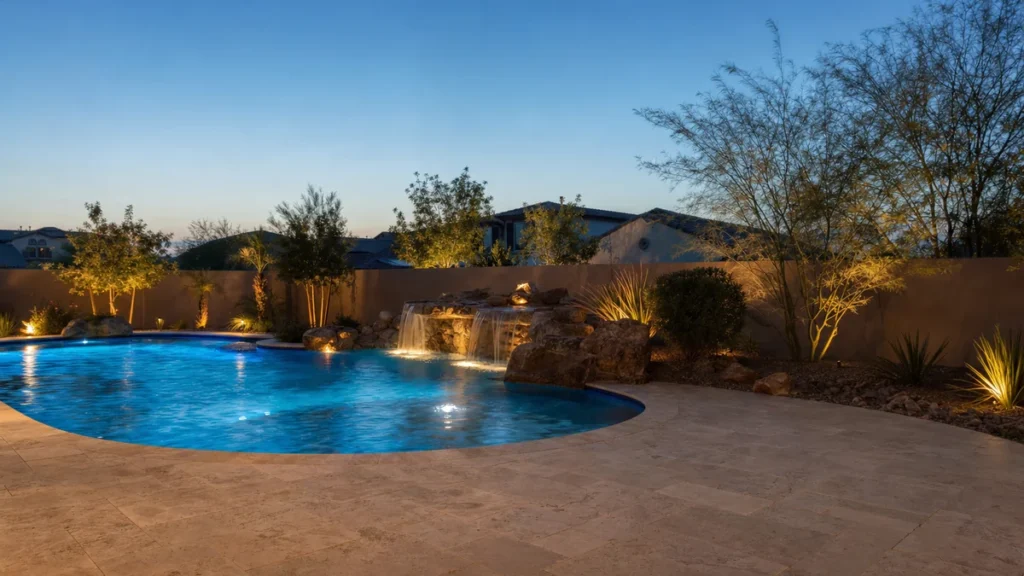
Your work is the ad. A finished pool at dusk is exactly the kind of photo homeowners save on Houzz, so pool builders with good photography start ahead of many other trades.
The best build photos don’t qualify for ads. Construction shots tell a great story on a project page, but ad photos have to show the finished space.
The decision takes months. A homeowner may save your photos in winter and contact you in spring, so judge Houzz over a season.
Custom and renovation work fit best. Houzz’s budget and project type settings help you stay out of the work you don’t want.
A worked example: a one-season Houzz advertising test
These numbers are made up to show the math, not a benchmark or a Houzz price. Say a pool builder pays a made-up $1,000 a month for Houzz advertising for six months, $6,000 in total, and spends a couple of hours a week on projects and replies.
Over the season Houzz brings 24 inquiries. After screening, 9 become design consultations and 2 sign, at a made-up average contract of $95,000. Cost per signed contract from Houzz: $6,000 / 2 = $3,000, before counting the staff time.
Whether that’s good depends on your other channels. If Google Ads signs contracts at a similar cost, Houzz is pulling its weight. If it costs much more per contract, the profile alone may be enough. Either way, the builder only knows because every Houzz lead was tagged from the first contact.
Frequently asked questions
Can I use Houzz photos on my own website?
Yes, if they’re your photos. Post the same projects on your website’s project pages; your own site is the one place you fully control.
Do Houzz reviews show up on Google?
Google says Business Profiles may display third-party reviews from other websites, and you can’t stop them. Treat Houzz reviews as proof for Houzz visitors, and keep asking for Google reviews separately.
How many projects should a pool builder post on Houzz?
Enough that a homeowner can find something like their own yard: a mix of pool types, sizes and towns. Quality and variety matter more than a big number.
Should my designer or my company have the Houzz profile?
The company. Put the account in the business’s name so the profile, reviews and projects stay with you if anyone leaves.
Should I reply to Houzz reviews?
Yes. Once a review is approved you can respond to it from the Review tab and pick a featured review for your profile. A short, specific thank-you that mentions the project shows the next homeowner you pay attention.
Can I ask colleagues for Houzz reviews?
Houzz’s review policy says a review has to come from first-hand experience as a client, not interactions as a potential client. For a pool builder, that means homeowners you actually built for.
Key takeaways
- Houzz suits custom pools, outdoor living and higher-end renovations better than standard package pools.
- Post each finished pool as its own project, and keep adding new ones through the season.
- Free placement depends mainly on category, relevancy and content quality, such as reviews and saved photos.
- Ad photos must show finished spaces with no people, text or logos, so keep construction shots for project stories.
- Tag every Houzz lead and judge any paid test by cost per signed contract over a full season.
Want a second set of eyes on your setup?
We'll look at how you show up locally and where calls are leaking, then send you a plain-English breakdown.
More in this section
- Is a pool builder's website turning visitors into leads?
- How do pool builders qualify leads before the design consultation?
- How can pool builders get referrals from landscapers and builders?
- What should a pool builder website include to get more consultations?
- How long does pool builder SEO take to bring in leads?
Sources
- How to Create a Business Profile on Houzz — Houzz Pro Help Center
- How to Add a Project Highlight Video to Your Houzz Profile — Houzz Pro Help Center
- How to Get Reviews on Your Houzz Profile — Houzz Pro Help Center
- Review Policy — Houzz Pro Help Center
- Pros Shown on Houzz — Houzz Pro Help Center
- Targeted Advertising for Contractors — Houzz Pro
- How to Set Up Your Ad Settings to Grow Your Business — Houzz Pro Help Center
- About third-party reviews — Google Business Profile Help