
What should a roof repair or replacement service page include?
- What goes on a roofing service page so it ranks and gets estimate requests?
- Why does a roofing service page matter more than the home page?
- Should roof repair and roof replacement be separate pages?
- What should the title and heading of a roofing service page say?
- What should a roof repair page include?
- What should a roof replacement page include?
- Should a roofing service page show prices?
- What photos and proof should go on a service page?
- Should a service page have its own FAQ?
- How should a service page ask for the estimate?
- How do city pages and service pages fit together?
- What's different about service pages for roofing companies
- A worked example: what one better replacement page could be worth
- Frequently asked questions
- Key takeaways
- More in this section
- Sources
The short version
- Give repair and replacement their own pages; the leak caller and the bid shopper need different things.
- Cover the signs, your process, materials, warranty, price factors and real photos of that job.
- Use the words homeowners search in the title and heading, and answer the questions your estimators hear.
- Put a call button and a short inspection request form on the page, not just on the home page.
For roofing owners building or fixing the one page that sells a single job, roof repair or roof replacement, so it shows up in search and turns visitors into inspections.
Get a free visibility audit · Book a growth call
What goes on a roofing service page so it ranks and gets estimate requests?
A roof repair or replacement service page should cover one job in depth: who it’s for, the signs that lead a homeowner to it, how your process works from inspection to cleanup, the materials and warranties you offer, what drives the price, and photos and reviews from that exact kind of job. It needs a title and heading that use the words homeowners search, a call button and a short inspection request form, and answers to the questions your estimators hear every week. Repair and replacement deserve separate pages, because the homeowner with a leak and the homeowner comparing replacement bids want different things.
A service page is where a search turns into a phone call, which is why we build them around booked inspections rather than word counts. That’s the thinking behind our roofing website work and how we approach roofing marketing overall. The roofing marketing guide shows where service pages sit next to Maps, reviews and ads, and the roofing marketing questions library takes the rest one question at a time.
Why does a roofing service page matter more than the home page?
Because it’s often the page a homeowner lands on. Someone who searches “roof leak repair” or “roof replacement” plus a town is looking for that job, and Google tries to show the page that best matches it. A home page that lists ten services in one paragraph rarely matches as well as a page that covers one job properly.
The site-wide basics, the first screen, forms, speed and reviews, are covered in what a roofing website needs to get more estimate requests. This page is about one service page: what goes on it so it ranks for that service and convinces that visitor.
Should roof repair and roof replacement be separate pages?
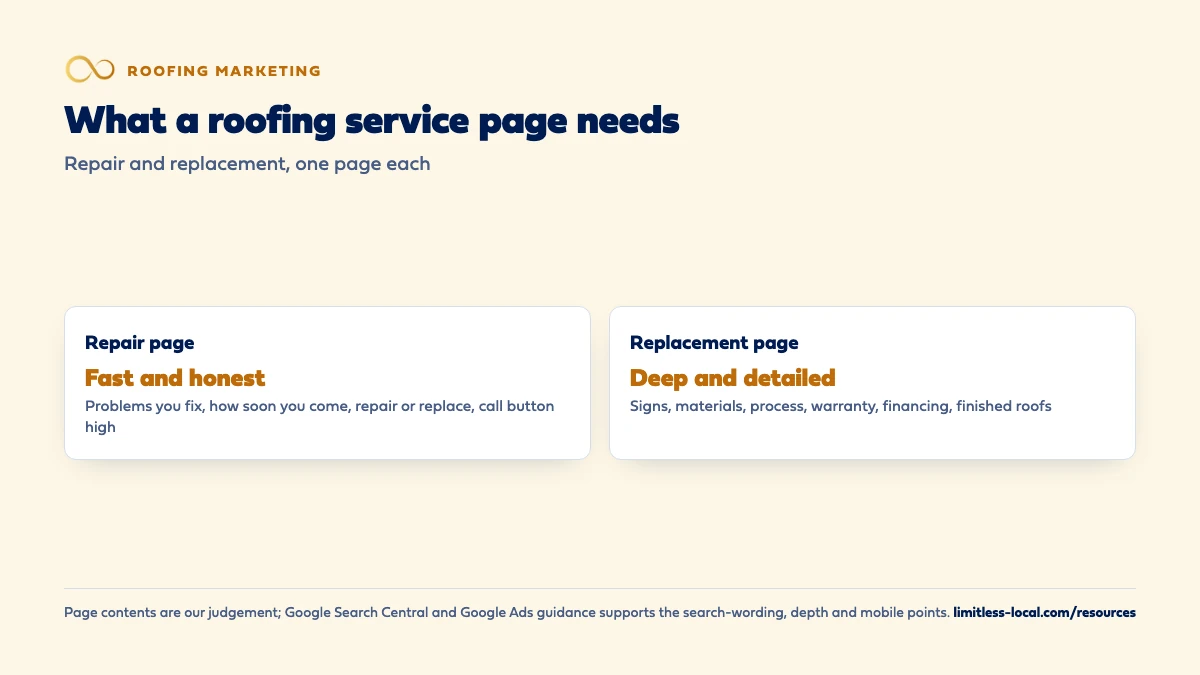
Yes, in our judgement. The two visitors are different people on different days:
- The repair visitor has a leak, missing shingles or a stain on the ceiling. They want to know you can come soon, what a repair visit involves, and whether it’s worth repairing at all.
- The replacement visitor is comparing bids. They want materials, how the job goes, warranty, financing and proof you’ve done many of these.
One page trying to serve both ends up too slow for the first and too thin for the second. If you’re still deciding which of the two to push harder, whether to market repairs or replacements covers that choice.
What should the title and heading of a roofing service page say?
The service and the area, in the words homeowners use. Google’s starter guide says the title link in search results is built from sources including the words in the page’s title element and headings, and it suggests thinking about the words a user might search for, noting that people who know a topic well may use different words from someone new to it (Google Search Central).
For roofing, that means writing “roof leak repair” and “replace my roof” as well as the trade terms. A homeowner rarely searches “re-roof” or “underlayment”. Use your terms further down the page, where you explain the work, and use theirs where they’re looking: the title, the main heading and the first paragraph.
What should a roof repair page include?
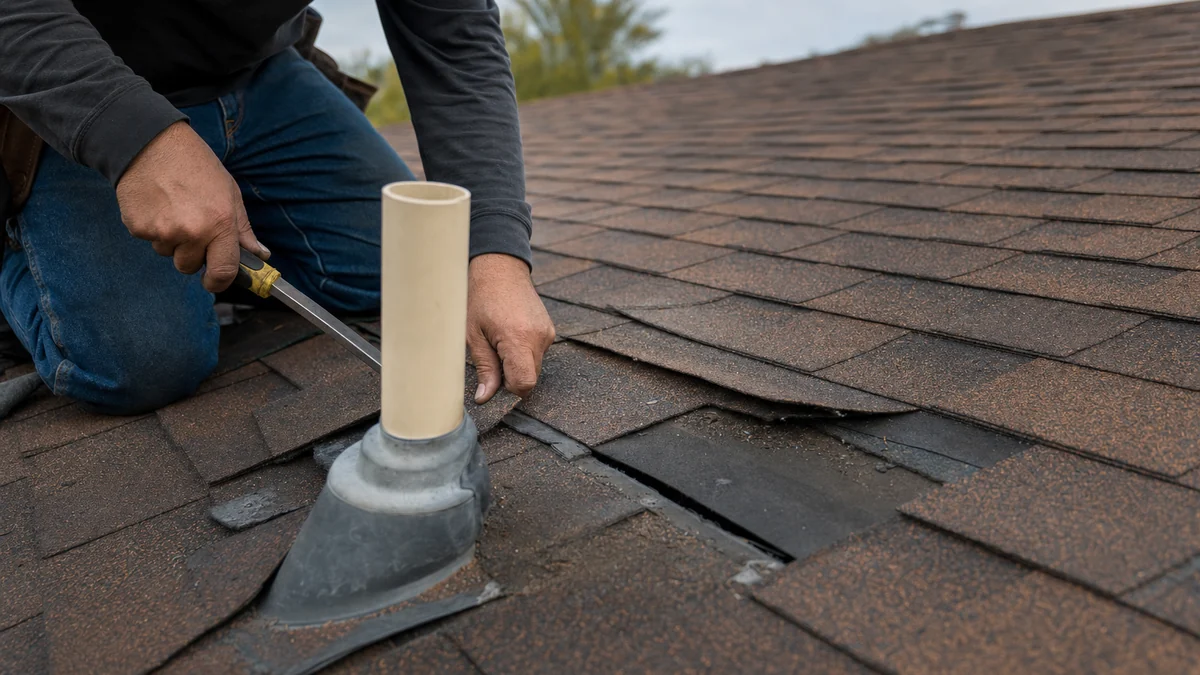
- The problems you fix: leaks, missing or lifted shingles, flashing around chimneys and vents, storm damage, in plain words.
- What a repair visit looks like: how quickly you can usually inspect, what the crew checks, how you show the homeowner what you found.
- Repair or replace? An honest paragraph on when a repair makes sense and when you’ll tell them it’s time for a new roof. Homeowners trust a roofer who says repair when repair is enough.
- Temporary protection, if you offer it: tarping after storm damage and how fast you can get there.
- Photos of real repairs you’ve done, before and after.
- A call button high on the page, because many repair visitors are on a phone with water coming in.
Curious what your marketing is actually booking?
Get a free visibility audit — no obligation, no sales pitch.
What should a roof replacement page include?
- Signs it’s time: age, repeated leaks, widespread damage, explained without scare tactics.
- Materials you install: asphalt shingles, metal, tile or whatever you actually do, with what each is good for.
- How a replacement goes: inspection and measurements, the written estimate, scheduling, tear-off, installation, cleanup, final walk-through. Homeowners worry about the mess and the noise; tell them how you handle both.
- Warranty: your workmanship warranty and the manufacturer warranties on the materials you install, stated exactly as written.
- Financing, if you offer it, in your lender’s own wording.
- Finished replacements with your own photos, ideally in towns your visitors recognize.
A replacement page can be long, because the visitor is deciding on a big purchase and reading carefully. Google’s helpful-content questions ask whether a page provides a substantial, complete or comprehensive description of the topic (Google Search Central). For a replacement page, that’s the standard to aim for.
Should a roofing service page show prices?
In our judgement, show what drives the price rather than a single number: roof size and pitch, how many layers come off, the material, decking repairs found during tear-off, and access. Then say plainly that a roof isn’t priced until someone inspects it, and make the inspection the next step.
That answers the question homeowners are asking without a number that’s wrong for most roofs. It also filters out some of the price shoppers before they call. Cutting down on price-shopper calls covers the rest of that problem.
What photos and proof should go on a service page?
Photos of that exact job, done by your crews. Google’s mobile landing page advice says images capture interest on a small screen and can tell visitors about you without making them read (Google Ads). A repair page needs repair photos; a replacement page needs tear-offs, installs and finished roofs.
Reviews work the same way: pick reviews that mention the service the page sells. This is general information, not legal advice: the FTC’s rule on reviews and testimonials says a business that puts testimonials on its own website can be liable if they’re fake or false, and using only non-representative reviews could be deceptive (Federal Trade Commission). Show a fair sample and link to your Google profile for the rest.
Should a service page have its own FAQ?
Yes, built from the questions your estimators actually hear on that job. For repair: “Can you just fix the one spot?”, “Will my insurance cover this?”, “How soon can you come?” For replacement: “How long will it take?”, “Do you remove the old roof?”, “What happens if it rains mid-job?”
Answer each one briefly and truthfully, and keep insurance answers to your process, never what a claim will pay. Questions like these are also what people type into Google and AI tools, so which questions a roofing website should answer for AI Overviews is worth reading next to this.
How should a service page ask for the estimate?
More than once, and without getting in the way. In our judgement, a service page needs a call button near the top, a short inspection request form partway down and again at the end, and one sentence on what happens next: who calls back, roughly when, and what the inspection involves.
Google advises against full-size pop-ups and chat boxes that cover the screen on mobile, and notes that forms are inconvenient on mobile and can cause visitors to leave (Google Ads). Keep the form short and the screen clear.
How do city pages and service pages fit together?
The service page explains the job; a city page shows the job in one town. Link them both ways: each city page points to the repair and replacement pages, and each service page lists the towns you serve with links to the ones that have their own page. Google’s starter guide notes that links help both people and search engines find other parts of your site and can add context (Google Search Central).
Build the service pages first. How many city pages a roofing website should have covers when to add town pages on top.
Want to see where your company stands?
A free visibility audit shows where you show up on Google, Maps and AI answers, and what it's costing you in calls.
What's different about service pages for roofing companies
Storm damage needs its own page. After hail or wind, homeowners search for storm and hail damage specifically. In our judgement, a storm damage page that explains your inspection, the photos you take and how you work with homeowners and their insurance company, without promising what a claim will pay, should exist before the storm, not after.
Insurance wording carries risk. Never offer to cover or waive a deductible on a service page. In Texas, the state insurance department says it’s illegal for contractors to waive a deductible or help a homeowner avoid paying it (Texas Department of Insurance). This is general information, not legal advice, so have your own state’s rules checked before you publish insurance copy.
Commercial is a different buyer. A property manager comparing bids for a flat roof wants different proof than a homeowner. If you do commercial work, give it its own pages.
A worked example: what one better replacement page could be worth
These numbers are made up to show the math, not a benchmark for your market. Say your roof replacement page gets 400 visits a month and 2% of visitors request an inspection, which is 8 requests. You rebuild it with real job photos, the process, warranty and financing details, and an FAQ from your estimators, and 4% now request, which is 16.
- Extra requests: 16 − 8 = 8 a month.
- If 1 in 4 requests becomes a signed replacement, that’s 2 more signed roofs a month.
- At a made-up average of $12,000 a replacement, that’s $24,000 a month in extra signed work from one page, before any change in traffic.
Your numbers will differ. The point is that one page, rewritten around the job it sells, can matter more than another dozen thin pages. Whether your current service pages are holding requests back is one of the things a free visibility audit looks at.
Frequently asked questions
How long should a roof replacement page be?
Long enough to answer what a homeowner comparing bids wants to know. In our judgement that’s usually longer than a repair page, but every paragraph should earn its place; padding doesn’t help.
Should I have separate pages for each roofing material?
Only for materials you install often and want more of, such as metal roofing. Marketing metal roof installs covers that case.
Should my Google Ads send people to the service page?
Often, yes, if the page matches the ad and makes the next step obvious. Some roofers build a separate landing page for ads; it depends on what the page has to do.
Can I copy the manufacturer's product descriptions?
You can describe the products, but text copied from the manufacturer’s site says nothing about your work. Write in your own words and lead with your own jobs.
How often should I update a service page?
Add new job photos and reviews as they come in, and fix anything that’s changed, such as warranty terms or financing. In our judgement, a quarterly check is enough for most roofers.
Does adding structured data help a service page rank?
In our judgement it can help Google understand a page, but it doesn’t replace good content, and anything you mark up should match what’s visible on the page.
Key takeaways
- Give roof repair and roof replacement separate pages, each written for its own visitor.
- Use homeowners’ search words in the title, heading and first paragraph; use trade terms further down.
- Cover signs, process, materials, warranty and price factors, with real photos of that job.
- Answer the questions your estimators hear, and keep insurance copy to your process.
- Ask for the inspection more than once, with a short form and a call button that’s easy to tap.
Not sure what's working right now?
Start with a free visibility audit: rankings, Google profile, reviews and tracking, checked against your service area.
More in this section
- What should a roofing website include to get more estimate requests?
- Should my roofing marketing go after repairs or replacements?
- How many city pages should a roofing website have?
- What blog posts should a roofing company publish?
- Which search terms should a roofing company target for jobs it wants?
Sources
- SEO Starter Guide: The Basics — Google Search Central
- Creating helpful, reliable, people-first content — Google Search Central
- 5 things to consider when optimizing your mobile landing page — Google Ads
- The Consumer Reviews and Testimonials Rule: Questions and Answers — Federal Trade Commission
- Is it OK for a contractor to waive my deductible? — Texas Department of Insurance