
What does Google need to trust my restoration company is local?
- What signals does Google check before it shows a restoration company as local?
- What does local mean to Google for a restoration company?
- Why is verification the first thing Google checks?
- What address should a restoration company use?
- How should I set my service area?
- What name and phone number should my profile show?
- How do my listings on other sites back up my profile?
- Do reviews help Google believe I'm local?
- What should my website show to back up my profile?
- Do local links and mentions count?
- What makes Google doubt a restoration company is local?
- Does Local Services Ads verification work the same way?
- What's different for restoration companies
- A worked example: fixing one made-up profile
- Frequently asked questions
- Key takeaways
- More in this section
- Sources
The short version
- Verify your Business Profile, and be ready to show your equipment and branded van on video.
- Use a real address you work from, hidden if you're a service-area business.
- Keep your name, area and phone exactly as they are in real life, everywhere.
- Back it up with real reviews, local links and a website about your own towns and jobs.
For restoration owners whose profile won’t verify, keeps getting flagged, or barely shows up outside their own street.
Get a free visibility audit · Book a growth call
What signals does Google check before it shows a restoration company as local?
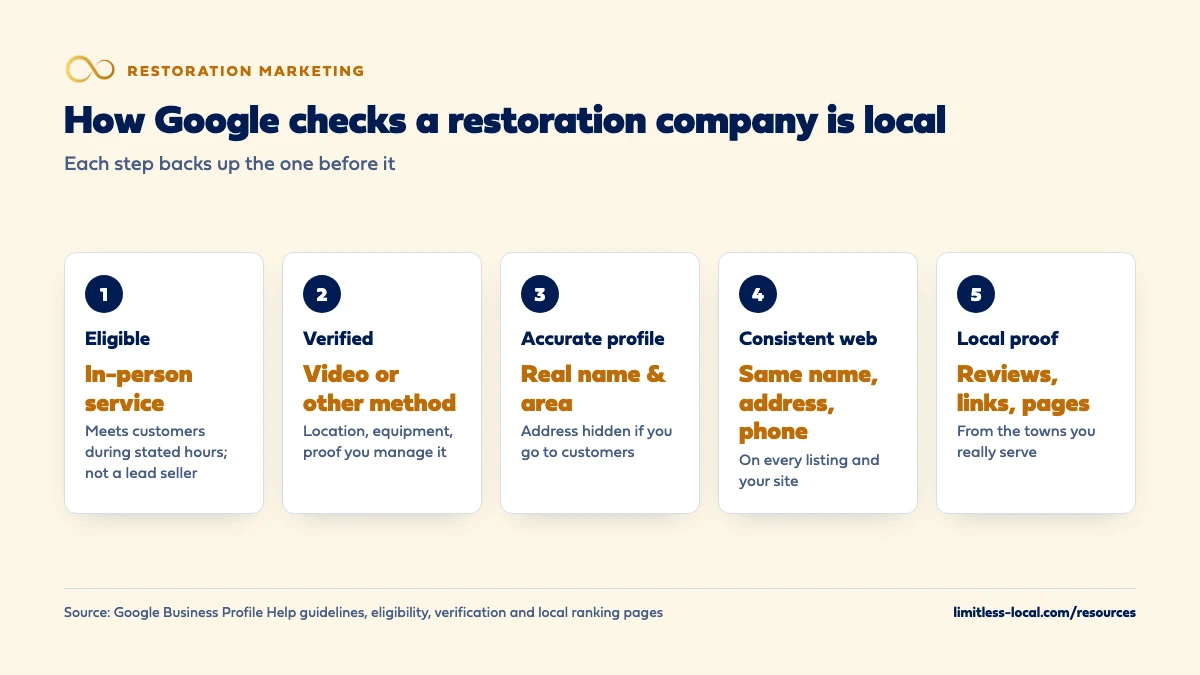
Google needs to see that your restoration company is a real business that serves customers in person where it says it does: a verified Business Profile under your real-world name, a real address you actually work from (hidden if you go to customers, and never a virtual office or P.O. box), a service area you actually drive to, and a local phone number you control. Then it checks that story against everything else: the same name, address and phone across the web, reviews from real customers, links and mentions from local sites, and a website that shows your towns and your own work. When all of that agrees, you look local; when it conflicts, you show up less, and breaking the rules can cost you the profile.
Getting these signals to line up is the foundation of our local SEO work: we clean up and build out your Google Business Profile and sync your name, address and phone across 50+ directories, so the details Google sees match everywhere. It’s included in every package, and we won’t promise a ranking, because nobody honestly can. You can see how it applies to water, fire and mold work on our restoration marketing page, read the restoration marketing guide, or browse the restoration marketing questions library.
What does local mean to Google for a restoration company?
It means a real business that meets customers in person, in a real place. Google’s business eligibility and ownership guidelines say a business must make in-person contact with customers during its stated hours to qualify for a Business Profile, and they list lead generation agents or companies among the businesses that aren’t eligible. That second point matters in restoration, where plenty of listings are really lead sellers passing calls to whoever pays.
Most restoration companies are service-area businesses: you go to the customer, they don’t come to you. Google expects one profile for your central office or base, with a service area drawn around it. Everything else Google checks is about confirming that story.
Why is verification the first thing Google checks?
Because it’s how Google knows you’re allowed to speak for the business. Its guide to improving your local ranking puts it first: verifying tells Google you’re authorized to represent the business, so it’s more likely to show up in search results. An unverified profile is barely in the game.
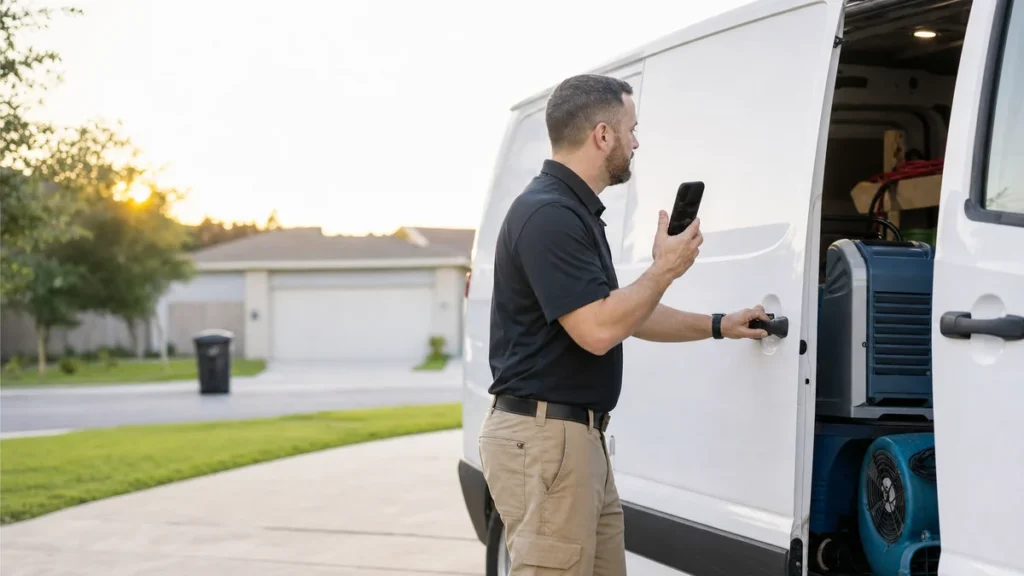
Verification is often done by video now, and the video verification rules for service-area businesses fit a restoration company well. The video has to show:
- Where you operate: street signs or landmarks at your business address, or around your neighborhood if you run it from home.
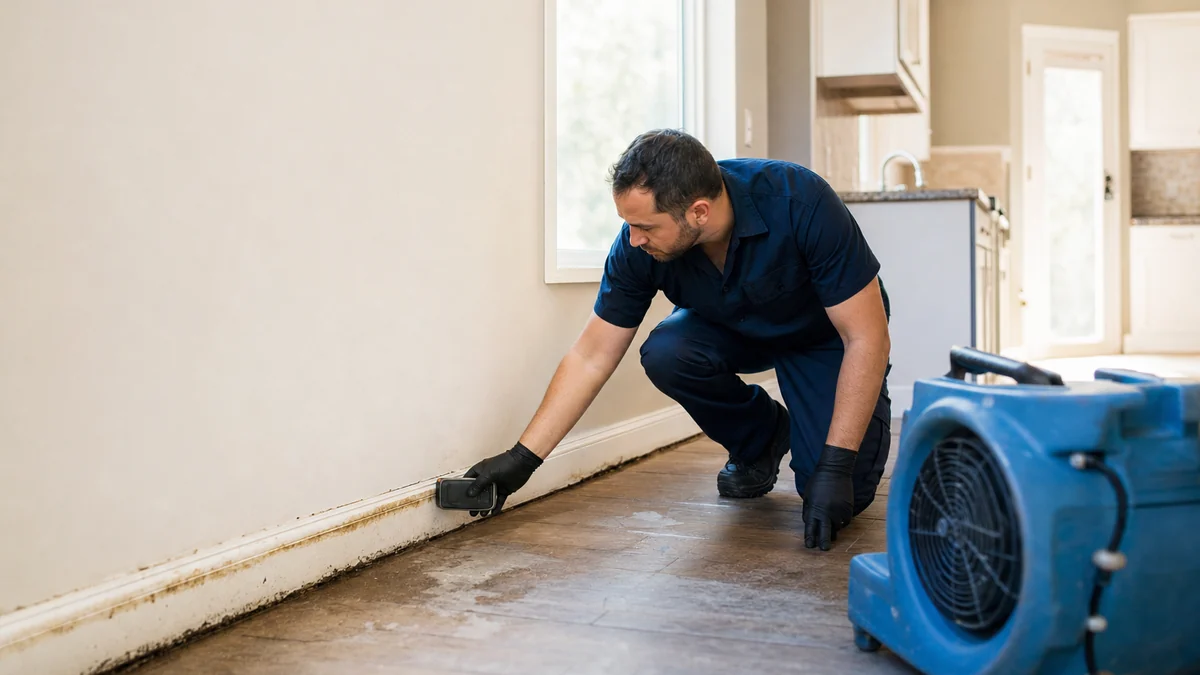
- That the business exists: your professional tools and equipment, such as dehumidifiers, air movers and moisture meters, or branded shirts.
- That you manage it: for example, unlocking a van with your business branding, or a business document whose name matches your profile.
It must be one live, unedited recording of at least 30 seconds, made from a phone through your Business Profile, without other people’s faces or private information in it. Plan the shot before you hit record.
What address should a restoration company use?
The real one you work from. Google’s guidelines for representing your business are specific:
- P.O. boxes and mailboxes at remote locations aren’t acceptable.
- A rented mailing address you don’t operate from, a virtual office, isn’t eligible.
- A co-working office only counts if it has clear signage, receives customers during business hours and is staffed by your team in those hours.
- If you don’t serve customers at your address, hide it. The guidelines’ own example is a plumber running the business from home.
If you do have a shop or warehouse where customers can come during set hours, with permanent signage, you can show it as a hybrid business with a service area as well. A storage unit full of equipment that nobody staffs isn’t a location.
How should I set my service area?
Draw it around where your trucks actually go. You can set up to 20 service areas by city, ZIP code or other area, and the overall area shouldn’t extend farther than about two hours of driving from where your business is based, though larger areas may suit some businesses.
Your service area tells customers where you work. It doesn’t mean you’ll rank everywhere inside it; Google still weighs distance from the searcher. So list the towns you really serve, then use your website and reviews to show work in them. Service-area changes can take up to 48 hours to appear once approved. Optimizing your restoration company’s Google Business Profile covers categories, services and the rest of the profile.
What name and phone number should my profile show?
Name: your real-world business name, the one on your vans, website and invoices. Adding hours, keywords or phone numbers to the name isn’t permitted and could get the profile suspended, so “ABC Restoration” is fine and “ABC Restoration 24 Hour Water Damage Mold Removal” is a risk.
Phone: a number that connects to your business location, under your direct control. Google asks for a local number over a central call center helpline where possible, and doesn’t allow numbers that redirect callers to other businesses. If you use call tracking, set it up so the number on your profile is still yours and still rings your phone. Whether call tracking numbers hurt restoration rankings explains how to do that safely.
Curious what your marketing is actually booking?
Get a free visibility audit — no obligation, no sales pitch.
How do my listings on other sites back up my profile?
Google builds its picture of your business from many places, not just your profile. When Bing, Apple Maps, Yelp, the BBB, Facebook, industry directories and your own website all show the same name, address and phone, they back each other up. When they don’t, say an old address on one site or a former business name on another, Google has conflicting stories to sort through.
Restoration companies collect these mismatches easily: a move, a rebrand, a second phone line, an old franchise name. Fixing them is unglamorous work that pays off everywhere. Why NAP consistency matters for a restoration company walks through finding and fixing them.
Do reviews help Google believe I'm local?
Yes, in two ways. Reviews feed popularity directly: more reviews and positive ratings can help your local ranking. And reviews from real customers in your towns, describing real jobs, are part of the evidence that you actually work there.
Ask every customer after every job, using your Google review link. Don’t script what they write, don’t offer anything for a review, and don’t buy them. A steady flow of honest reviews from the towns you serve says “local business” better than anything you can write about yourself.
What should my website show to back up my profile?
- The same name, phone and address or area as your profile, in the footer and on the contact page.
- A page for each service you list on your profile: water damage, mold, fire and smoke, sewage, storm.
- Pages for your main towns, with real local jobs and photos, not the same page with the city name swapped.
- Your own crew, vans and equipment in photos, not stock images.
- LocalBusiness structured data that matches your profile. Which schema markup a restoration website should use covers the details.
Link your profile to the homepage or to the page for the location it represents, and make sure that page clearly says where you work.
Do local links and mentions count?
They do. How many websites link to your business is part of what makes it well-known, which feeds the popularity side of local ranking. Local links also show Google where you belong.
Good sources for a restoration company: your chamber of commerce, local business associations, property manager and realtor associations you belong to, suppliers’ dealer lists, local news when you help after a storm, and community sponsorships. A handful of real local links beats a pile of random directory links from sites nobody in your town has heard of.
What makes Google doubt a restoration company is local?
- A virtual office or mailbox address, or an address in a town where nobody works.
- Several profiles for one service-area business, one per town.
- Keywords stuffed into the business name.
- A service area hours past where the trucks really go.
- A phone number that forwards to a call center or another business.
- Name, address and phone that don’t match across the web.
- A profile with no recent reviews, photos or updates.
Some of these just hold you back. Others break Google’s rules and can get the profile restricted or suspended, which is far worse than ranking a little lower. When in doubt, describe the business exactly as it is.
Does Local Services Ads verification work the same way?
No, it’s a separate process. Local Services Ads have their own business screening and verification steps, on top of what your Business Profile already shows. A clean, verified profile with accurate details makes that process smoother, because the same details have to match. How a restoration company gets verified for Local Services Ads covers those steps.
Want to see where your company stands?
A free visibility audit shows where you show up on Google, Maps and AI answers, and what it's costing you in calls.
What's different for restoration companies
Many owners run the business from home. That’s allowed. Hide the address, set a service area, and verify with the video showing your neighborhood, your equipment and your branded van.
Warehouses aren’t storefronts. An unstaffed shop full of drying equipment doesn’t make you a storefront business. Only show an address where customers can come during your stated hours and the business name is on permanent signage.
Storm work pulls owners to draw huge areas. Working a storm two states away doesn’t make you local there. Keep your service area to where you really work, and use ads if you need to reach further for a while.
Emergency hours have to be real. If your profile says you’re open around the clock, someone has to answer around the clock. Hours that don’t match reality make customers distrust you, and Google asks for your real customer-facing hours.
A worked example: fixing one made-up profile
This profile is made up to show what a cleanup looks like. A home-based water and mold company has a profile that won’t verify and barely shows up outside its own ZIP code. Here’s what a review finds, and the fix for each:
- Name: “ABC Water Damage Restoration Mold Removal.” The vans and invoices say “ABC Restoration.” Fix: match the real name.
- Address: the owner’s home address showing publicly. Fix: hide it and set a service area.
- Service area: the maximum of 20 areas, including a city about three hours away where they once worked a storm. Fix: cut back to the towns the crews actually reach.
- Phone: a number that forwards to an outside answering line under another company’s name. Fix: a local number the business controls, forwarded to whoever answers.
- Elsewhere: an old address on two directories and a former business name on Facebook. Fix: update each one to match.
- Verification: a single video, in one take, of the street signs near the house, the equipment in the garage, and the owner unlocking the branded van.
None of that is a trick. It just makes the business look like what it is, which is what Google is trying to confirm.
Frequently asked questions
Can I verify a restoration company I run from home?
Yes. Set it up as a service-area business with the address hidden. For video verification, home-based service-area businesses can record landmarks and signs in their immediate neighborhood.
Can I have a separate profile for each town I serve?
Not as a service-area business. You get one profile for the area you serve. Separate profiles are for separate locations with their own staff and service areas.
Will a P.O. box or a virtual office work as my address?
No. Google doesn’t accept P.O. boxes or remote mailboxes, and a rented address you don’t operate from isn’t eligible.
Does adding my city to the business name help?
Only if it’s part of your real-world name on your vans, signage and invoices. Otherwise it counts as extra information in the name, which isn’t permitted and risks suspension.
How long after I fix my profile will Google trust it?
Service-area edits can take up to 48 hours to show once approved. Ranking changes take longer, because Google also has to see the rest of the web agree with your profile.
Does IICRC certification help Google see me as local?
Not directly. It helps homeowners trust you, and being listed in the IICRC locator with matching details is one more consistent listing, but local ranking still comes down to relevance, distance and popularity.
Key takeaways
- Google needs a real business that meets customers in person, verified by someone authorized to manage it.
- Use a real address you work from, hidden if you go to customers; never a virtual office or P.O. box.
- Keep your name, service area and phone exactly as they are in real life, on your profile and across the web.
- Real reviews, local links and a website about your own towns and work back the profile up.
- Breaking the rules can cost you the profile, which is far worse than ranking a little lower.
Not sure what's working right now?
Start with a free visibility audit: rankings, Google profile, reviews and tracking, checked against your service area.
More in this section
- What makes homeowners trust a restoration company they find online?
- How does a restoration company show up in near me searches?
- How many Google reviews does a restoration company need?
- How should a restoration company reply to Google reviews?
- How do I optimize my restoration company's Google Business Profile?
Sources
- Business eligibility and ownership guidelines — Google Business Profile Help
- Tips to improve your local ranking on Google — Google Business Profile Help
- Verify your business with a video recording — Google Business Profile Help
- Guidelines for representing your business on Google — Google Business Profile Help
- Manage your service areas for service-area & hybrid businesses — Google Business Profile Help