
How should a restoration company handle marketing during storm season?
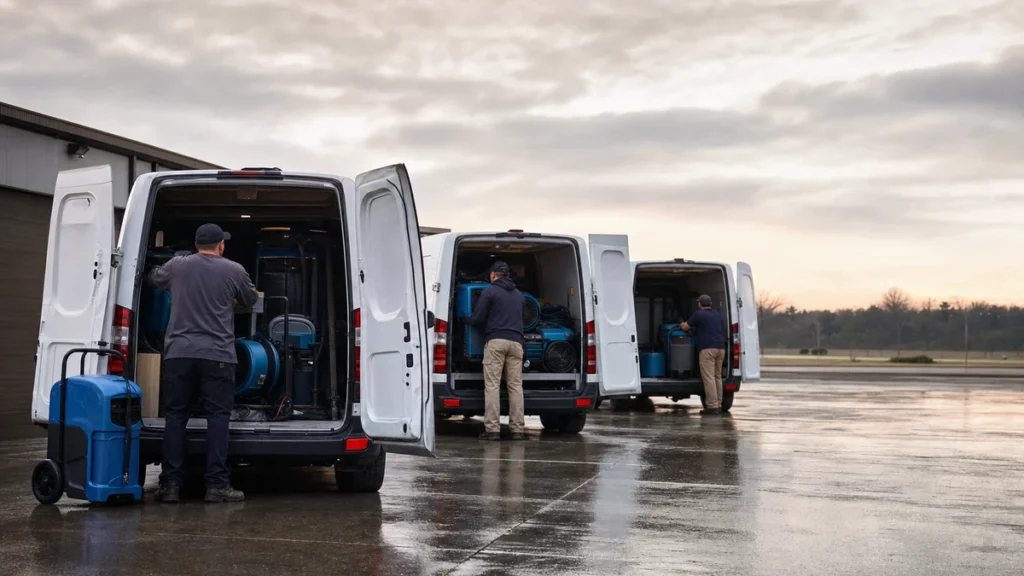
- How do restoration companies market before, during and after a big storm?
- When is storm season for a restoration company?
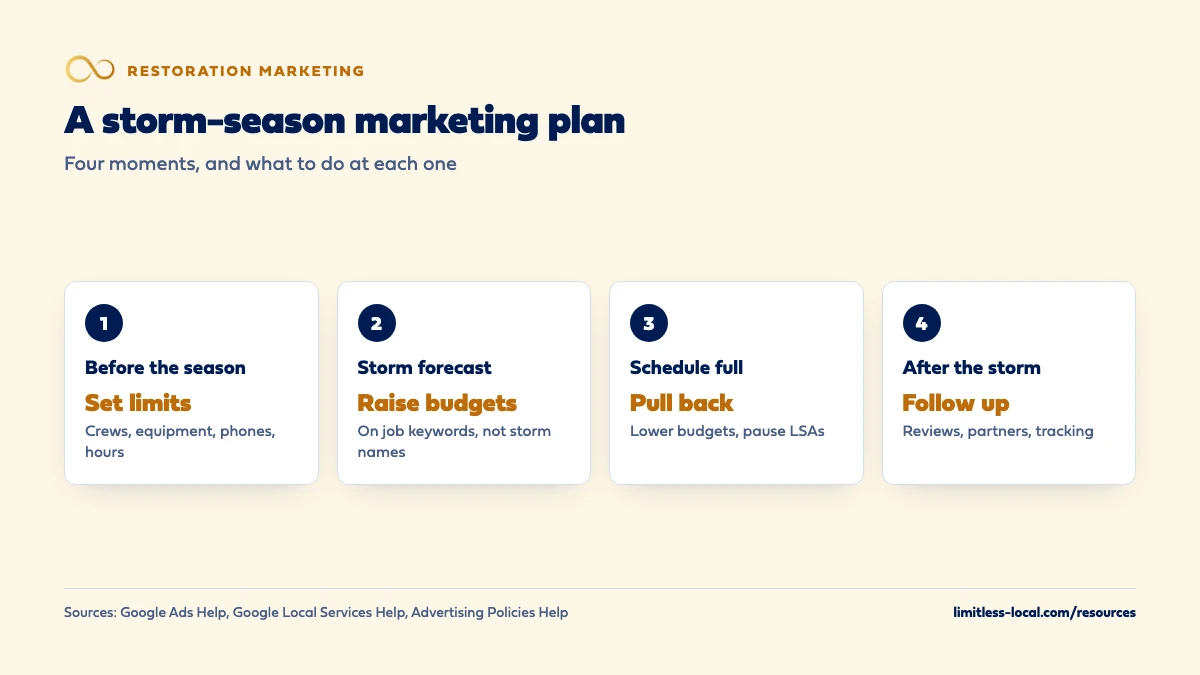
- Step 1: How many storm jobs can my crews actually take?
- Step 2: What should I fix on my Google profile before a storm?
- Step 3: How do I cover calls at night and on weekends during a storm?
- Step 4: How much should I raise my ad budget, and when?
- Step 5: Can I target the storm by name in my ads?
- Step 6: What should storm-season ads and posts say?
- Step 7: How do I market during a disaster without exploiting it?
- Step 8: Should I chase storms outside my service area?
- Step 9: When should I pull storm spending back?
- Step 10: What should I do after the storm passes?
- What's different about storm season for restoration companies
- A worked example: raising a budget when a storm is forecast
- Frequently asked questions
- Key takeaways
- More in this section
- Sources
The short version
- Set your crew and equipment limits before the season, and plan who answers the phone at night.
- Raise ad budgets on job keywords when calls rise, not on storm names; pull back when the schedule fills.
- Keep your Google profile hours true, since LSA missed-call charges follow them.
- Show your license, insurance and crews; skip disaster photos, sign-today offers and insurance promises.
For restoration owners planning ads, phones and crews for the stretch of the year when storms bring a rush of water damage calls.
Get a free visibility audit · Book a growth call
How do restoration companies market before, during and after a big storm?
Plan storm season before it starts: know how many jobs your crews and equipment can take, set your Google profile hours to what you can actually answer, and decide in advance how far ad budgets go up and when they come back down. When a storm hits, raise budgets on your normal job keywords rather than the storm’s name, which Google’s ad policies restrict, and pause or cut Local Services Ads once you can’t take more work. Keep your messaging calm and specific, with no disaster photos, pressure tactics or promises about insurance, because homeowners are being warned about storm-chasing scammers at the same moment.
Ramping paid search up and down around demand, with call tracking so you can see which storm calls became jobs, is part of our local ads work for restoration companies. The restoration marketing guide covers channels and budgets for the whole year, and the restoration marketing questions library goes question by question.
When is storm season for a restoration company?
It depends on where you work. For hurricanes, NOAA says the Atlantic season runs from June 1 through the end of November, with its peak on September 10 and most activity between mid-August and mid-October, and the eastern Pacific season starts May 15. NOAA also stresses that formation dates in individual seasons can vary considerably from those averages.
Hurricanes aren’t the only rush. In our judgement, many restoration companies see their busiest weeks after hard freezes, heavy rain or spring storms, depending on the region. Your own call log is the best map: pull a couple of years of calls by week and mark when the spikes came and what caused them. That tells you when to have crews, equipment and budgets ready. Source: Tropical Cyclone Climatology.
Step 1: How many storm jobs can my crews actually take?
Decide this before the first storm, not during it. In our judgement, a storm-season plan starts with a few numbers you write down:
- How many new water jobs your crews can start in a day, and how many active drying jobs you can monitor at once.
- How much drying equipment you own, and where you’d rent or borrow more.
- Who you’d hand overflow work to, or who you’d hire for a few weeks, so a booked homeowner isn’t left waiting.
- Who answers the phone, books the job and follows up, at every hour you say you’re open.
Those numbers set your marketing ceiling. Leads you can’t serve still cost money, and with Local Services Ads, missed calls may hurt how your ad ranks, so pushing more ads into a full schedule can make things worse. Source: About ad rankings.
Step 2: What should I fix on my Google profile before a storm?
Start with hours. If your hours change for a short stretch, Google Business Profile lets you set special hours without touching your regular ones, for up to 6 days in a row. That matters more than it looks: Google defines “business hours” for Local Services Ads as the hours on your Business Profile, and a missed call during those hours can be charged if the caller stays on the line more than 20 seconds.
Then the basics, done before the rush: your services listed the way homeowners describe them, recent photos of your crews, vans and drying equipment, and replies to recent reviews. Optimizing your restoration Google Business Profile covers the full list. Sources: How to set Special hours and How leads work.
Step 3: How do I cover calls at night and on weekends during a storm?
Storm calls don’t wait for office hours, and the homeowner usually calls the next company if you don’t pick up. Google’s ranking guidance for Local Services Ads says missed calls may hurt your responsiveness, and that turning on message and booking leads gives customers more ways to reach you, especially at night and on weekends when you can’t answer the phone.
In our judgement, the plan should name a person, not a hope: an on-call rotation, an answering service that can book or dispatch, and a text-back for any missed call. If you can’t cover nights for a while, it’s more honest to change the hours you list than to let calls ring out. How fast a restoration company needs to answer goes deeper on response times. Source: About ad rankings.
Step 4: How much should I raise my ad budget, and when?
Raise it when calls start climbing and you have room on the schedule, not weeks early and not after you’re full. Google Ads applies an average daily budget change right away, and its rules for the month are worth knowing before you touch it:
- On the day you change it, most campaigns can spend up to twice the highest daily budget you set that day.
- For the rest of the month, total spend won’t pass what you’ve already spent plus the new daily budget times the days left.
For a short push you’d rather cap outright, a new campaign can use a campaign total budget: you set one amount and a start and end date between 3 and 90 days, Google paces spending across that window, and it never charges more than the total. You can’t switch an existing campaign to a total budget. The worked example below shows the daily-budget math. Sources: How budget changes take effect and About campaign total budgets.
Curious what your marketing is actually booking?
Get a free visibility audit — no obligation, no sales pitch.
Step 5: Can I target the storm by name in my ads?
Not safely. Google Ads has a Sensitive Events policy for events such as natural disasters and civil emergencies. Among the things it lists as prohibited are using keywords related to a sensitive event to try to drive extra traffic, and price gouging or artificially inflating prices during the event. Google says Google Ads may take a variety of actions during a sensitive event.
In our judgement, the right move is to put the extra money behind the keywords you already run for the job, such as water extraction, flooded basement cleanup and emergency water removal, and leave the storm’s name out of keywords and ad text. Which Google Ads keywords to target covers building that list. Source: Sensitive events.
Step 6: What should storm-season ads and posts say?
Write for a homeowner who’s been told to be careful. The FTC’s advice to homeowners after weather disasters lists signs of a scam, including contractors who say they don’t need a license, discounts only if you sign right away, asking you to sign over your insurance check, asking for everything up front, and asking for a blank contract. It tells homeowners to confirm a contractor’s license and insurance, get written estimates from more than one company, and be skeptical of anyone promising immediate clean-up or repairs.
In our judgement, storm-season marketing should answer those worries instead of echoing them:
- Show your license, insurance and certifications where homeowners can check them.
- Say plainly how you work: inspection, written estimate, what happens first.
- Promise only what you can keep, like when you answer and which towns you cover, not how fast the house will be dry.
- Never promise that insurance will cover the job or approve a claim. Whether your website should explain insurance claims covers what you can say.
- No sign-today discounts.
Source: How To Avoid Scams After Weather Emergencies and Natural Disasters.
Step 7: How do I market during a disaster without exploiting it?
Google’s Sensitive Events policy sets a floor, but in our judgement the standard should be higher than what an ad platform will allow. Practical rules we’d hold to:
- No photos of identifiable damaged homes, street signs or house numbers, and no photos of people in distress. Show your crews, vans and equipment instead.
- Use a customer’s job photos only with their permission, and crop out anything that identifies the property.
- Skip countdowns, fear words and urgency you’ve invented. The homeowner already knows it’s urgent.
- Keep your pricing the way it was before the storm.
- Post useful updates instead of drama: which areas you’re covering, how to reach you, and what to do first to stay safe.
None of this costs you calls. A calm, specific company is easier to trust on the worst day of someone’s year. Source: Sensitive events.

Step 8: Should I chase storms outside my service area?
In our judgement, only with a plan you’d stand behind: the licenses that area requires, crews who can stay, and a way to finish and warranty the work after you leave. Out-of-town companies arriving after a storm are exactly what homeowners are being warned to check carefully.
On the ads side, Google’s advice for Local Services Ads leads you don’t want is to refine your service areas, categories and service types, and it notes that narrowing them can reduce volume. Widening your areas for a storm works the same way in reverse: more leads, including ones your crews may not reach in time. Source: How leads work.
Step 9: When should I pull storm spending back?
When the schedule is full, when answer and arrival times start slipping, or when your tracking shows cost per booked job climbing. In our judgement, don’t wait for the storm to be over in the news; wait for the signs in your own business.
Lowering a Google Ads daily budget takes effect right away, though on the day you change it, the spending limit still follows the highest budget you set that day. Local Services Ads can be paused when you’re too busy to take new leads; Google says that once you hit your monthly maximum, the ad stops showing for the rest of the month unless you change the budget. Sources: How budget changes take effect and How leads work.
Step 10: What should I do after the storm passes?
Storm season fills the schedule for a few weeks; what you do afterward decides whether it fills the next quiet month. In our judgement, the after-storm list is short:
- Ask every finished customer for a review while the job is fresh.
- Thank the plumbers, agents and property managers who sent work.
- Mark which storm calls booked, from which source, and what each job was worth. Tracking which marketing books restoration jobs covers the setup.
- Bring ad budgets back to normal and note what you’d change next time.
Then turn to steady work: keeping restoration work coming in between storms covers the months when the weather is quiet.
Not sure which of these is costing you jobs?
A free visibility audit checks the Google profile, reviews, site and tracking, and shows what to fix first.
What's different about storm season for restoration companies
Demand arrives all at once, in one place. In our judgement, a storm can bring a month of calls into a few days, and every company in the area gets them at the same time. The bottleneck is usually crews, equipment and phones, not leads.
Homeowners are on guard. Government consumer advice tells them to check licenses and insurance, get written estimates and be wary of anyone who appears promising instant repairs. Companies that make those checks easy have an edge.
Insurance is in the room. In our judgement, many storm jobs involve an insurance claim. Explaining your process is fine; promising coverage or outcomes isn’t.
Ad policies tighten. During a sensitive event, Google can restrict ads that try to profit from it, so keep campaigns built around the job, not the event.
A worked example: raising a budget when a storm is forecast
These numbers are made up to show the math, not a benchmark for any market. Your water damage campaign runs at an average daily budget of $80. On the morning of the 20th in a 31-day month, heavy rain is forecast for the next day. The campaign has spent $1,520 so far, which is 19 days at $80, and there are 12 days left counting today.
You’ve checked the schedule and lined up an extra crew, so you raise the daily budget to $160. Using Google’s rule, the most the campaign can bill this month is now $1,520 plus $160 times 12, or $3,440. On any single day from here, it can spend up to $320.
On the 24th, the schedule is full and response times are slipping, so you set the budget back to $80 and pause Local Services Ads for a few days. That day’s limit still follows the highest budget you set that day, so it can reach $320; from the next day it drops back.
On our side, Essentials ($3,500 a month) includes Google Ads management up to $2,500 a month in ad spend, and Growth ($4,500 a month) adds Local Services Ads management and raises Google Ads to $5,000 a month in spend. Ad spend is paid to Google separately. A free visibility audit is a simple way to check whether your profile, ads and phones are ready before the next storm.
Frequently asked questions
Should I keep ads running during a storm if I'm already booked solid?
In our judgement, no. Lower budgets or pause Local Services Ads until you can take work again; leads you can’t serve still cost money, and missed calls can hurt your LSA ranking.
Can I raise my prices during a storm?
Google’s Sensitive Events policy lists price gouging and artificially inflated prices among the things it prohibits in ads during such events. State rules also vary, so check yours.
How long can special hours run on my Google profile?
Google says you can set special hours when your business temporarily changes its hours or closes for up to 6 days in a row. For longer changes, update your regular hours.
Is it okay to post photos from storm jobs?
In our judgement, only with the customer’s permission and with anything that identifies the home cropped out. Photos of your crews and equipment at work tell the same story without exposing anyone.
Do I need a separate campaign for storm work?
Not necessarily. Raising the budget on your existing water damage campaign is usually enough. If you want a fixed cap, Google lets a new campaign use a campaign total budget with dates between 3 and 90 days.
When does hurricane season peak?
NOAA puts the peak of the Atlantic season on September 10, with most activity between mid-August and mid-October. NOAA notes that individual seasons can vary considerably from the averages.
Key takeaways
- Write down your crew, equipment and phone limits before the season; they set how far marketing should go.
- Keep your Google profile hours true, because LSA missed-call charges follow those hours.
- Raise budgets on job keywords when calls rise and you have room; Google’s Sensitive Events policy restricts storm-name keywords and price gouging.
- Make license, insurance and written estimates easy to see, and never promise insurance outcomes.
- Pull back when the schedule fills, then follow up, collect reviews and record which storm calls booked.
Want a second set of eyes on your setup?
We'll look at how you show up locally and where calls are leaking, then send you a plain-English breakdown.
More in this section
- How should a restoration company market to commercial properties?
- How do I keep restoration work coming in between storms?
- How do I track which marketing brings in booked restoration jobs?
- How do restoration companies get insurance-related water damage jobs?
- How fast does a restoration company need to answer emergency calls?
Sources
- Tropical Cyclone Climatology — NOAA
- Sensitive events — Google Advertising Policies Help
- How To Avoid Scams After Weather Emergencies and Natural Disasters — Federal Trade Commission, Consumer Advice
- How budget changes take effect — Google Ads Help
- About campaign total budgets — Google Ads Help
- How to set Special hours — Google Business Profile Help
- How leads work — Google Local Services Help
- About ad rankings — Google Local Services Help